
Amazon Seller Central AI Generator vs Flair AI (2026)
Managing a 500-SKU catalog across Amazon, Shopify, and TikTok Shop shouldn’t mean spending $10,000 on studio photography or drowning in manual Photoshop masks. As ecommerce platforms tighten their visual requirements, the choice between a native tool like Amazon’s AI generator and a dedicated design suite like Flair AI determines whether you spend your weekend scaling your brand or micromanaging pixels.
TL;DR Verdict

Audit your current image production costs today by dividing your monthly photography spend by the number of unique lifestyle assets produced to see if a $0 or $10/month tool can replace your current workflow.
- Amazon’s native tool is built directly into Seller Central and is available at no additional cost for basic lifestyle background generation. It is the path of least resistance for sellers who only operate within the Amazon ecosystem and need quick assets for Sponsored Brands.
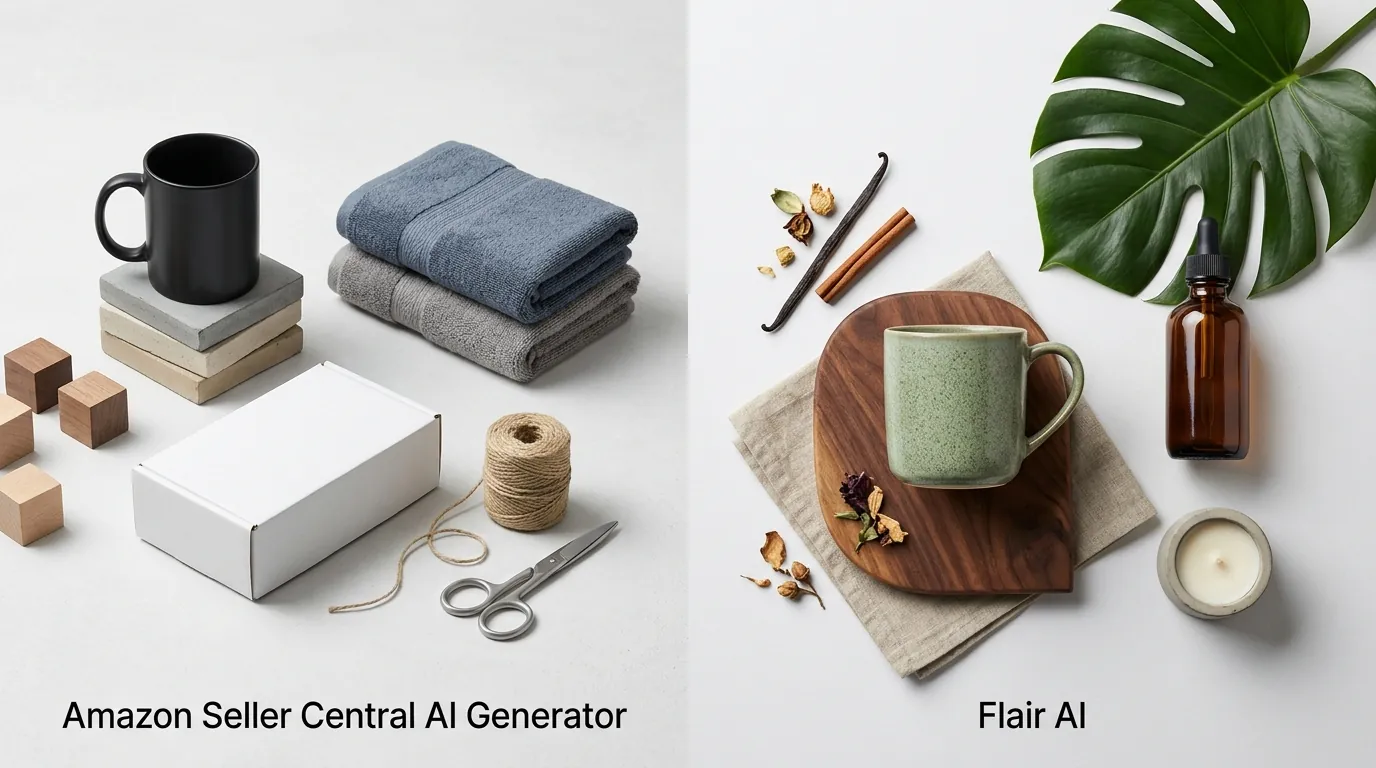
- Flair AI provides a robust drag-and-drop editor and AI fashion models, with a Pro plan at $10/month for more creative control. It is designed for “manual” creativity, allowing you to place products in 3D-like scenes with high precision.
- PixelMatch bridges the gap that both tools leave open: batch processing. While Amazon and Flair require you to work one image at a time, PixelMatch is engineered for multi-platform sellers who need to batch-generate platform-compliant images for hundreds of SKUs simultaneously, ensuring every shot meets the specific Amazon main image pure white background rules and TikTok Shop’s 1:1 requirements.
Side-by-Side Feature Table

Standardize your aspect ratios across channels by using this comparison to identify which tool supports the specific dimensions required by your secondary marketplaces.
| Feature | Amazon Seller Central AI | Flair AI | PixelMatch |
|---|---|---|---|
| Primary Use Case | Quick lifestyle backgrounds for Amazon Ads | Creative, manual scene composition | High-volume, multi-platform batching |
| Main Image Generation | No (Limited to lifestyle/backgrounds) | Possible (Manual background removal) | Yes (Automated 255,255,255 white) |
| Pricing | Included with Seller Account | Free (10 images/mo) to $35/mo | Tiered by SKU volume |
| Batch Processing | Single image only | Single image only | Full catalog batching |
| Commercial License | Included for Amazon use | Pro+ Plan ($35/mo) only | Included on all paid plans |
| Fashion Models | Very limited / Placeholder | Advanced “Change Pose” & Model features | High-consistency AI models |
| Platform Optimization | Amazon Only | General Ecommerce | Amazon, Shopify, Etsy, TikTok, eBay |
Amazon AI focuses on simple background replacement and is strictly tied to the Amazon ecosystem, often outputting images optimized for 1200 x 628 px Sponsored Brands layouts. Flair AI includes 3D asset integration, virtual fashion models, and customizable templates that allow for high-end “editorial” looks. PixelMatch differentiates itself by focusing on compliance and scale—ensuring that if you have 100 products, you get 100 sets of images that follow the 1600px longest side zoom requirement across your entire catalog in one click.
Pricing Comparison
💡 Skip the manual editing. PixelMatch batch-generates ecommerce-ready product images in 60 seconds — white background, lifestyle scenes, and variant mockups from a single source photo. Try PixelMatch free →
Calculate your cost-per-image (CPI) threshold by comparing these monthly fees against the time your team spends manually editing backgrounds for new product launches.
Amazon Seller Central AI: The “Free” Entry Point
Amazon’s AI image generator is currently available to registered sellers at no additional cost. It is accessed through the Advertising Console or the A+ Content Manager. While “free,” the cost is hidden in the limitation: you can only use these images on Amazon. If you try to port these assets to Shopify or Etsy, you may find the aspect ratios and “Amazon-centric” metadata don’t translate perfectly to other platform algorithms.
Flair AI: The Tiered Creative Suite
Flair AI uses a credit-based and subscription-based model that rewards lower-volume, high-creativity users:
- Free Tier: 10 images per month. This is strictly for testing the interface.
- Pro Plan ($10/month): Offers unlimited image generation but lacks a full commercial license. This plan is best for prototyping or social media posts where strict commercial ownership isn’t the primary legal concern.
- Pro+ Plan ($35/month): This is the required tier for professional sellers, as it includes the commercial license and higher-priority processing.
PixelMatch: The Scalable Choice
PixelMatch pricing is structured around the needs of multi-platform sellers with large SKU counts. Unlike Flair, which charges for the “creative process,” PixelMatch is priced for “output volume.” This makes it significantly more cost-effective for a seller launching a 20-piece clothing line or a 50-item home decor collection where manual generation for every single item would take dozens of hours.
Best For (By Seller Profile)

Segment your catalog by visual complexity today; use AI for simple lifestyle shots and reserve manual photography only for items with highly reflective surfaces like jewelry or chrome.
Amazon-Only Sellers
If 100% of your revenue comes from FBA and you only need images for Sponsored Brands or A+ Content, Amazon’s native AI is your best starting point. It requires zero setup, no external subscriptions, and it already knows your product dimensions from your existing listings. It is best for single-channel sellers who need to quickly add “seasonal” backgrounds (e.g., adding a pumpkin to a kitchen scene for October) without leaving the Seller Central dashboard.
Boutique Brands & Designers
Flair AI is the “Canvas” of AI product photography. It is best for creative directors and social media managers who want hands-on control over scene composition using a drag-and-drop canvas. If you need to place a specific bottle of perfume exactly three inches to the left of a silk ribbon and a marble slab, Flair’s editor allows for that level of granular placement. It is ideal for boutique brands that produce a small number of high-impact visual assets for Instagram and Pinterest.
High-Volume Multi-Platform Sellers
PixelMatch is built for the “Power Seller” who manages a large catalog across Amazon, Shopify, and TikTok Shop. When you have hundreds of SKUs, you cannot afford to manually drag and drop every item onto a canvas. PixelMatch is designed to batch-generate compliant images efficiently. It automates the technical requirements that Amazon and Flair ignore, such as ensuring the product fills at least 85% of the frame and is set against a pure white (RGB 255, 255, 255) background for the main listing image.
Where Each Falls Short

Verify your background RGB values before every upload; using an “almost white” background (RGB 254, 254, 254) is one of the most common reasons for Amazon listing suppression.
Amazon’s Tool Limitations
Amazon’s tool is remarkably restricted. It lacks advanced editing features like “Magic Erase” or the ability to change the pose of a model. Most importantly, it cannot generate compliant main images. Amazon’s own image standards require the main image to be a professional photograph of the product on a pure white background. Ironically, their AI tool is designed almost exclusively for lifestyle backgrounds, meaning you still need another solution for your primary “hero” shots.
Flair AI’s Bottlenecks
Flair AI is a “one-at-a-time” tool. While its creative features are powerful, its credit limits can drain quickly during creative iteration—you might burn through 10 credits just trying to get a shadow to look natural. Furthermore, the Free and Pro plans lack a commercial license, which creates a legal grey area for professional sellers. If you are caught using AI-generated assets for commercial gain without the $35/month Pro+ plan, you risk IP strikes or licensing disputes.
The “Batch” Problem
Both Amazon and Flair struggle with automated, catalog-wide batch processing. They are built for the “artist,” not the “operator.” For a seller with 200 variations of a phone case, manually generating a lifestyle background for each variation in Flair or Amazon would take a full work week. Neither tool offers a “upload CSV and generate all” feature, which is the primary reason high-volume sellers eventually churn from these platforms in favor of PixelMatch.
Recommendation

Schedule a batch-run test this week by taking your top 5 best-sellers and running them through each tool to see which interface matches your team’s technical skill level.
- Use Amazon’s native AI if you have a small catalog, zero budget for external software, and your only goal is to improve the click-through rate (CTR) of your Amazon Sponsored Brand ads. It is a “good enough” solution for basic needs.
- Choose Flair AI if you are a designer or a brand owner who enjoys the creative process and needs highly customized, one-off lifestyle scenes for social media. If you have the time to manually compose each shot and don’t mind the $35/month price tag for commercial rights, it offers excellent artistic flexibility.
- Opt for PixelMatch if you are a professional ecommerce operator. If you manage a large catalog across Amazon, Shopify, and TikTok Shop, you need a tool that understands Amazon image requirements and TikTok’s 1:1 ratio requirements out of the box. PixelMatch is the only choice that allows you to batch-generate platform-compliant images at scale, saving you hundreds of hours of manual labor while ensuring your listings never get suppressed for background non-compliance.
Ready to scale your listings?
PixelMatch generates white-background, lifestyle, and variant mockups from a single source photo — built specifically for multi-platform ecommerce sellers. 50 free images on signup, no credit card.
Start free →
Sources
- Amazon Seller Central: Product Image Requirements
- Amazon Advertising: Image Generation Tool Overview
- Amazon Seller Central: Zoom Requirements and Dimensions
- Flair AI: Official Pricing and Licensing Tiers
- TikTok Shop: Product Image Guidelines
- Shopify Help Center: Product Image Best Practices