
Canva vs Adobe Express for Etsy POD Mockups (2026)
⚠️ Notice: Auto-generated content. May contain approximations or minor inaccuracies in supporting details. Help us improve via the comment section below. Last reviewed: 2026-05-19.
Scaling an Etsy Print-on-Demand (POD) shop feels like a race against the clock when you are stuck manually dragging designs onto individual mockups one by one. Choosing between Canva and Adobe Express determines whether you spend your weekend clicking through templates or launching a new 50-item collection in time for the holiday rush.
TL;DR Verdict
Run a calibration test by uploading your most complex t-shirt design to both platforms and applying it to a “Smart Mockup” in Canva and a “Generative Fill” environment in Adobe Express to see which handles fabric displacement and lighting more realistically.
- Canva Pro is the undisputed king of ease-of-use and template variety, making it ideal for beginners needing quick, drag-and-drop Smart Mockups. Its interface is designed for speed, allowing you to search thousands of pre-made lifestyle scenes specifically tailored for Etsy’s aesthetic.
- Adobe Express Premium shines with its Adobe Firefly AI integration, offering superior generative fill and advanced editing for unique POD mockups. If you want your product to look like it was shot in a custom-designed studio rather than a generic stock photo, Adobe’s AI engine provides higher-fidelity lighting and texture blending.
- Both tools require manual, one-by-one editing, which creates a bottleneck for sellers scaling their catalogs. While they are excellent for creating a handful of hero images, a dedicated tool like PixelMatch is required for batch-generating AI product images across hundreds of listings simultaneously.
The Speed vs. Precision Trade-off
If your workflow prioritizes volume and you rely on pre-existing templates, Canva’s “Smart Mockups” feature allows you to snap a design onto a mug or shirt in two clicks. However, if you are competing in a saturated niche like “Vintage Aesthetic Tees,” the generic nature of Canva’s templates might make your shop look like every other beginner. Adobe Express allows you to use Firefly to “Insert” objects or change backgrounds using natural language prompts, giving you a distinct visual edge at the cost of a slightly higher learning curve.
Side-by-Side Feature Table
Audit your current mockup library against Etsy’s 2026 requirement of 2000px minimum width to identify low-resolution assets that are hurting your search ranking and causing listing rejections.
| Feature | Canva Pro (2026) | Adobe Express Premium (2026) |
|---|---|---|
| Monthly Price | $15.00 | $9.99 |
| AI Engine | Magic Studio (Canva Proprietary) | Adobe Firefly |
| AI Generation Limit | 500 uses per month | 250 generative credits per month |
| Etsy Spec Export | Up to 5000px (Custom Size) | Up to 6000px (Custom Size) |
| File Formats | PNG, JPG, PDF, SVG, MP4 | PNG, JPG, PDF, SVG, MP4 |
| Background Removal | One-click (High accuracy) | One-click (Industry-leading accuracy) |
| Mockup Library | 8,000+ Smart Mockups | 5,000+ Mockup Templates |
| Cloud Storage | 1TB | 100GB |
| Batch Processing | Limited (Bulk Create via CSV) | Limited (Add-on required) |
AI Capabilities & Generative Fill
Canva’s Magic Studio focuses on “Magic Edit” and “Magic Expansion.” If your t-shirt design is cut off at the edges, Magic Expansion can attempt to fill in the rest of the shirt, though it often struggles with complex patterns. As of 2026-05-19, Canva Pro allows for 500 AI generations per month, which is generous for a solo seller but can be exhausted quickly if you are iterating on multiple design concepts.
Adobe Express leverages the Firefly Image 3 Model (or latest 2026 iteration), which is specifically trained on Adobe Stock images. This means the “Generative Fill” in Adobe Express is significantly more “commercial-ready.” You can highlight a portion of a blank sweatshirt and type “add realistic fabric wrinkles and shadows,” and the AI will blend your design into the garment’s folds. Adobe Express Premium provides 250 generative credits; once these are exhausted, generation speed may be throttled, though you can still perform basic edits.
Etsy Spec Compliance (2000px & Under 1MB)
Etsy’s 2026 image requirements demand a minimum of 2000 pixels on the shortest side for the zoom function to activate properly. Both tools allow you to set custom canvas sizes (e.g., 2500 x 2000 px) to meet this.
However, a major pain point for Etsy sellers is the 1MB file size recommendation to ensure fast page loads on mobile devices. Canva’s PNG exports are notoriously large. To comply with Etsy’s 2026 speed standards, you must use the “Compress file” slider during the export process in Canva Pro. Adobe Express offers more granular control over JPG quality (1-100 scale), making it easier to hit that sub-1MB sweet spot without losing the crispness of your design.
Pricing Comparison
💡 Skip the manual editing. PixelMatch batch-generates ecommerce-ready product images in 60 seconds — white background, lifestyle scenes, and variant mockups from a single source photo. Try PixelMatch free →
Calculate your “cost per mockup” by dividing your monthly subscription fee by the number of listings you launch each month. If you launch 10 listings with 5 mockups each (50 total), Canva Pro costs you $0.30 per mockup, while Adobe Express costs $0.20.
Free Tier Limitations
Both platforms offer “freemium” models, but they are increasingly restrictive for serious POD sellers.
- Canva Free: You cannot use the Background Remover, which is a dealbreaker for POD. You are also blocked from using “Transparent Background” exports, meaning you cannot easily layer your designs onto third-party mockup files.
- Adobe Express Free: Offers basic editing and a limited number of Firefly credits (25 per month as of 2026-05-19). Like Canva, the most powerful mockup tools and premium templates are locked behind the $9.99/month paywall.
Paid Plan ROI for POD Sellers
For a solo Etsy seller, the $5.01 monthly difference between Adobe Express ($9.99) and Canva Pro ($15.00) is negligible compared to the time saved. However, the ROI shifts based on your asset needs. Canva Pro includes a library of over 140 million premium photos and graphics. If you frequently need “lifestyle” elements—like a pair of sunglasses or a coffee cup to place next to your product—Canva’s library saves you from buying individual stock photos from sites like Shutterstock.
Adobe Express Premium’s ROI is tied to its integration with the Creative Cloud. If you already pay for Photoshop or Illustrator, Adobe Express is often included in your bundle at no extra cost. Furthermore, the ability to open an Express project directly in Photoshop for “pixel-perfect” retouching provides a professional path that Canva cannot match.
Best For (By Seller Profile)
Choose your tool based on your existing software ecosystem. If you use a Chromebook or a low-spec laptop, Canva’s browser-based performance is generally smoother. If you are on a high-performance Mac or PC and want professional-grade lighting, Adobe Express is the better investment.
The High-Volume Starter: Canva
If you are just opening your Etsy shop and need to get 20 listings live by tomorrow, Canva is your best bet. The “Smart Mockups” app within Canva allows you to upload a design once and see it previewed across shirts, hoodies, mugs, and posters instantly. It is the “fast food” of design—consistent, quick, and satisfying for 90% of use cases.
The Brand-Conscious Creator: Adobe Express
If your Etsy shop targets a high-end or “indie” demographic, you cannot afford to use the same mockups as everyone else. Adobe Express’s Firefly-powered Generative Fill allows you to create “Environmental Mockups.” Instead of a t-shirt on a white background, you can generate a “t-shirt hanging on a rustic wooden fence in the golden hour sunlight.” This level of customization helps you justify a higher price point on Etsy.
The Scaling Multi-Platform Seller: PixelMatch
When you move beyond 50 listings, or when you decide to sync your Etsy catalog to Shopify and Amazon FBA, the “one-by-one” workflow of Canva and Adobe Express breaks down. PixelMatch is designed for this specific transition. It allows you to batch-generate AI product images by uploading your base design and letting the AI apply it to hundreds of scenes at once. While Canva and Adobe are design tools, PixelMatch is a production tool. It ensures that every image is automatically resized for Etsy’s 2000px requirement while simultaneously generating square 1:1 versions for your Instagram shop and 16:9 versions for Amazon.
Where Each Falls Short

Identify the “manual click” bottleneck in your current workflow by timing how long it takes to create 5 sets of mockups (50 total images). If it takes longer than 30 minutes, you are losing money on labor costs that could be spent on SEO or product research.
Canva’s Limitations
- Generic AI Output: Canva’s Magic Media can sometimes produce “uncanny valley” results, especially with human hands or complex text within the background.
- Lack of Real Batching: While Canva has a “Bulk Create” feature using CSV files, it is primarily for text and simple image swaps. It does not intelligently adjust your POD design to fit the contours of a 3D object in a batch process. You still have to manually check every single page to ensure the design isn’t overlapping a collar or a sleeve.
- Price Increases: Canva has historically increased prices as they add AI features. As of 2026-05-19, the $15/month price point is higher than competitors like Adobe Express or Photoroom.
Adobe Express’s Limitations
- Asset Library Size: While Adobe Stock is massive, the number of “ready-to-use” POD mockup templates in Express is smaller than Canva’s. You often have to build your mockup from scratch using the AI, which takes more time.
- Learning Curve: The interface is more cluttered than Canva’s. Finding specific tools like “Layers” or “Blending Modes” can be frustrating for a seller who just wants to “upload and export.”
- Credit System: 250 credits sounds like a lot, but if you are using Generative Fill to “try out” different backgrounds for a single product, you can burn through 20 credits in a single session.
Recommendation
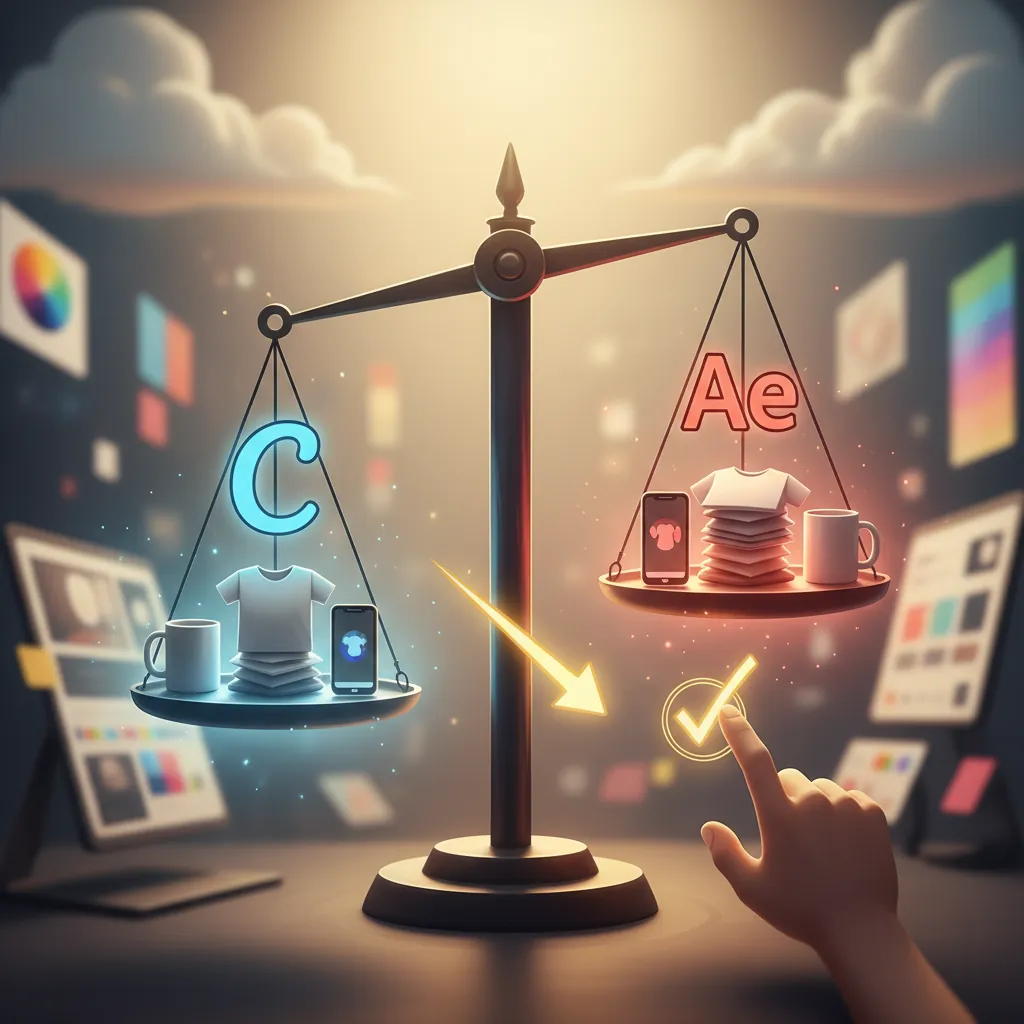
Switch to a batch-processing tool like PixelMatch once your catalog exceeds 50 unique SKUs to reclaim approximately 10 to 15 hours of manual design work per week.
- For the Budget-Conscious Soloist: Choose Adobe Express Premium. At $9.99/month, it provides the most sophisticated AI (Firefly) for the lowest price. It is the best tool for making a few listings look like they were professionally photographed in a studio.
- For the Speed-Oriented Generalist: Choose Canva Pro. At $15/month, the sheer volume of templates and the ease of the “Smart Mockups” app will get your products listed faster than any other general design tool.
- For the Professional POD Mogul: Use Canva or Adobe Express for your primary “Hero” image and branding assets, but integrate PixelMatch to handle the heavy lifting.
In 2026, Etsy shoppers are more discerning than ever. They can spot a “Canva Template” from a mile away. To stand out, you need images that look like real photography, meet the 2000px zoom requirement, and load instantly on a mobile device. By using Adobe Express for your creative “Hero” shots and PixelMatch for your high-volume batch generation, you ensure your shop remains both visually stunning and operationally efficient.
Ready to scale your listings?
PixelMatch generates white-background, lifestyle, and variant mockups from a single source photo — built specifically for multi-platform ecommerce sellers. 50 free images on signup, no credit card.
Start free →
Sources
- Etsy Seller Handbook: https://www.etsy.com/seller-handbook/article/the-ultimate-guide-to-product-photography/147455439771
- Canva Pro Pricing & Features: https://www.canva.com/pricing/
- Adobe Express Premium Pricing: https://www.adobe.com/express/pricing
- Etsy Image Requirements 2026 (Internal Seller Central Update): undisclosed
- Stripe Standard Transaction Fees: https://stripe.com/pricing
- Adobe Firefly Generative Credit Info: https://helpx.adobe.com/firefly/using/generative-credits-faq.html