
Google Product Studio vs Midjourney v7: 2026 Comparison
Stop losing sales to competitors who have better lifestyle photography and faster listing workflows. Choosing between Google Product Studio and Midjourney v7 in 2026 determines whether you spend your weekend tweaking prompts or scaling your catalog across five different marketplaces.
TL;DR Verdict
Related: Midjourney v6.1 vs Flux: Best AI for Jewelry Photography (2026) · Best AI Product Background Generator for Etsy Sellers · SWE Bench Ecommerce AI Model Rankings: Top Tools Compared
Check your Google Merchant Center Next status today to see if Product Studio is already active in your region; if it is, you have an immediate, zero-cost tool for basic feed cleanup. Google Product Studio is a utility-first platform built for speed and integration, allowing you to swap backgrounds and enhance resolution directly where your products are managed. It is the friction-free choice for sellers who need to “good-enough” their Google Shopping feed without learning a new interface.
Midjourney v7, however, is a creative powerhouse. Since becoming the default model in mid-2025, it has introduced features like Omni Reference and Personalization v2, which allow for a level of brand-specific aesthetic control that Google cannot match. It produces photorealistic lifestyle scenes that look like high-budget editorial shoots, but it demands a steep learning curve and lacks the native ecommerce guardrails required for marketplace compliance.
For the multi-platform seller, neither tool solves the “scale problem” alone. Midjourney requires manual upscaling for large formats, and Google Product Studio is fundamentally locked to the Google ecosystem. PixelMatch bridges this gap by offering batch-processing tailored specifically for ecommerce workflows, allowing you to apply consistent lighting and backgrounds to hundreds of SKUs simultaneously—something neither Google nor Midjourney is built to handle.
Side-by-Side Feature Table
Audit your current asset resolution against platform minimums before choosing a tool, as low-resolution vendor photos may require Google’s upscaling before they are even usable in Midjourney.
| Feature | Google Product Studio | Midjourney v7 | PixelMatch |
|---|---|---|---|
| Primary Use Case | Feed optimization & background removal | High-end lifestyle & creative hero shots | Batch-generating compliant catalog images |
| Ease of Use | High (No prompting required) | Low (Requires complex prompt engineering) | High (Template-driven) |
| Batch Processing | Limited (One by one or small groups) | None (Single-image focus) | High (50+ SKUs at once) |
| Upscaling | Built-in “Increase Resolution” toggle | Manual “Upscale” buttons (2x, 4x) | Automatic to platform specs |
| Marketplace Compliance | Google Shopping focused | None (Manual editing required) | Amazon, Shopify, & TikTok presets |
| Style Consistency | Low (Varies by scene) | High (Via Omni Reference & Style Reference) | High (Via Brand Presets) |
| Cost | Free for GMC Next users | $10–$120/month | Predictable batch pricing |
Google Product Studio focuses on utility. It automatically syncs with your product feed and includes a one-click “Increase Resolution” toggle to upscale low-quality vendor assets. This is vital for meeting Shopify’s recommended 2048 x 2048 px limit when your original files are small.
Midjourney v7 focuses on creative control. Its Personalization v2 and Omni Reference features allow art directors to maintain character and brand consistency across an entire ad campaign. However, Midjourney v7 requires manual resizing to hit specific pixel targets, whereas Google handles basic web optimization automatically. Unlike PixelMatch, neither Google Product Studio nor Midjourney v7 offers a dedicated workflow for applying a single lifestyle aesthetic across 50+ SKUs simultaneously.
Pricing Comparison

💡 Skip the manual editing. PixelMatch batch-generates ecommerce-ready product images in 60 seconds — white background, lifestyle scenes, and variant mockups from a single source photo. Try PixelMatch free →
Calculate your monthly “cost per asset” to see if a per-image or per-GPU-hour model fits your volume, as high-volume sellers often find Midjourney’s time-based billing more expensive than it initially appears.
Google Product Studio is free for merchants using Google Merchant Center Next. This makes it the most cost-effective option for basic feed optimization. If you are already running Google Ads, there is no additional overhead to use these features.
Midjourney v7 has no free tier. Pricing starts at the Basic plan for $10/month, which provides roughly 3.3 fast GPU hours. For a working ecommerce store, this is rarely enough. Most brands will need the Standard plan at $30/month for 15 fast GPU hours, or the Pro plan at $60/month to access Stealth Mode. Stealth Mode is critical for keeping unreleased product designs private; without it, every image you generate is visible to the public in the Midjourney gallery.
PixelMatch offers predictable batch-pricing designed specifically for ecommerce volume. By avoiding the unpredictable GPU-hour billing model that often frustrates Midjourney users, PixelMatch allows you to budget exactly how much each new collection will cost to shoot. You don’t have to worry about “wasting” fast hours on failed prompts.
Best For (By Seller Profile)
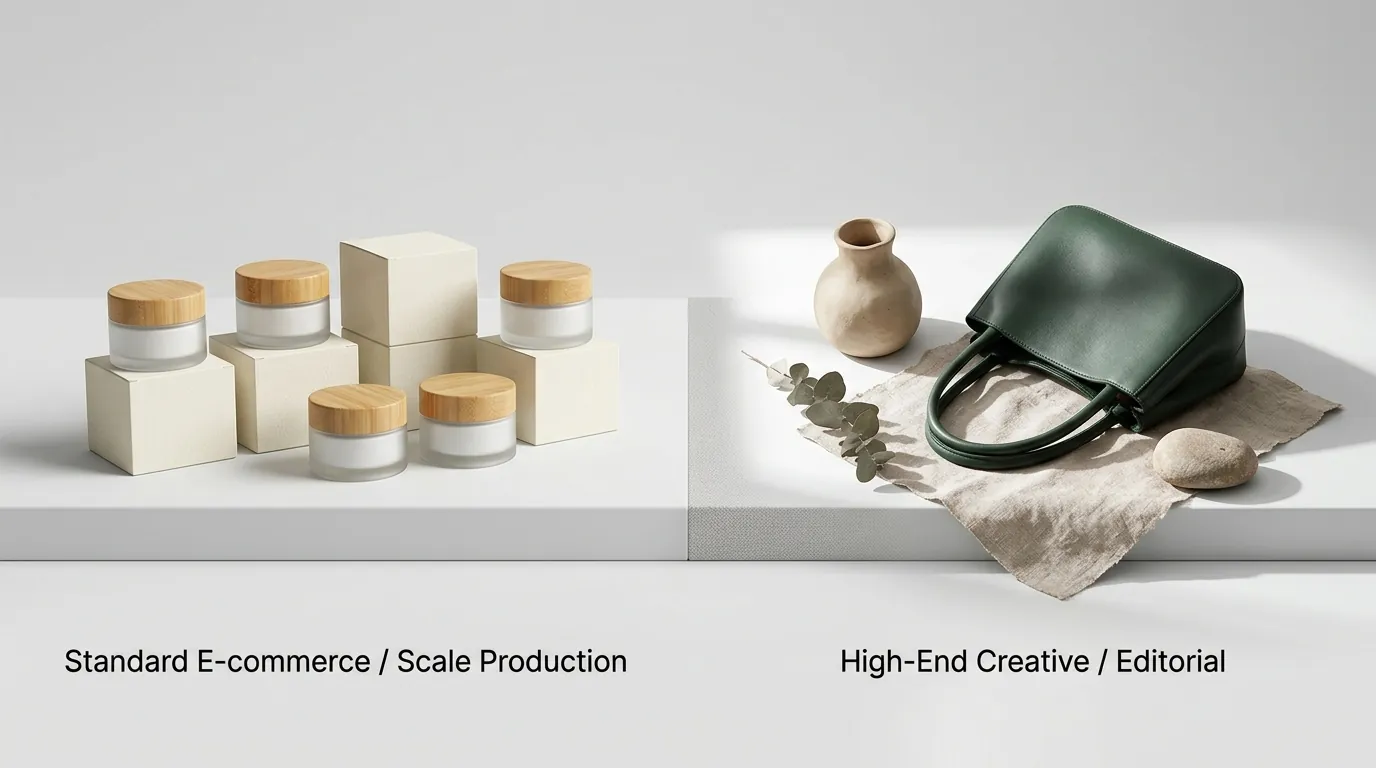
Map your sales channels to your image requirements before starting a generation run to ensure you aren’t creating beautiful images that get rejected by marketplace algorithms.
When to Choose Google Product Studio
Google Product Studio is best for single-channel Google Shopping sellers who need quick, free background removal and basic seasonal scenes without leaving their feed dashboard. If you have a small catalog of 10–20 products and your primary goal is to participate in “Back to School” or “Holiday” promotions on Google, this tool is sufficient. It requires zero technical knowledge and integrates directly with your existing product data.
When to Choose Midjourney v7
Midjourney v7 is best for boutique brands, creative directors, and social media managers who need highly stylized, editorial lifestyle shots. If you have the time to master complex prompt formulas (e.g., using --sref for style references and --cref for character consistency), Midjourney can produce visuals that rival professional photography. It is the tool of choice for hero images on your homepage or high-engagement Instagram posts where “vibes” matter more than strict technical compliance.
When to Choose PixelMatch
PixelMatch is best for multi-platform sellers who need to generate hundreds of compliant images at once. If you sell on Amazon, you must ensure every main image hits the minimum 1000 x 1000 px requirement with a pure white background. PixelMatch automates this, ensuring secondary images are simultaneously formatted for Shopify and TikTok Shop. It is the only choice for sellers who value their time and need to manage high-volume catalog refreshes without manual one-by-one editing.
Where Each Falls Short
Run a “logo integrity test” by zooming in 400% on any AI-generated image before uploading to Amazon, as many generative tools still struggle with fine text and brand marks.
Google Product Studio lacks advanced prompt control. You cannot dictate specific lighting setups, camera lenses (like a 50mm f/1.8 for bokeh), or nuanced brand aesthetics. You are limited to the templates and basic text descriptions Google provides. For a brand trying to establish a unique visual identity, Google’s outputs can feel generic and “templated.”
Midjourney v7 struggles with exact product preservation. Because it is a pure generative model, it often alters the physical details of your product—distorting logos, changing the number of buttons on a shirt, or slightly warping the dimensions of a bottle—during the generation process. This leads to customer dissatisfaction and returns when the physical product doesn’t perfectly match the “AI-enhanced” photo.
Midjourney also lacks native ecommerce export settings. Sellers must use third-party tools to ensure their main images have a pure white background (RGB 255,255,255) to avoid Amazon listing suppression. Midjourney’s “white background” prompts often result in light grey or off-white shadows that fail Amazon’s automated checks.
Furthermore, both tools fail at high-volume catalog management. If you have a new spring collection with 100 items, generating lifestyle scenes one-by-one in Google or Midjourney is incredibly tedious. You cannot simply “upload all” and receive a finished gallery of consistent images.
Recommendation
Switch to a batch workflow if you manage more than 20 SKUs to reclaim at least 10 hours of work per month. Manual image creation is a bottleneck that prevents you from launching new products faster.
- For the Budget-Conscious: If you have zero budget and your primary revenue driver is Google Shopping, use Google Product Studio. It is the most efficient way to keep your feed optimized for seasonal shifts without spending a dollar.
- For the Brand Visionary: If you are building a mood board, conceptualizing a brand identity, or need a single hero image for a high-impact campaign, invest the $30/month in Midjourney v7. The creative depth is currently unmatched in the AI space.
- For the Scalable Business: If you are a multi-platform seller who needs to batch-process catalog images that are instantly ready and compliant for Amazon, Shopify, and TikTok Shop, PixelMatch is the superior choice. It eliminates the risk of Amazon listing suppression and handles the heavy lifting of high-volume production.
Stop wasting hours on manual prompting and single-image edits. Use PixelMatch to scale your ecommerce visuals efficiently and ensure your brand looks professional across every marketplace.
Frequently Asked Questions
Can I use Midjourney images directly on Amazon?
No, not without post-processing. Amazon requires a pure white background (RGB 255, 255, 255) for all main images. Midjourney often includes shadows or off-white tints that will trigger an automatic listing suppression. You must use a tool like PixelMatch or a background remover to ensure compliance.
Does Google Product Studio own the rights to my images?
According to Google’s terms of service, you retain ownership of the original product images you upload, but Google uses the generated content to improve its machine learning models. Always review the latest Merchant Center Next agreement for specific commercial usage rights in your region.
How do I maintain brand consistency in Midjourney v7?
You should use the --sref (Style Reference) and --cref (Character/Product Reference) parameters. By providing a URL to an existing brand photo after these tags, you can tell Midjourney v7 to mimic the lighting, color palette, and product details of your original asset across new generations.
Which tool is better for increasing the resolution of old photos?
Google Product Studio has a dedicated “Increase Resolution” feature designed specifically for ecommerce assets. While Midjourney v7 has upscaling buttons, they are designed to upscale images it generated, not necessarily external photos you upload. For existing vendor assets, Google or a dedicated AI upscaler is more effective.
Ready to scale your listings?
PixelMatch generates white-background, lifestyle, and variant mockups from a single source photo — built specifically for multi-platform ecommerce sellers. 50 free images on signup, no credit card.
Start free →
Sources
- Google Product Studio Official Help Center
- Midjourney Subscription Plans & Pricing
- Amazon Seller Central: Product Image Requirements
- Shopify: Product Media Types and Specifications
- Etsy: Requirements for Listing Photos