Photoroom vs Pixelcut for TikTok Shop Creators (2026 Guide)
Balancing the need for high-velocity content creation with TikTok Shop’s strict image compliance rules often leaves you choosing between slow manual editing or unpredictable AI automation. If you are managing a growing catalog, picking the wrong tool means risking product suppressions or spending hours fixing “hallucinated” edges on your primary listing images.
TL;DR Verdict

Scale your TikTok Shop presence by matching your tool to your specific SKU volume and technical needs. Both Photoroom and Pixelcut (now rebranded as Pixa in some regions as of 2026-05-20) provide robust AI background removal, but their utility diverges when you move from editing a single “hero” shot to processing an entire seasonal drop.
- Photoroom is the industry standard for high-fidelity edges and complex lighting. It is the superior choice if you sell apparel, as its specialized “Ghost Mannequin” and “Virtual Model” features significantly reduce the cost of professional photography. However, as of 2026-05-20, the standard Pro plan limits you to 50 images per batch session and a 500-export monthly cap, which can be a bottleneck for high-volume sellers.
- Pixelcut (Pixa) offers a more aggressive pricing model and a higher batch limit of 100 images per operation. It is built for the mobile-first creator who needs to snap, edit, and post to TikTok Shop in under five minutes. While its edge detection on transparent or reflective objects (like glassware or jewelry) can occasionally falter compared to Photoroom, its annual price point of $59.99 makes it the most cost-effective “pro” mobile editor.
- TikTok Shop Compliance: To avoid “Low Quality Image” flags, ensure your exports are a minimum of 800x800px (1:1 aspect ratio) and utilize the “AI-generated” label if the background significantly alters the reality of the setting, per TikTok’s 2026 transparency policies.
- The Scaling Solution: If you are a multi-platform seller managing 500+ SKUs across TikTok Shop, Amazon, and Shopify, you will likely find the session caps of mobile-first apps restrictive. In these cases, a dedicated high-volume generator like PixelMatch allows you to bypass session limits and maintain consistent branding across thousands of images simultaneously.
Actionable Step: Audit your current TikTok Shop “Manage Products” tab for “Image Quality” warnings. If more than 10% of your listings are flagged for “cluttered backgrounds” or “low resolution,” switch your export settings in either tool to 1200x1200px PNG to ensure maximum clarity on mobile retina displays.
Side-by-Side Feature Table
Compare the technical specifications and output capabilities of both tools to determine which fits your existing workflow.
| Feature | Photoroom (Pro) | Pixelcut / Pixa (Pro) |
|---|---|---|
| Batch Limit | 50 images per session / 500 per month | 100 images per batch / Unlimited monthly |
| Min Resolution | Up to 4000x4000px | Up to 4000x4000px |
| TikTok Shop Preset | Yes (800x800px & 1200x1200px) | Yes (1:1 Ratio) |
| AI Background Gen | High-fidelity, lighting-matched | Fast, prompt-based, high variety |
| Apparel Tools | Ghost Mannequin & AI Models | Basic Retouch & AI Shadows |
| Desktop Version | Yes (Web App) | Yes (Web App) |
| API Access | Yes (Separate pricing) | Yes (Separate pricing) |
| Cost (Annual) | $89.99/year | $59.99/year |
Actionable Step: Run a “Stress Test” by uploading 10 images of your most difficult product (e.g., a product with mesh, fur, or clear plastic) to both free versions. Compare the “masking” accuracy around the edges; the tool that requires the least manual “brushing” to fix the cutout will save you dozens of hours over a fiscal quarter.
Pricing Comparison
💡 Skip the manual editing. PixelMatch batch-generates ecommerce-ready product images in 60 seconds — white background, lifestyle scenes, and variant mockups from a single source photo. Try PixelMatch free →
Pricing for AI tools in 2026 has shifted toward “credit-based” models for heavy AI generation, while basic background removal remains largely flat-rate. For a TikTok Shop creator, the “Pro” tiers are mandatory because the free versions of both tools include watermarks. TikTok Shop’s algorithm frequently deprioritizes or suppresses images with third-party watermarks, as they violate the “Professional Image Standards” policy.
Photoroom Pricing Tiers
Photoroom maintains a premium position in the market. As of 2026-05-20, the pricing structure is:
- Free: Unlimited basic edits, but includes Photoroom watermark. Low-resolution exports only.
- Pro ($9.99/month or $89.99/year): Includes batch mode (50 images), high-resolution exports, and access to the full AI background library. Note that standard Pro now limits high-intensity AI generations (like AI Models) to undisclosed credits per month.
- Business/Max ($34.99/month): Designed for teams, offering higher batch limits and prioritized GPU rendering for faster exports.
Pixelcut (Pixa) Pricing Tiers
Pixelcut remains the value leader for solo creators.
- Free: Includes watermarks and limited AI background generations.
- Pro ($9.99/month or $59.99/year): Removes watermarks, unlocks 100-image batch processing, and provides 600 GPU credits monthly for AI tasks.
- Unlimited: Some regional versions of Pixa offer an “Unlimited AI” tier for $14.99/month, removing the credit cap on background generations.
Hidden Limits for High-Volume Sellers
While “Unlimited” is often used in marketing, both platforms have “Fair Use” policies. If you are attempting to generate 5,000+ images for a massive TikTok Shop catalog, you will likely trigger a rate limit. Photoroom’s API is a separate cost entirely, often starting at $0.10 to $0.20 per image, which can quickly exceed the cost of a monthly SaaS subscription. For sellers at this scale, PixelMatch provides a more predictable cost structure by focusing on batch-first generation without the “per-image” premium of mobile app APIs.
Actionable Step: Calculate your “Cost Per Listing.” If you list 100 products a month, Photoroom Pro costs you $0.07 per listing. If you list 1,000 products, you will exceed the Pro cap and must upgrade to Business, potentially raising your cost. Choose the plan that covers your peak seasonal inventory spikes, not just your average month.
Best For (By Seller Profile)
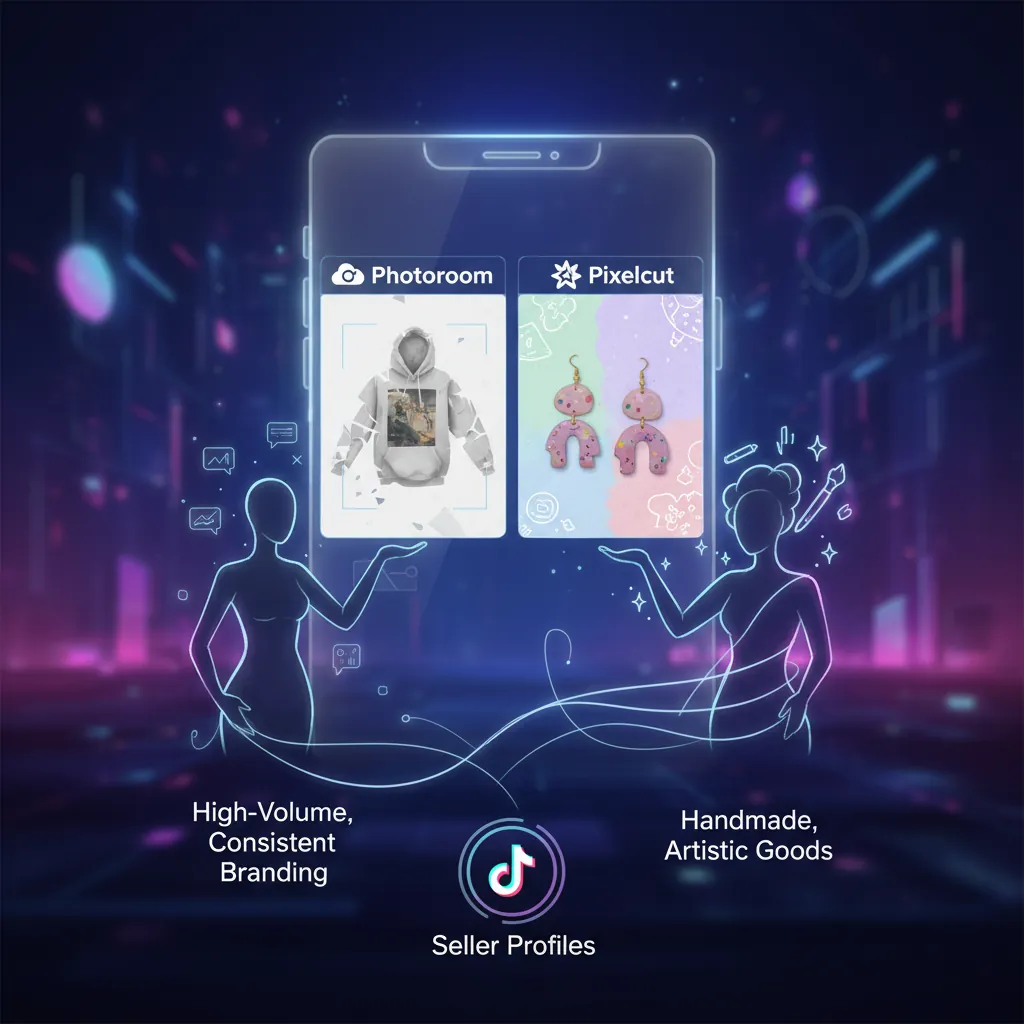
Your choice should depend on what you sell and how you sell it. TikTok Shop is a visual-first platform, but the “look” required for a viral beauty product is different from the “look” required for a high-end streetwear brand.
Photoroom: The Apparel and Aesthetics Specialist
Photoroom is the better choice for sellers who need “magazine-quality” lighting. Its AI doesn’t just swap the background; it re-lights the product to match the new environment. If you place a skincare bottle on a “sun-drenched marble counter,” Photoroom adds realistic highlights and shadows that make the product look like it was actually there.
- Use Case: Apparel sellers using the “Ghost Mannequin” feature to make clothes look 3D without a physical model.
- Use Case: Premium beauty brands that need consistent, soft-box lighting across all SKUs.
Pixelcut: The Fast-Moving Social Creator
Pixelcut is optimized for the “TikTok rhythm.” Its interface is faster for one-handed editing, and its library of “Social Templates” includes layouts specifically designed for TikTok Shop “Flash Sale” graphics and “Buy One Get One” overlays.
- Use Case: Resellers or “dropshippers” who need to get 50+ trending items live on TikTok Shop today.
- Use Case: Creators who use their phone as their primary workstation and need to edit photos taken in non-studio environments (like a living room or garage).
PixelMatch: The Multi-Platform Power User
If your workflow involves taking one raw photo and needing it formatted for TikTok Shop (1:1), Amazon (White Background), and Shopify (Lifestyle), the “one-by-one” nature of mobile apps becomes a liability. PixelMatch is built for the seller who thinks in “Catalogs” rather than “Photos.” It automates the generation of compliant backgrounds for your entire inventory in one click, ensuring that your TikTok Shop looks as professional as your Amazon Brand Store.
Actionable Step: Open your TikTok Shop Analytics and look at your “Product Detail Page (PDP) Conversion Rate.” If your conversion rate is below 2%, use Photoroom’s AI Backgrounds to create a “Lifestyle” hero image. A product shown in a realistic setting (e.g., a coffee mug on a wooden desk) often converts better on TikTok than a flat white background.
Where Each Falls Short
No tool is perfect, and 2026’s AI still has specific technical hurdles that can lead to TikTok Shop listing rejections if you aren’t careful.
Photoroom’s Batch Limitations
The most frequent complaint from professional sellers regarding Photoroom is the session limit. Having to restart a batch every 50 images is a significant friction point if you are processing a 200-item collection. Furthermore, their desktop web app occasionally lacks the feature parity of the mobile app, meaning some advanced AI “cleanup” tools are only available on your phone.
Pixelcut’s Complex Edge Handling
Pixelcut’s speed comes at a slight cost to precision. In high-contrast areas or where a product has fine details (like the hair on a makeup brush or the lace on a dress), Pixelcut may “over-erase,” leaving the product looking jagged. This is particularly noticeable when the image is viewed on the TikTok Shop desktop site or a large tablet.
TikTok Shop AI Policy Risks
TikTok Shop has implemented strict “Synthetic Media” policies in 2026. If you use AI to create a background that makes a product look larger than it is, or if the AI “hallucinates” features onto your product (like adding a button that doesn’t exist), you risk a “Misleading Content” strike. Neither Photoroom nor Pixelcut will warn you if your background violates these specific marketplace policies. You must manually verify that the AI-generated environment does not misrepresent the scale or function of the item.
Actionable Step: Before syncing your images to TikTok Shop, zoom in to 200% on the edges of your product. If you see “ghosting” (bits of the old background) or “pixel eating” (parts of the product missing), use the manual “Restore” brush in either app to fix the mask. TikTok’s 2026 image bot is highly sensitive to these artifacts and may flag the image as “Low Quality.”
Recommendation

To maximize your TikTok Shop ROI in 2026, align your tool choice with your monthly SKU volume and your primary product category.
Use Pixelcut (Pixa) if:
- You are a solo creator or a small shop with fewer than 50 new SKUs per month.
- You want the lowest annual overhead ($59.99/year).
- You prioritize speed and mobile-first templates for social media overlays.
- Action: Download the app and set your default export to 1200x1200px to stay ahead of TikTok’s evolving resolution requirements.
Use Photoroom if:
- You sell apparel, jewelry, or premium goods that require high-precision masking.
- You need “Ghost Mannequin” or “AI Model” features to professionalize your listings.
- You prefer a tool with a highly polished web-to-mobile sync.
- Action: Start with the Pro monthly plan to test the “AI Backgrounds” on your top 10 best-sellers and measure the lift in click-through rate (CTR).
Use PixelMatch if:
- You are scaling a multi-platform ecommerce business with hundreds or thousands of SKUs.
- You are tired of “batch limits” and want a streamlined, automated workflow for generating consistent AI backgrounds.
- You need to maintain brand consistency across TikTok, Amazon, and Shopify without manual editing for every platform.
- Action: Upload your raw catalog to PixelMatch and use the “Batch Generate” function to create TikTok-compliant 1:1 images in bulk, saving hours of manual session management.
Ready to scale your listings?
PixelMatch generates white-background, lifestyle, and variant mockups from a single source photo — built specifically for multi-platform ecommerce sellers. 50 free images on signup, no credit card.
Start free →
Sources
- TikTok Shop Academy: Product Image Specifications & Guidelines
- Photoroom Official Pricing: Photoroom Pro & Business Plans
- Pixelcut (Pixa) Help Center: Batch Editing and Export Limits
- TikTok Transparency Center: AI-Generated Content Labeling Policy
- Jungle Scout: Ecommerce Image Optimization Trends 2026