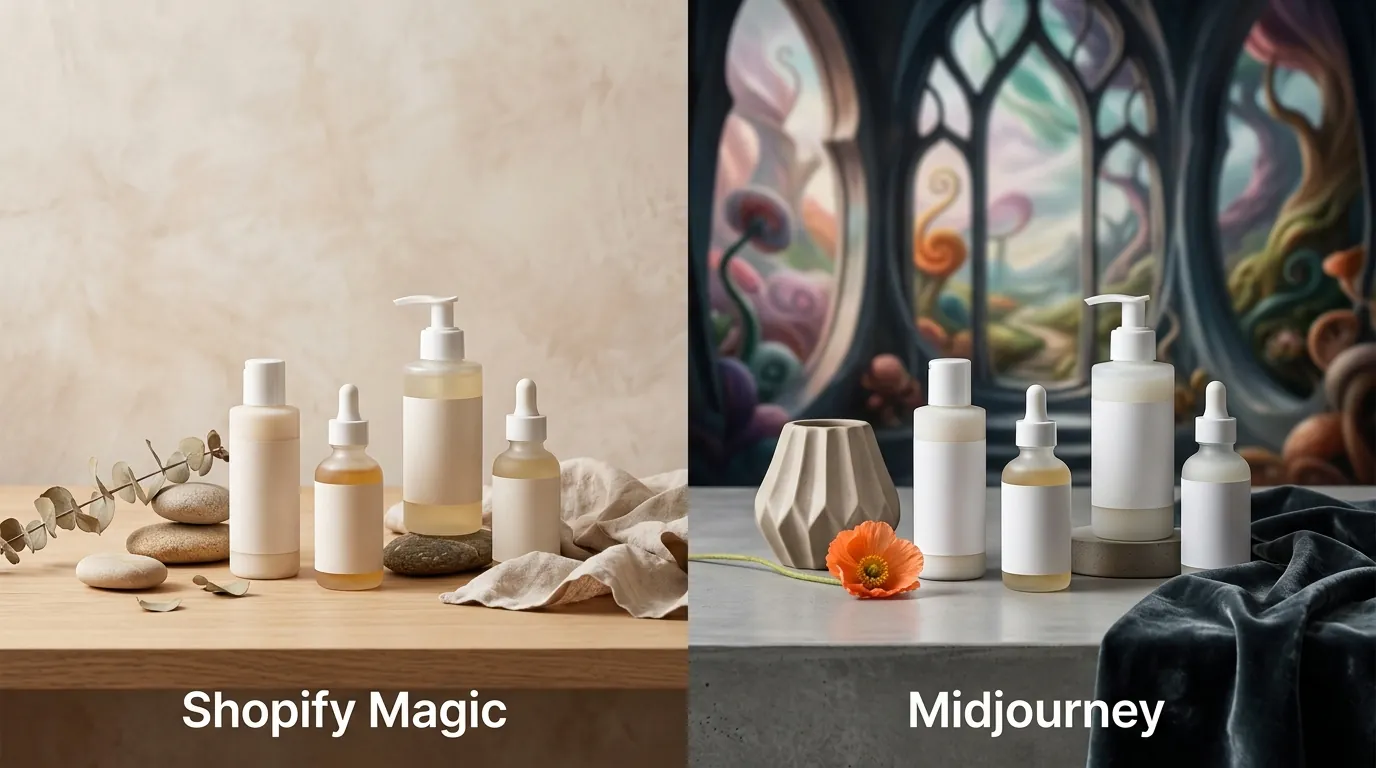
Shopify Magic vs Midjourney for Product Backgrounds: 2026 Guide
Stop wasting hours on manual Photoshop masks only to realize your AI-generated background looks like a blurry mess on a 4K monitor. Choosing between Shopify Magic and Midjourney requires balancing the convenience of a built-in tool against the raw power of a professional generative engine.
TL;DR Verdict
Related: Amazon Amelia vs Rufus: Search Hallucination Fixes for Sellers · Midjourney v7 vs Flux Pro Product Lighting: 2026 Guide · Amazon Amelia AI vs Rufus for Sellers: The 2026 Guide
Run a resolution audit on your top-performing SKUs today to determine if a 1-megapixel output satisfies your brand’s quality standards or if you need the high-fidelity rendering of a standalone engine.
- Shopify Magic is a native, free solution for basic background swaps, but it lacks the advanced artistic control needed for complex lifestyle scenes.
- Midjourney delivers industry-leading photorealism but requires a steep learning curve and manual compositing to keep the original product intact.
- For multi-platform sellers managing large catalogs, both tools create a 1-by-1 workflow bottleneck that is better solved by dedicated batch-generation software like PixelMatch.
Side-by-Side Feature Table
Use the following table to map your current image workflow against your platform’s minimum resolution requirements and determine which tool fits your technical needs.
| Feature | Shopify Magic | Midjourney (v6+) |
|---|---|---|
| Access Point | Shopify Admin (Media Gallery) | Discord or Dedicated Web Alpha |
| Max Resolution | 1 Megapixel (MP) | Up to 4096 x 4096 (with Upscale) |
| Cost | Included in all Shopify plans | $10 to $120 per month |
| Product Integrity | High (Uses original photo) | Low (Often hallucinates product details) |
| Batch Processing | None (1-by-1 only) | Limited (Permutation prompts) |
| Stealth Mode | Private by default | Requires Pro Plan ($60/mo) |
| Background Removal | Built-in / Automatic | Manual / Requires external tool |
Workflow Comparison
Shopify Magic is restricted to the Shopify admin dashboard, whereas Midjourney operates independently via Discord or its web interface. Output quality differs significantly: Shopify Magic caps generated images at 1 megapixel (MP) resolution, while Midjourney offers high-definition upscaling. Neither tool offers native batch processing for generating hundreds of product backgrounds simultaneously, meaning you will spend significant time clicking “Generate” for every single SKU.
Pricing Comparison
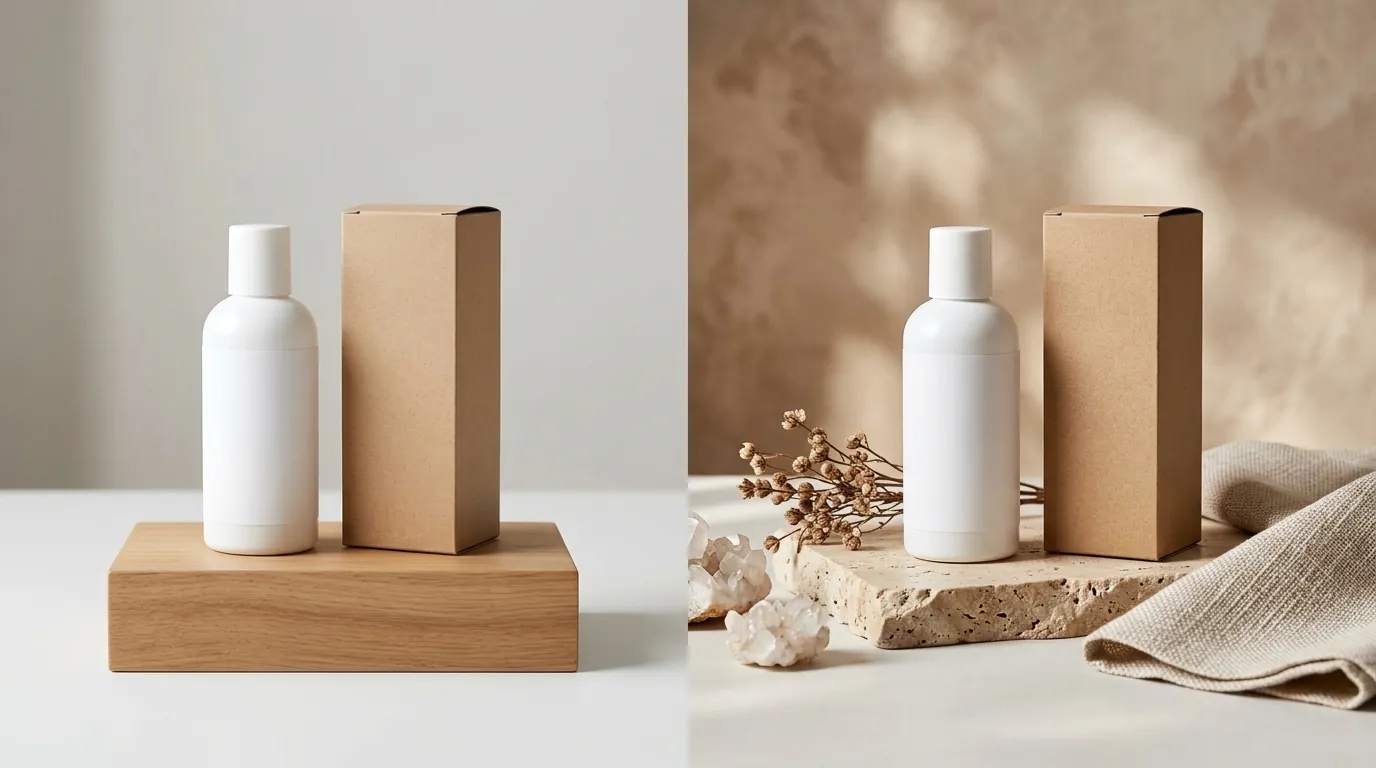
💡 Skip the manual editing. PixelMatch batch-generates ecommerce-ready product images in 60 seconds — white background, lifestyle scenes, and variant mockups from a single source photo. Try PixelMatch free →
Audit your subscription overhead by comparing the long-term costs of “free” native tools versus monthly AI subscriptions.
Sellers already using Shopify can access Shopify Magic’s media generation features at no additional cost on all paid Shopify plans. If you are already paying for a Basic, Shopify, or Advanced plan, the tool is effectively “free” to use within your existing workflow.
Midjourney no longer offers a free tier, requiring a subscription starting with the Basic plan at $10/mo. This plan is limited to roughly 200 generations per month, which is insufficient for sellers with large catalogs or those who need multiple iterations to get a prompt right.
For unlimited generations in Relax mode, users must upgrade to Midjourney’s Standard plan at $30/mo. This is the “sweet spot” for most independent brands, as it allows for endless experimentation without worrying about GPU hour limits.
Brands needing to keep unreleased product designs private from the public gallery must pay for the Pro plan at $60/mo to access Stealth Mode. Without this, every image you generate—including your unreleased product concepts—is visible to other users on the Midjourney showcase site.
Actionable Step: Calculate Your Per-Image Cost
If you list 50 new products a month and spend 20 minutes per product compositing Midjourney backgrounds, your “free” AI is costing you over 16 hours of labor. Compare this to the $0 direct cost of Shopify Magic, but factor in the potential lost sales from lower-resolution 1MP images.
Best For (By Seller Profile)
Segment your catalog into “Hero” shots (high-budget, high-effort) and “Utility” shots (white background or simple lifestyle) to decide where to allocate your time.
The Shopify-Only Boutique
If you have a small catalog of under 20 SKUs and only sell through your own storefront, Shopify Magic is your best bet. Its zero-setup, in-admin workflow allows you to click a product, select “Edit,” and generate a “minimalist wood table” background in seconds. It is designed for the seller who doesn’t want to learn “Prompt Engineering” and just needs a clean, cohesive look for their homepage.
The Creative Director & High-Margin Brand
Boutique brands with high margins should leverage Midjourney for custom, editorial-style hero images. If you are selling $200 leather bags, a 1MP Shopify Magic background won’t suffice. You need Midjourney’s ability to render complex textures, cinematic lighting (e.g., “golden hour rim lighting, 85mm lens, f/1.8”), and hyper-realistic environments. You will, however, need a graphic designer to manually mask your product and drop it into the Midjourney-generated scene to ensure the product itself isn’t “AI-hallucinated.”
The Multi-Platform Power Seller
High-volume sellers listing across Amazon, TikTok Shop, and Etsy will find the manual, single-image workflows of both tools inefficient. If you are managing 500 SKUs, clicking “Generate” 500 times in Shopify is a full-time job. Furthermore, Midjourney doesn’t know that Amazon requires 2000x2000 px for optimal zoom functionality. For this profile, neither tool is a complete solution; you need a system designed for batch generation.
Where Each Falls Short

Verify your pixel density and platform compliance before committing to a tool that might trigger “low quality” flags on marketplace algorithms.
Resolution Bottlenecks
Shopify Magic’s 1 megapixel (MP) resolution limit is its biggest weakness. While 1MP (roughly 1024x1024 pixels) looks fine on a mobile device, it can result in soft or pixelated images when customers use zoom features on product pages. Compare this to Etsy’s recommendation of 2000 pixels on the shortest side; using Shopify Magic’s output directly on Etsy could result in “Low Resolution” warnings or a poor customer experience.
The “Hallucination” Problem
Midjourney is a general AI art generator, meaning it cannot automatically preserve a product’s exact text, labels, or dimensions. If you upload a photo of your supplement bottle and ask Midjourney to “place it on a kitchen counter,” it will likely recreate the bottle with gibberish text or a distorted shape. To fix this, you must use “Inpainting” (the Vary (Region) tool) or external Photoshop compositing, which negates the speed benefits of using AI in the first place.
Marketplace Compliance
Both tools lack the ability to automatically format and resize images to meet strict marketplace specifications. For example, TikTok Shop requires specific aspect ratios and often flags images with excessive “AI-style” artifacts. Midjourney requires you to manually add --ar 1:1 or --ar 4:5 to your prompts, while Shopify Magic defaults to the aspect ratio of your original upload, offering little flexibility for cross-platform optimization.
Recommendation

Standardize your multi-channel export process by choosing the tool that matches your volume and technical skill level.
- Use Shopify Magic for quick, free background replacements if you only sell on Shopify and have a limited number of SKUs. It is the fastest path from “raw photo” to “live listing” for beginners.
- Invest in Midjourney if you have the design resources to craft complex prompts and manually composite your products into AI-generated scenes. Use it for your top 5% of SKUs that require “Hero” images for ads or social media.
- Choose PixelMatch for high-volume growth. For multi-platform sellers who need to process hundreds of SKUs, PixelMatch is the superior choice. It bridges the gap by offering batch generation, automatic background removal, and platform-ready sizing in a fraction of the time. Unlike Shopify Magic, it doesn’t cap your quality at 1MP, and unlike Midjourney, it keeps your product’s labels and dimensions 100% accurate without manual editing.
Actionable Step: Standardize Your Specs
Before generating any new assets, create a “Master Spec Sheet” based on your primary platforms. If you sell on Amazon, set your AI output target to 2000x2000 pixels. If you sell on TikTok Shop, ensure your AI tool supports 1:1 and 3:4 aspect ratios to avoid “stretched” images in the shopping tab.
Frequently Asked Questions
Does Shopify Magic work for Amazon listings?
While you can download images from Shopify and upload them to Amazon, the 1-megapixel limit of Shopify Magic may fall below the 2000x2000 px recommendation for Amazon’s zoom feature. For the best results on Amazon, use a tool that supports higher resolution outputs to ensure your product remains sharp when customers zoom in on details.
Can I use Midjourney to generate my main “White Background” image?
Midjourney is generally poor at generating the “Pure White” (RGB 255, 255, 255) backgrounds required by Amazon and other marketplaces because it tends to add shadows, reflections, or off-white textures. For main images, it is more efficient to use a dedicated background removal tool or a SaaS like PixelMatch that is specifically programmed to meet marketplace compliance standards.
Is Midjourney’s $10 plan enough for a full ecommerce store?
The Basic plan at $10/mo provides approximately 3.3 hours of GPU time, which equates to roughly 200 image generations. Because AI often requires 3-5 iterations to get a prompt exactly right, this plan may only cover 40-50 products per month. If you have a larger catalog or need to experiment with different “looks,” the Standard plan at $30/mo with unlimited Relax Mode is more cost-effective.
Do I own the copyright to images generated by Shopify Magic or Midjourney?
Copyright law regarding AI-generated content is evolving. Midjourney’s terms state that paid subscribers own the assets they create, though current US Copyright Office guidance suggests that purely AI-generated images may lack the “human authorship” required for copyright protection. Since Shopify Magic uses your original product photo as a base, you likely retain copyright over the product portion, but the generated background’s legal status remains a gray area for all AI tools.
Ready to scale your listings?
PixelMatch generates white-background, lifestyle, and variant mockups from a single source photo — built specifically for multi-platform ecommerce sellers. 50 free images on signup, no credit card.
Start free →
Sources
- Shopify Help Center: Media Generation with Shopify Magic
- Midjourney Official Documentation: Subscription Plans
- Midjourney Official Documentation: Upscalers
- Amazon Seller Central: Product Image Requirements
- Etsy Help: Requirements for Listing Photos
- TikTok Shop Academy: Product Image Guidelines