Amazon Main Image Requirements 2026: Official Seller Guide
A single gray pixel in your background or a “Best Seller” badge on your main photo can trigger an immediate search suppression, cutting your traffic to zero overnight. Master these 2026 Amazon main image requirements to ensure your listings remain active and high-converting across the world’s largest marketplace.
Amazon requires main product images to have a pure white background (RGB 255, 255, 255), be at least 1,000 pixels on the longest side, and have the product fill 85% of the frame.
Quick Reference Table
Run a manual audit of your top 10 highest-revenue ASINs against this checklist today to identify high-risk listings before Amazon’s automated “image-compliance” bots flag them.
| Requirement | Specification | Official Source |
|---|---|---|
| Background Color | Pure White (RGB 255, 255, 255) | Amazon Seller Central |
| Minimum Dimension | 1,000 pixels on the longest side | Amazon Seller Central |
| Maximum Dimension | 10,000 pixels on the longest side | Amazon Seller Central |
| Product Fill | Minimum 85% of the image frame | Amazon Seller Central |
| File Formats | JPEG (.jpg), TIFF (.tif), PNG (.png), or GIF (.gif) | Amazon Seller Central |
| File Size | Maximum 10MB per image | Amazon Seller Central |
| Prohibited Elements | Text, logos, watermarks, borders, inset images, props | Amazon Seller Central |
Detailed Requirements
Configure your camera export settings or AI generation prompts to exceed these minimums to ensure your images look sharp on high-DPI mobile screens. Amazon enforces strict technical specs to maintain a uniform catalog and enable the zoom feature, which requires a minimum of 1,000 pixels on the longest side. While 1,000 pixels is the floor, most high-volume sellers now aim for 1,600 to 2,000 pixels to provide a superior zoom experience that reveals product textures and fine details.
Technical Specs
Amazon’s ingestion engine is optimized for JPEG files, but you can upload TIFF, PNG, or GIF formats as well. Note that while PNGs allow for transparency, Amazon will often automatically flatten these against a white background, which can sometimes result in “fuzzy” edges or artifacts. To maintain total control over your brand presentation, export your final files as JPEGs with a quality setting of 90% or higher.
The image must be professionally photographed or rendered and cannot be a drawing or illustration. As of 2026, Amazon’s AI-detection algorithms are increasingly sophisticated at identifying “low-quality AI” that produces hallucinated textures or impossible geometries. If you use AI tools, ensure the final output is indistinguishable from a physical photograph.
Content Standards
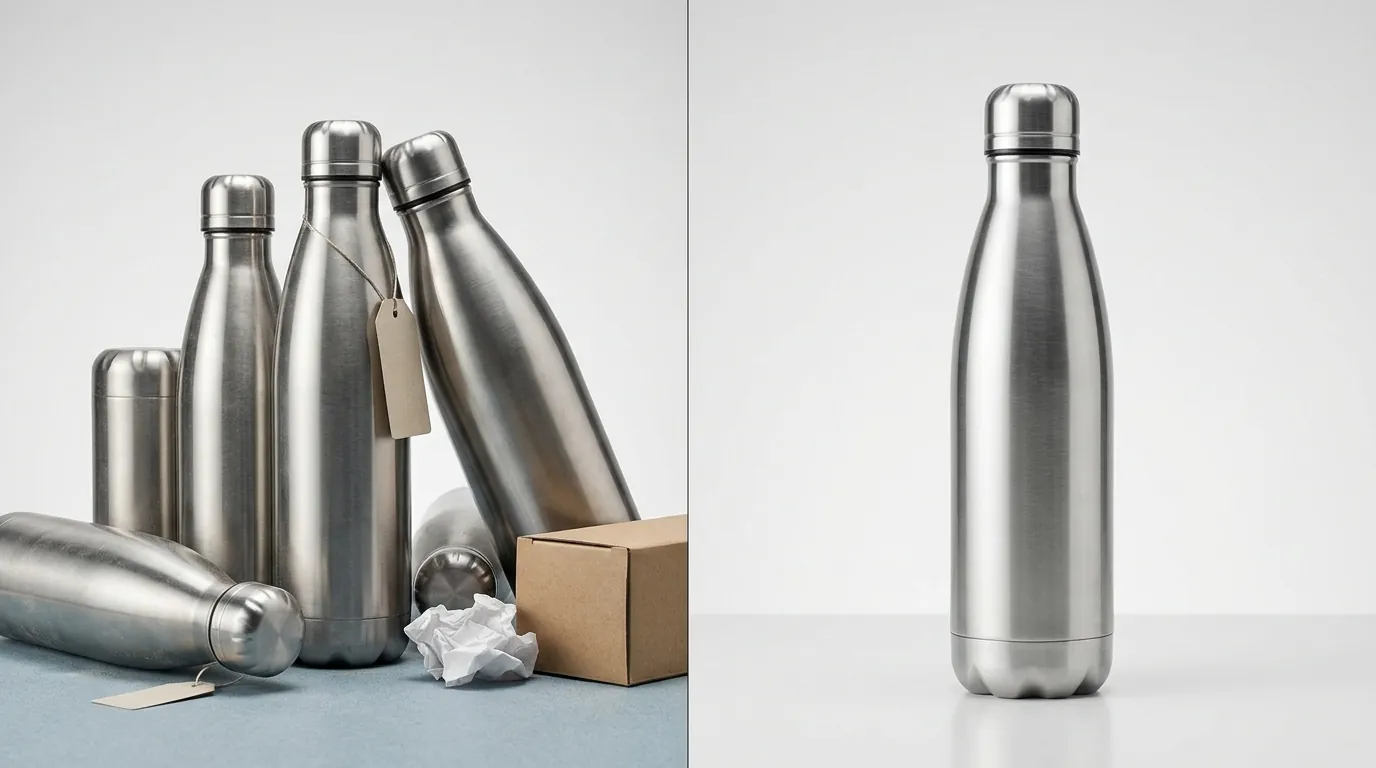
The product must be the only focal point; packaging is only allowed if it is an important product feature, such as a high-end carrying case or a branded gift box that adds significant value. For most categories, the main image must show the product out of its packaging.
Multi-platform sellers often struggle with the “85% fill” rule. If you are selling on Shopify or Etsy, you might prefer a lifestyle-heavy aesthetic with plenty of “white space” for a minimalist look. However, an image that works on your own site will likely be suppressed on Amazon for having too much padding. While tools like Photoroom offer a Pro tier at $12.99/mo for basic background removal, PixelMatch is better suited for multi-platform sellers needing batch-generation that strictly adheres to Amazon’s fill ratio requirements across hundreds of SKUs simultaneously.
Common Rejection Reasons
💡 Skip the manual editing. PixelMatch batch-generates ecommerce-ready product images in 60 seconds — white background, lifestyle scenes, and variant mockups from a single source photo. Try PixelMatch free →
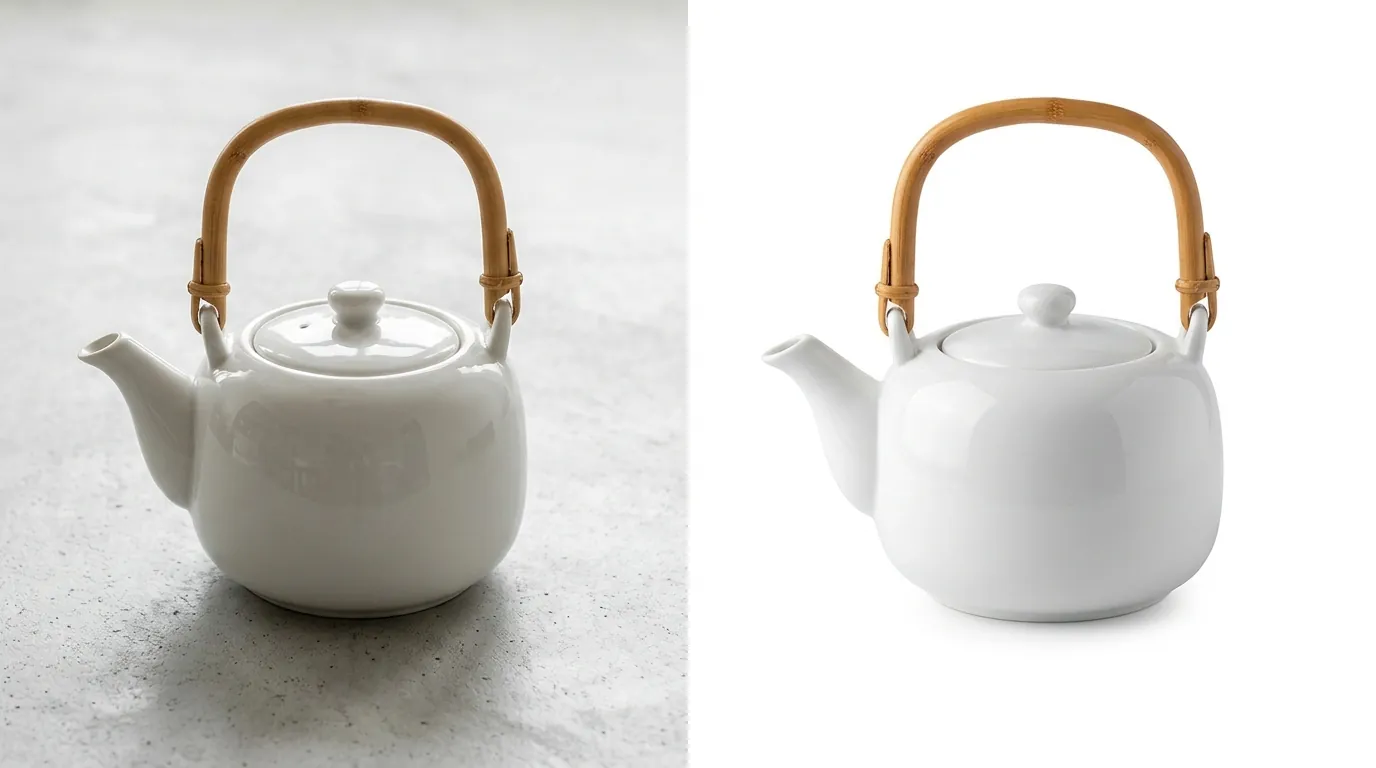
Open your computer’s “Digital Color Meter” or a browser-based eyedropper tool and hover over the corners of your main image. If you see values like RGB 254, 254, 254 or 255, 255, 250, your listing is at risk. Even a slight off-white or gray gradient will trigger an automatic suppression from Amazon’s search results. Amazon’s bots do not “see” the image like a human; they look for the specific hex code #FFFFFF.
Non-Compliant Backgrounds
Sellers often use “infinity walls” or white paper backdrops in physical shoots, assuming they are “pure white.” In reality, shadows and lighting fall-off create subtle gray tones that fail the RGB 255 test. If your background isn’t digitally replaced or “blown out” to absolute white, it is non-compliant.
Prohibited Props and Accessories
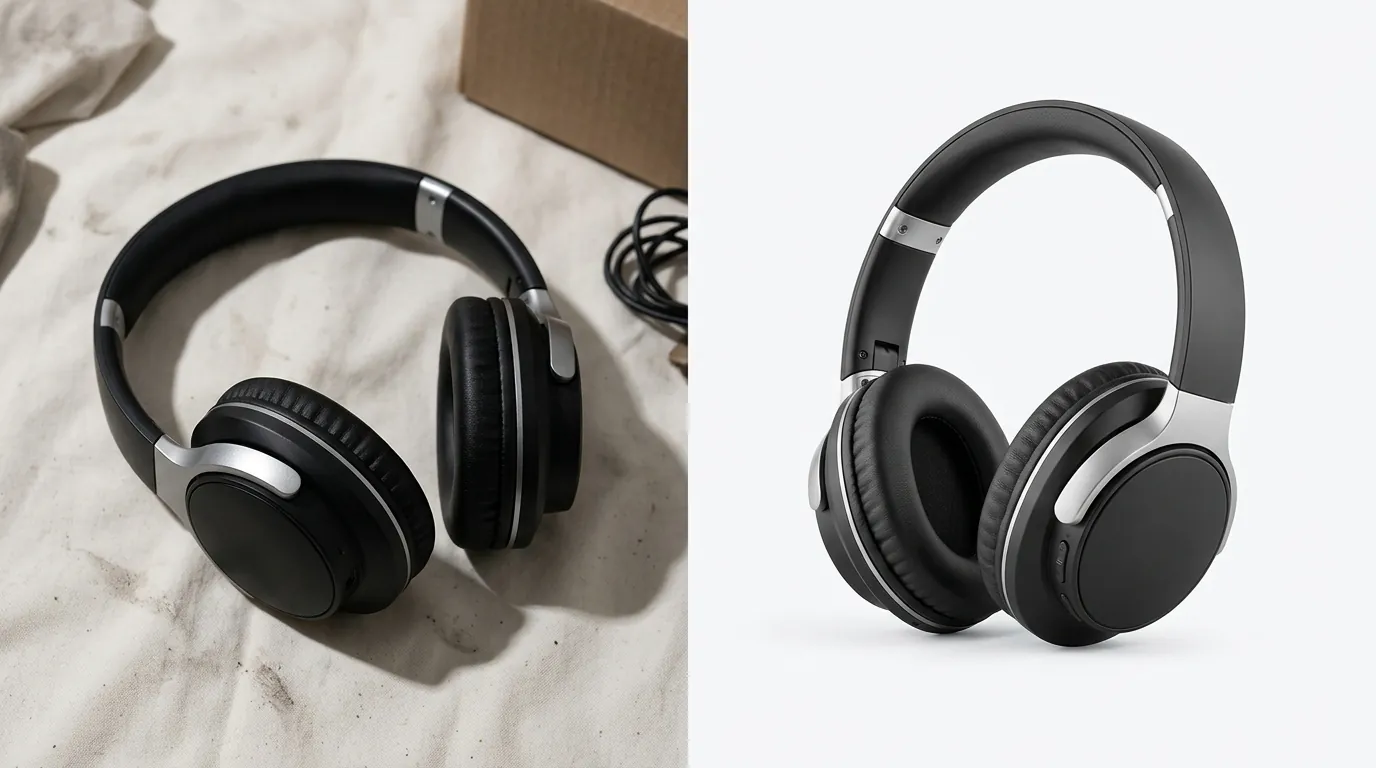
Including props or accessories that the customer will not receive in the final order is a leading cause of “Item Not As Described” returns and image rejections. If you are selling a coffee mug, do not include a spoon or a bag of coffee beans in the main image. If you are selling a phone case, the phone itself should ideally be excluded or shown only if it is clearly a placeholder (though many categories now strictly forbid the inclusion of the device).
Text and Watermarks
Adding promotional text, badges like “Best Seller”, or watermarks directly onto the main image is a violation of Amazon’s Intellectual Property Policy and general image standards. Amazon reserves these overlays for their own system-generated badges. Any attempt to “hard-code” a discount or a “Made in USA” logo into the image file will result in the listing being hidden from search.
Poor Fill Ratio
A product that fills less than 85% of the frame makes your item look small and unappealing in search results compared to competitors who maximize their screen real estate. This is particularly punishing on mobile, where the image occupies a significant portion of the buyer’s screen. If your product is long and thin, rotate it diagonally to occupy more of the square frame, provided it doesn’t confuse the customer about the product’s orientation.
How to Fix Each Issue
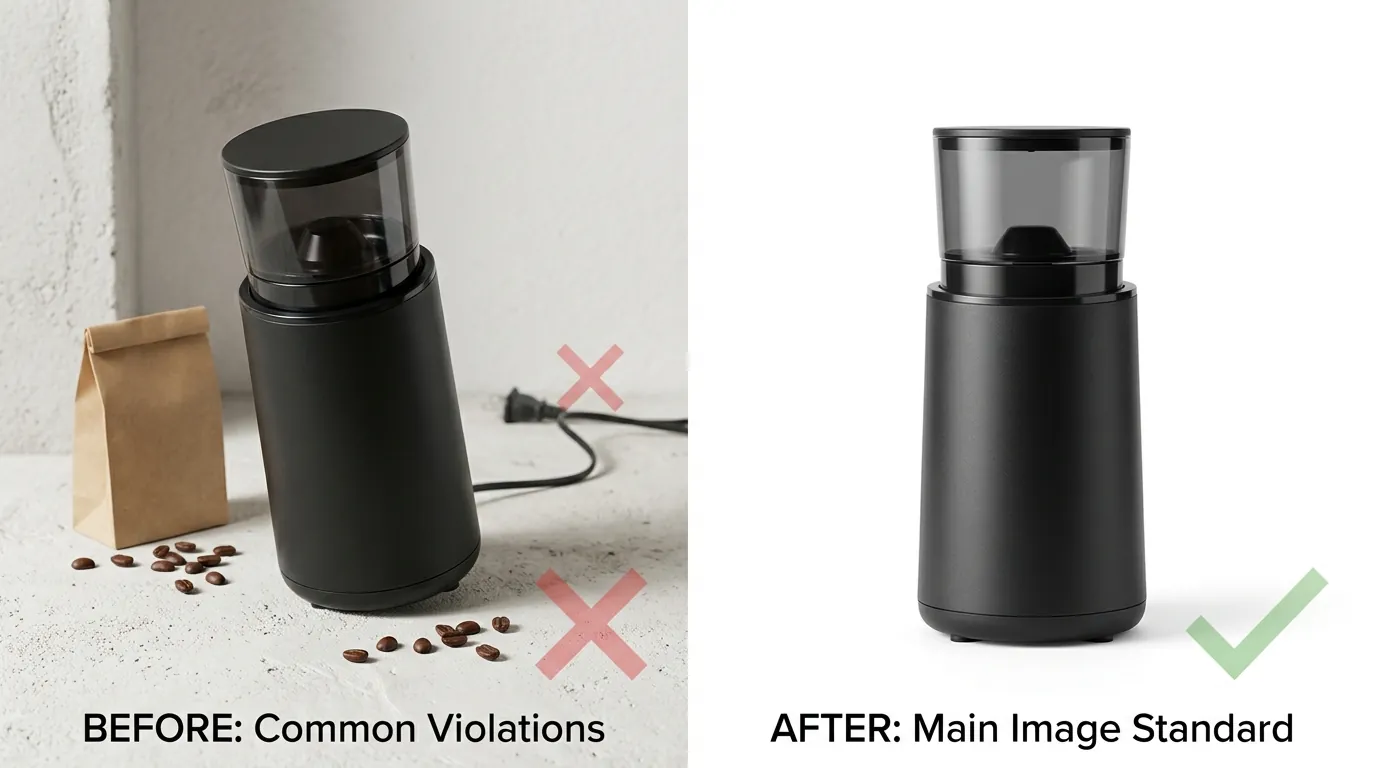
Filter your Seller Central dashboard by “Suppressed” listings under the “Manage All Inventory” tab to identify which ASINs need immediate attention. Prioritize fixing the main image, as this is the most common reason for listing suppression.
Removing Backgrounds
Use an AI tool to strip non-compliant backgrounds and replace them with exact RGB 255, 255, 255. Standard “background removers” often leave “halos”—thin lines of the original background color around the edges of the product. For complex items like jewelry or mesh fabrics, you may need a tool that specializes in edge-refinement. Once the background is removed, ensure you export the file in a format that supports the 10MB limit.
Adjusting Fill Ratio
Crop images tighter to ensure the product meets the 85% fill requirement without losing resolution. If your original photo was 3,000 pixels wide, you have plenty of “headroom” to crop in. If your original was only 1,000 pixels, cropping will likely drop you below the minimum requirement for zoom. In these cases, you must either reshoot the product or use an AI upscaler to increase the pixel density before cropping.
Moving Text to Secondary Images
Move lifestyle shots, infographics, and text overlays to secondary image slots, where Amazon’s rules are much more flexible. You can have up to 9 images in total (though only 7 typically show on the main detail page). Use these slots to highlight features, show the product in use, or display a size chart. For sellers managing large catalogs, Pebblely’s Basic plan at $19/mo offers 200 images, but PixelMatch provides a more streamlined workflow for batch-correcting Amazon compliance errors across hundreds of SKUs, allowing you to move non-compliant text-heavy images to the secondary slots in bulk.
Verifying Compliance
Before re-uploading, use a “validator” approach. Upload your image to a private Shopify or staging site first to see how it renders, or simply use a photo editor to check the histogram. A compliant main image will have a massive spike at the far right of the histogram, representing the pure white background.
Official Source Links
Always refer to the primary documentation in Seller Central to stay updated on policy shifts, as Amazon frequently updates category-specific requirements (such as those for Clothing or Shoes).
- Amazon Product Image Requirements (Ref ID 1881): The definitive guide for technical and content standards.
- Amazon Intellectual Property Policy (Ref ID 201361070): Guidelines on why you cannot use certain logos or watermarks.
- Seller Central “Fix Your Products”: Access this via the “Performance” or “Inventory” tabs in your account to see specific “Image Not Found” or “Non-Compliant Image” errors.
Ready to scale your listings?
PixelMatch generates white-background, lifestyle, and variant mockups from a single source photo — built specifically for multi-platform ecommerce sellers. 50 free images on signup, no credit card.
Start free →
Sources
- Amazon Seller Central: Product image requirements
- Amazon Seller Central: Intellectual Property Policy for Sellers
- Photoroom Pricing Page
- Pebblely Pricing Page
- Jungle Scout: Amazon Product Image Requirements Guide