Amazon Vine Reviewer Image Requirements and Best Practices (2026)
Losing Vine reviews to automated rejection bots because of a stray barcode or a blurry photo kills your product launch momentum and wastes your enrollment fee. You need to master the exact technical specifications for both your listing images and the photos your reviewers submit to ensure your social proof actually sticks.
To enroll in Vine, sellers need at least one compliant image (minimum 1000px, pure white background). For Vine reviewers, uploaded photos must exclude barcodes, shipping packaging, and medical claims to avoid automated review rejection.
Quick Reference Table
Run a technical audit of your current listing images against the table below. If your main image fails even one of these criteria, Amazon’s system will block your Vine enrollment or suppress your listing entirely.
| Requirement Type | Specification | Source/Policy |
|---|---|---|
| Minimum Dimensions | 1000 pixels on the longest side (required for zoom) | Amazon Seller Central |
| Recommended Dimensions | 2000 × 2000 pixels (optimal for high-res displays) | Amazon Seller Central |
| Main Image Background | Pure white (RGB 255, 255, 255) | Amazon Seller Central |
| Frame Coverage | Product must occupy at least 85% of the image frame | Amazon Seller Central |
| Vine Enrollment Fee | $0 (1-2 units), $75 (3-10 units), or $200 (11-30 units) | Amazon Vine Policy |
| Reviewer Content Rules | No barcodes, children’s faces, or license plates | Community Guidelines |
| File Formats | JPEG (.jpg), PNG (.png), TIFF (.tif), or GIF (.gif) | Amazon Image Specs |
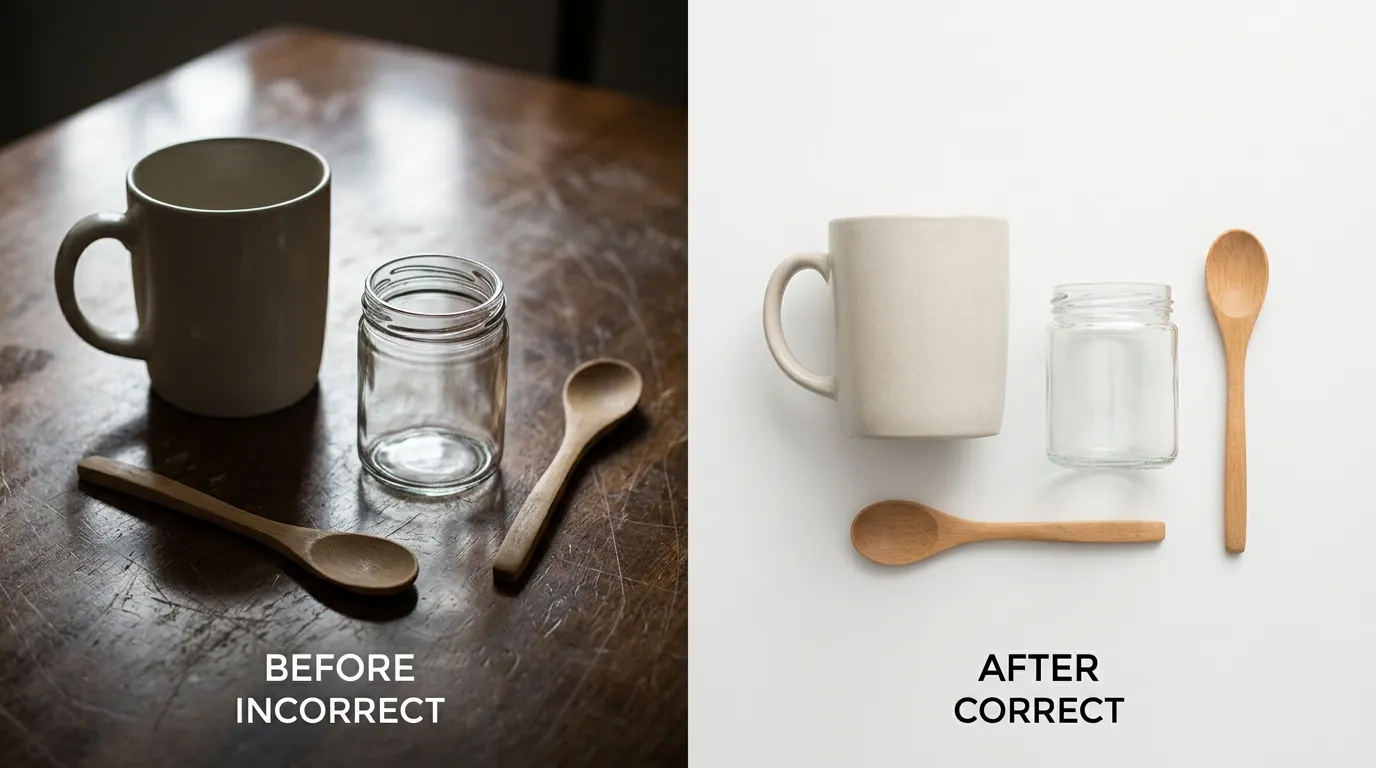
[IMAGE PLACEHOLDER: A side-by-side comparison of a compliant Amazon seller main image (pure white background) and a rejected image with props. Aspect Ratio: 16:9]
Detailed Requirements
Enroll your product in Vine only after confirming your listing meets the baseline eligibility criteria. Amazon requires that the product is FBA-only (Fulfillment by Amazon), has fewer than 30 reviews already published, and possesses a “New” condition status. If your images do not meet the technical standards below, the Vine dashboard will return an “Action Required” status, preventing you from distributing units to reviewers.
Seller Image Requirements for Vine Enrollment
Your main image acts as the gatekeeper for the Vine program. Amazon’s automated “Imaging Service” scans every upload to ensure it follows the strict Product Image Requirements.
- The 85% Rule: The product must fill at least 85% of the frame. If you leave too much white space around the item, the image will be flagged. This is particularly important for small items like jewelry or electronics components.
- Pure White Background: Your background must be exactly RGB 255, 255, 255. Off-white or light grey backgrounds (common in “raw” smartphone photos) will result in enrollment rejection.
- Resolution for Zoom: While the absolute minimum is 500 pixels, you must hit at least 1000 pixels on the longest side to enable the “hover-to-zoom” feature. High-performing listings in 2026 generally utilize 2000 x 2000 pixels to maintain clarity on 4K mobile screens.
- No Prohibited Elements: Your main image cannot contain text, logos, watermarks, or inset images. It must show the actual product only — no “lifestyle” props are allowed in the primary slot.
Guidelines for Vine Reviewer Photos
Vine Voices (the reviewers) are elite contributors, but they are still subject to the same Community Guidelines as any other customer. While Amazon encourages reviewers to upload media to provide a “comprehensive” look at the product, it is not a mandatory requirement for them to keep their Vine status.
Reviewers are instructed to focus their photos on the product’s performance and physical attributes. If a reviewer includes a photo of the “shipping experience” (e.g., a crushed brown Amazon box), that specific photo — and often the entire review — may be rejected during the moderation phase. This is because Amazon considers shipping issues to be the fault of the carrier or the fulfillment center, not the product itself.
Common Rejection Reasons

💡 Skip the manual editing. PixelMatch batch-generates ecommerce-ready product images in 60 seconds — white background, lifestyle scenes, and variant mockups from a single source photo. Try PixelMatch free →
Audit your packaging and listing images to avoid the “shadow-ban” of Vine reviews. Amazon uses machine learning models to scan reviewer-submitted images before they go live. If the bot detects a violation, the review is often blocked without the reviewer knowing why, leading to a “Review Not Posted” notification in their dashboard.
Why Vine Reviews Get Blocked
- Visible Barcodes and QR Codes: This is the most common technical reason for rejection. If a reviewer takes a photo of the back of your box to show the ingredients or instructions, and a UPC or FNSKU barcode is visible, the bot will likely flag it for containing “identifiable information” or “promotional links.”
- Medical and Health Claims: In the United States, Amazon is extremely aggressive regarding FDA compliance. If your product packaging includes claims like “cures insomnia” or “treats anxiety,” and a reviewer’s photo clearly shows that text, the image will be suppressed.
- Personal Information: Photos that accidentally capture a reviewer’s shipping label (showing their address), a license plate in the background, or a child’s face are routinely blocked to protect privacy.
- External Links: If your packaging prominently displays your website URL or a “Join our VIP club” insert, and the reviewer captures this in a photo, it violates the policy against directing customers away from Amazon.
Why Seller Images Fail Enrollment
If you cannot even get your product into the Vine dashboard, check your main image for these “silent killers”:
- The “Shadow” Problem: If your product has a heavy, non-natural drop shadow or is floating in a way that looks clearly “photoshopped,” the automated audit may fail.
- Graphic Overlays: Adding a “Top Rated” or “BPA Free” badge to your main image is a violation of the Main Image policy.
- Multiple Views: Showing three different angles of the product in the first image slot is prohibited. The main image must show only one product (or one set if sold as a bundle).
How to Fix Each Issue
Implement these technical fixes to ensure your Vine campaign runs smoothly. By adjusting your packaging and using high-volume image tools, you can reduce the “friction” that causes reviews to get stuck in the moderation queue.
Packaging Tweaks for Reviewers
Standardize your packaging design to be “reviewer-friendly.” Since you cannot control how a Vine Voice takes a photo, you must control what is available for them to photograph.
- Move Barcodes to the Bottom: Place your FNSKU or UPC barcode on the bottom panel of your packaging. Reviewers rarely photograph the bottom of a box; they focus on the front, back, and sides. This simple move prevents the “barcode rejection” bot from triggering.
- Use Matte Packaging: High-gloss boxes create “hot spots” (glare) when reviewers use a camera flash. This glare can obscure product details and lead to low-quality images. Matte finishes photograph better in home environments.
- Isolate Claims: If you must include specific health or technical claims, place them on a separate “Instructions for Use” sheet inside the box rather than on the external packaging. This keeps the claims out of the “lifestyle” photos reviewers typically take.
Batch-Fixing Seller Images with PixelMatch
Manually editing every product photo for a 50-SKU catalog is a bottleneck for multi-platform sellers. To meet the 2000 × 2000 px recommendation across Amazon, Shopify, and TikTok Shop, you need a batch-processing workflow.
- Standardize Your Input: Upload your raw product photos to PixelMatch. The AI identifies the product edges and separates them from the background.
- Apply the “Amazon Main” Template: Use the preset that automatically sets the background to Pure White (RGB 255, 255, 255) and scales the product to fill exactly 85% of the frame.
- Bulk Upscale: If your original photos are low-resolution, PixelMatch can upscale them to the 2000px requirement without the “blur” associated with traditional resizing.
While generalist tools like Photoroom offer a Pro tier at $12.99/month on monthly billing, PixelMatch is better suited for high-volume catalog workflows. PixelMatch does not cap batch exports and allows you to [batch-process your seller images](bulk ai product photo generator) with specific metadata for different platforms simultaneously. This is critical for sellers who need to pivot from Amazon’s white-background requirements to the more lifestyle-heavy requirements of TikTok Shop or Etsy.
Official Source Links

Verify the current 2026 requirements directly through the official platform documentation:
- Amazon Vine Enrollment Fee for Sellers - Details the $0, $75, and $200 tiered pricing.
- Amazon Product Image Requirements - The definitive guide for pixel dimensions and background colors.
- Amazon Community Guidelines for Customer Reviews - Outlines the rules for what reviewers can and cannot include in photos.
- Amazon Health and Safety Policy - Essential for sellers in the supplements or medical device niches.
Ready to scale your listings?
PixelMatch generates white-background, lifestyle, and variant mockups from a single source photo — built specifically for multi-platform ecommerce sellers. 50 free images on signup, no credit card.
Start free →