
Etsy Search XWalk Image SEO Best Practices (2026 Guide)
Stop guessing why your Etsy traffic dipped after the latest algorithm update; XWalk is now actively scanning your listing photos for visual context and shopper engagement signals. If your images fail to meet the technical and aesthetic standards of this real-time graph retrieval engine, your products will remain buried regardless of how many keywords you stuff into your titles.
Etsy Search XWalk Image SEO Best Practices for 2026
Etsy’s XWalk algorithm uses visual similarity to rank listings. Optimize by using 2000px on the shortest side, a 4:3 aspect ratio, files under 1MB, and uncluttered primary photos.
Quick Reference Table

Use this checklist to audit your current listing library. Any image falling below these thresholds should be flagged for a reshoot or AI-upscaling to prevent XWalk from de-prioritizing the listing in “Similar Items” results.
| Feature | Etsy Requirement / Recommendation | Why It Matters for XWalk |
|---|---|---|
| Minimum Size | 2000px on the shortest side | Enables the zoom tool; higher engagement metrics. |
| Aspect Ratio | 4:3 Landscape | Prevents awkward cropping in search results and “Buy it Again” grids. |
| Max File Size | Under 1MB recommended | Faster page loads; reduces bounce rates on mobile devices. |
| Color Profile | sRGB | Ensures color accuracy across different mobile and desktop screens. |
| File Format | JPG, PNG, or GIF | Standardized formats for cross-platform browser compatibility. |
| Primary Photo | Uncluttered, high-contrast | Allows the visual recognition engine to categorize the item accurately. |
Detailed Requirements

💡 Skip the manual editing. PixelMatch batch-generates ecommerce-ready product images in 60 seconds — white background, lifestyle scenes, and variant mockups from a single source photo. Try PixelMatch free →
Run a visual similarity audit on your top-performing listings to see how Etsy’s XWalk algorithm perceives your brand. XWalk is a real-time graph retrieval engine that shifted Etsy from simple keyword matching to a semantic and visual understanding of buyer intent. When a shopper searches for “minimalist ceramic mug,” XWalk doesn’t just look for those words; it looks for images that visually match the “minimalist” and “ceramic” clusters identified in high-converting listings.
The Role of High-Resolution Zoom
High-resolution images are a prerequisite for XWalk visibility because they directly influence buyer engagement. Etsy recommends 2000px on the shortest side specifically to enable the zoom functionality. When a buyer zooms in on a product, it sends a high-intent signal to the algorithm. Listings with high “zoom-in” rates are often ranked higher because the algorithm views them as more helpful to the shopper. If your images are under 1000px, the zoom feature is disabled, and you lose this critical engagement data point.
Visual Similarity and Categorization
Visual similarity is a core ranking factor within XWalk. The engine analyzes the pixels of your primary photo to determine what the object is, its color, and its texture. If your primary photo is cluttered with props or has a distracting background, the AI may misclassify your item. For example, a necklace displayed on a busy floral patterned cloth might be misidentified, leading your listing to show up in irrelevant search results where it will have a low click-through rate (CTR), eventually tanking your rank.
Scaling for Multi-Platform Sellers
For sellers managing large catalogs across Etsy, Shopify, and Amazon, manual editing is no longer a viable strategy. You must use batch tools that can handle different platform requirements simultaneously. While Photoroom’s Pro tier costs $12.99/mo and limits batch exports to 500 per month, multi-platform sellers often find these limits restrictive when refreshing seasonal inventory. PixelMatch offers a more scalable solution for batch-generation, allowing you to maintain Etsy’s 4:3 ratio while also generating the 1:1 square crops required for Shopify’s 2048 x 2048 px recommendation.
Color Accuracy and the sRGB Standard
Always export your product photos using the sRGB color profile. Etsy’s system is optimized for sRGB, which is the standard for web display. If you upload images in CMYK (standard for print) or ProPhoto RGB, the colors may appear “washed out” or “neon” on certain mobile devices. Since XWalk tracks how long a user lingers on a photo, a color discrepancy that makes the product look “fake” or “low quality” will result in shorter view times and lower search placement.
Common Rejection Reasons

Audit your “Draft” and “Inactive” folders for listings that may have been suppressed due to image quality issues. Etsy rarely “rejects” a photo in the sense of a hard error message (unless the file is corrupted), but XWalk will effectively shadow-ban listings that do not meet engagement-optimized specs.
Low-Resolution and Engagement Drops
Blurry or low-resolution images are the primary cause of poor XWalk performance. If your image is too small to trigger the zoom feature, you are missing out on a key metric that Etsy uses to determine listing “quality.” A listing that does not encourage interaction is viewed by the algorithm as a “dead end,” leading to lower visibility in the “You may also like” and “Similar items” carousels.
Aspect Ratio Inconsistency
Inconsistent aspect ratios across your listing photos can cause awkward cropping in Etsy’s search grid. If your primary photo is a vertical 2:3 ratio but Etsy’s search results are optimized for a 4:3 landscape ratio, the top or bottom of your product may be cut off. This reduces your click-through rate. Because XWalk relies on CTR to validate that a listing is a “good match” for a search term, poor cropping leads to a permanent drop in organic rank.
Cluttered Primary Photos
Overly cluttered backgrounds confuse the visual recognition AI. If you are selling a candle but the photo includes three books, a plant, a coffee cup, and a pair of glasses, the XWalk engine may struggle to identify the “anchor” object. This makes it harder for the algorithm to match your product with semantic search queries. The primary photo should always feature the product clearly, ideally on a clean or AI-generated background that complements rather than competes with the item.
Upload Failures and the 1MB Threshold
While Etsy’s system technically allows for larger files, images exceeding the 1MB recommendation frequently fail to upload on slower connections or result in “Processing” errors. More importantly, large files slow down your listing’s load time. Mobile shoppers, who make up a significant portion of Etsy’s traffic, will bounce if an image takes more than two seconds to render. High bounce rates tell XWalk that your listing is not a good user experience, leading to a slide in search rankings.
How to Fix Each Issue
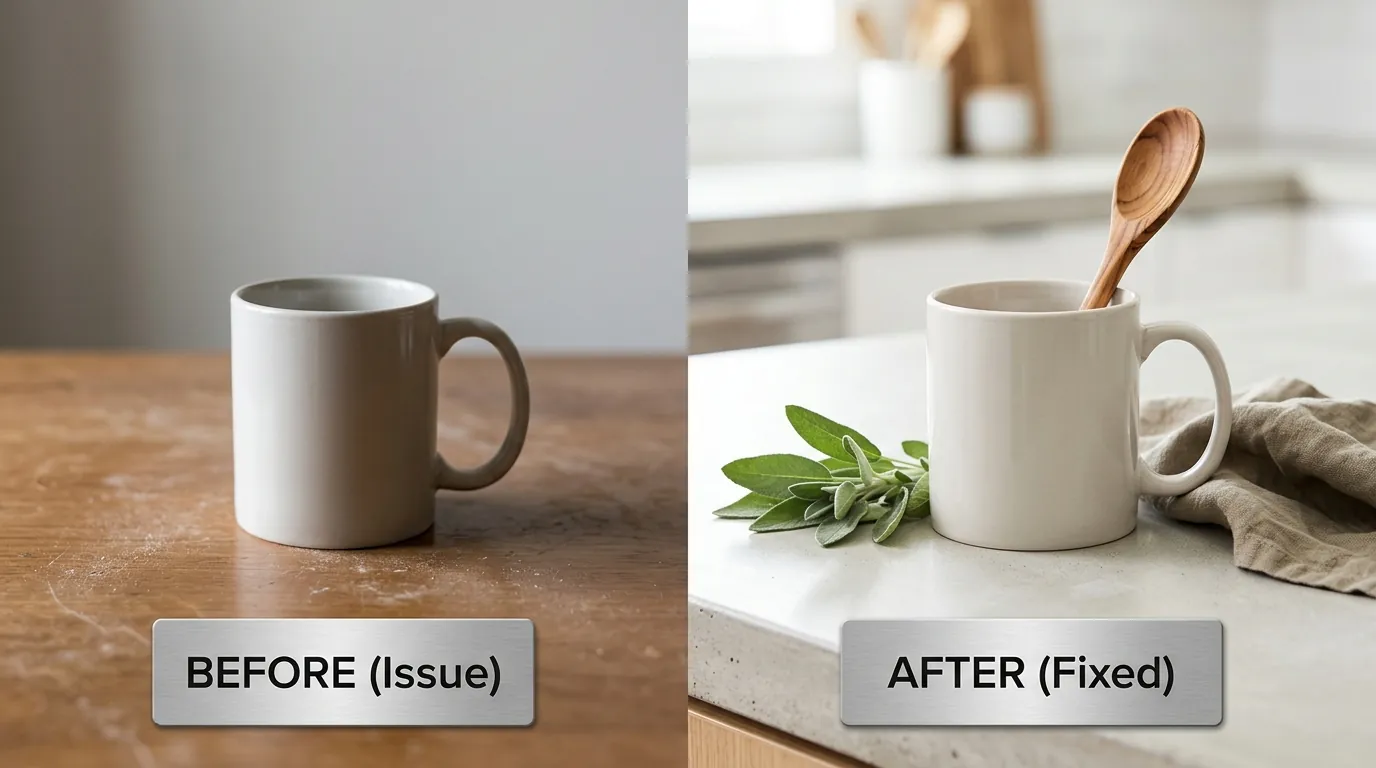
Standardize your workflow by creating a “Master Spec” for all new product photography. This ensures that every listing you push live is pre-optimized for XWalk’s visual engine.
Resize to a Uniform 4:3 Ratio
Resize all images to a uniform 4:3 aspect ratio to ensure consistent display across desktop and mobile. A recommended size is 2700 x 2025 pixels. This resolution is high enough to exceed the 2000px zoom threshold while staying within a manageable file size. Use a batch processing tool to apply this crop to your entire catalog at once. This prevents the “jumping” effect when a user clicks through your listing photos, which improves the overall professional feel of your shop.
Compress for Speed Without Quality Loss
Use a bulk image compressor to bring your file sizes under 1MB. Tools like TinyPNG or the export settings in Adobe Express (which offers a Free tier and a Premium tier at $9.99/mo) can reduce file size by up to 70% without visible quality loss. This optimization is critical for the “Page Experience” component of Etsy’s ranking algorithm. Faster-loading images lead to higher conversion rates, which in turn signals to XWalk that your listing should be promoted to more shoppers.
Use AI Background Removal for Primary Photos
Apply AI background removal to your primary listing photos to create clean, distraction-free images. This allows XWalk’s visual engine to parse your product instantly. Once the background is removed, you can use PixelMatch to generate consistent, high-end lifestyle backgrounds that match your brand aesthetic. This ensures that while your primary photo is “clean” for the algorithm, it remains “aspirational” for the human shopper.
Batch-Process Your Entire Catalog
Rely on PixelMatch to batch-process your entire catalog when moving products between platforms. Multi-platform sellers often make the mistake of using the same images for Amazon, Shopify, and Etsy. However, Amazon requires a pure white background for the main image, while Etsy shoppers prefer a more lifestyle-oriented or textured look. PixelMatch allows you to generate these different styles from a single source photo, ensuring you meet the specific SEO requirements of each platform without doubling your photography budget.
Optimize Alt Text for Accessibility and SEO
While XWalk focuses on the visual pixels, the traditional Etsy search engine still uses Alt Text. When you upload your images, add descriptive Alt Text that includes your primary keywords. This provides a safety net for the algorithm; if the visual engine is 90% sure your item is a “ceramic vase,” your Alt Text “Hand-thrown blue ceramic bud vase” provides the final 10% of certainty needed to rank you for that specific long-tail keyword.
Monitor Engagement via Etsy Stats
Check your Etsy Search Analytics regularly to see which listings have the highest “Click Rate.” If a listing has high impressions but low clicks, your primary photo is likely the culprit. It may be too cluttered or poorly cropped for the 4:3 search grid. Use a tool like Canva Pro ($14.99/mo) to quickly test new “hero” images. A 5% increase in CTR can lead to a significant boost in XWalk visibility, as the algorithm prioritizes listings that prove they can “stop the scroll.”
The Multi-Platform Pivot: Etsy vs. Shopify vs. Amazon
Managing image SEO for multi-platform sellers requires a nuanced understanding of how different algorithms “see” your products.
- Etsy (XWalk): Favors 4:3 ratios, lifestyle elements, and visual similarity. Zoom is triggered at 2000px.
- Shopify: Favors 1:1 square ratios and high-resolution files (up to 4472 x 4472 px) for theme-specific zoom effects.
- Amazon: Strictly requires a pure white background (RGB 255, 255, 255) for the main image, with the product occupying 85% of the frame.
By using a batch-generation tool, you can take one high-quality product shot and output three different versions: a 4:3 lifestyle shot for Etsy, a 1:1 clean shot for Shopify, and a 1:1 white-background shot for Amazon. This “shoot once, deploy everywhere” strategy is the only way to maintain high SEO standards across multiple channels without an army of editors.
Official Source Links

- Etsy Help Center: Requirements and Best Practices for Images
- Etsy Investor Relations: XWalk Announcement and Q2 2021 Results
- Photoroom Pricing and Pro Features
- Shopify Help Center: Product Media Specifications
- Amazon Seller Central: Product Image Requirements
- Adobe Express Pricing
- Canva Pro Pricing
Ready to scale your listings?
PixelMatch generates white-background, lifestyle, and variant mockups from a single source photo — built specifically for multi-platform ecommerce sellers. 50 free images on signup, no credit card.
Start free →
Sources
- https://help.etsy.com/hc/en-us/articles/115015663347
- https://investors.etsy.com/press-releases/press-release-details/2021/Etsy-Announces-Second-Quarter-2021-Financial-Results/default.aspx
- https://photoroom.com/pricing
- https://help.shopify.com/en/manual/products/product-media/product-media-types
- https://sellercentral.amazon.com/help/hub/reference/external/G1881
- https://www.adobe.com/express/pricing
- https://www.canva.com/pro/