
TikTok Shop AI Influencer Image Disclosure Rules (2026)
One missed toggle on a TikTok Shop upload can trigger a shadowban or a permanent account suspension before your first sale even lands. As TikTok’s detection algorithms for synthetic media become more aggressive in 2026, you must navigate the thin line between high-converting AI creative and policy-violating “misleading content.”
TikTok Shop requires sellers to disclose AI-generated images and virtual influencers using the AIGC toggle. AI cannot be used to alter a product’s actual appearance, size, or functionality. Violations trigger a 4-tier penalty system, ranging from simple content suppression to permanent account bans for repeat offenders.
Quick Reference Table
Perform a weekly audit of your “Content Violations” tab in the TikTok Seller Center to identify any “Unlabeled AI Content” flags before they escalate to account-level points. TikTok’s automated systems now scan for metadata and visual patterns consistent with synthetic generation, meaning “stealth” AI usage is no longer a viable strategy for high-volume sellers.
| Disclosure Type | Required Action | Reach Impact | Penalty for Non-Compliance |
|---|---|---|---|
| Virtual Influencers | AIGC Toggle + On-screen text | 5-8% reach reduction | 7-day account restriction |
| AI Product Backgrounds | None (if product is real) | 0% (Neutral) | None |
| AI-Altered Products | Prohibited | 100% (Removed) | Tier 3: 30-day suspension |
| Synthetic Voiceover | AIGC Toggle | 5% reach reduction | Content suppression (Shadowban) |
| AI Lifestyle Scenes | AIGC Toggle | 5-8% reach reduction | Warning + Content removal |
TikTok’s 2026 policy emphasizes that proactive labeling is a “trust signal.” While you might fear that the “AI-generated” label will hurt conversion, data shows that retroactive detection by TikTok’s AI results in a much harsher 35-45% reach penalty compared to the standard 5-8% drop seen with manual disclosure.
Detailed Requirements
Configure your TikTok Ads Manager default settings to include the AI Disclosure tag for every campaign involving synthetic assets to prevent automated campaign rejection. TikTok’s policy distinguishes between “AI-assisted editing” (like color grading or noise reduction) and “AI-generated content” (where the core subject or scene is synthetic). If the human face in your video does not exist in real life, or if your product is placed in a scene that was never photographed, you are legally and contractually obligated to disclose.
Organic Content vs. Paid Ads
For organic posts, the disclosure happens at the point of upload via the “AI-generated content” toggle. This toggle injects a permanent “AI-generated” label in the bottom-left corner of the video, just above the username. This label is non-removable once the video is live.
Paid ads require a different workflow. In the TikTok Ads Manager, you must check the AI Disclosure tag at the ad level. Failing to do this can lead to your entire ad account being flagged for “Circulating Misleading Content,” a violation that is notoriously difficult to appeal. Unlike organic posts, ads undergo a manual and automated review process that checks for 94.7% accuracy on synthetic faces. If the system detects a virtual influencer that you haven’t labeled, the ad will be rejected within minutes.
Virtual Influencer Transparency
If you use virtual influencers to batch-generate AI product images or videos for your store, you must comply with both TikTok’s internal rules and the FTC’s Disclosures 101 for Social Media Influencers. The FTC requires that any “material connection” or synthetic nature of an endorser be “clear and conspicuous.”
On TikTok Shop, this means:
- The AIGC toggle must be ON.
- The video description should include a hashtag like #VirtualInfluencer or #AI.
- If the AI avatar is giving a testimonial, a text overlay must state “Simulated person” or “AI-generated voice” for at least 3 seconds.
Common Rejection Reasons
💡 Skip the manual editing. PixelMatch batch-generates ecommerce-ready product images in 60 seconds — white background, lifestyle scenes, and variant mockups from a single source photo. Try PixelMatch free →
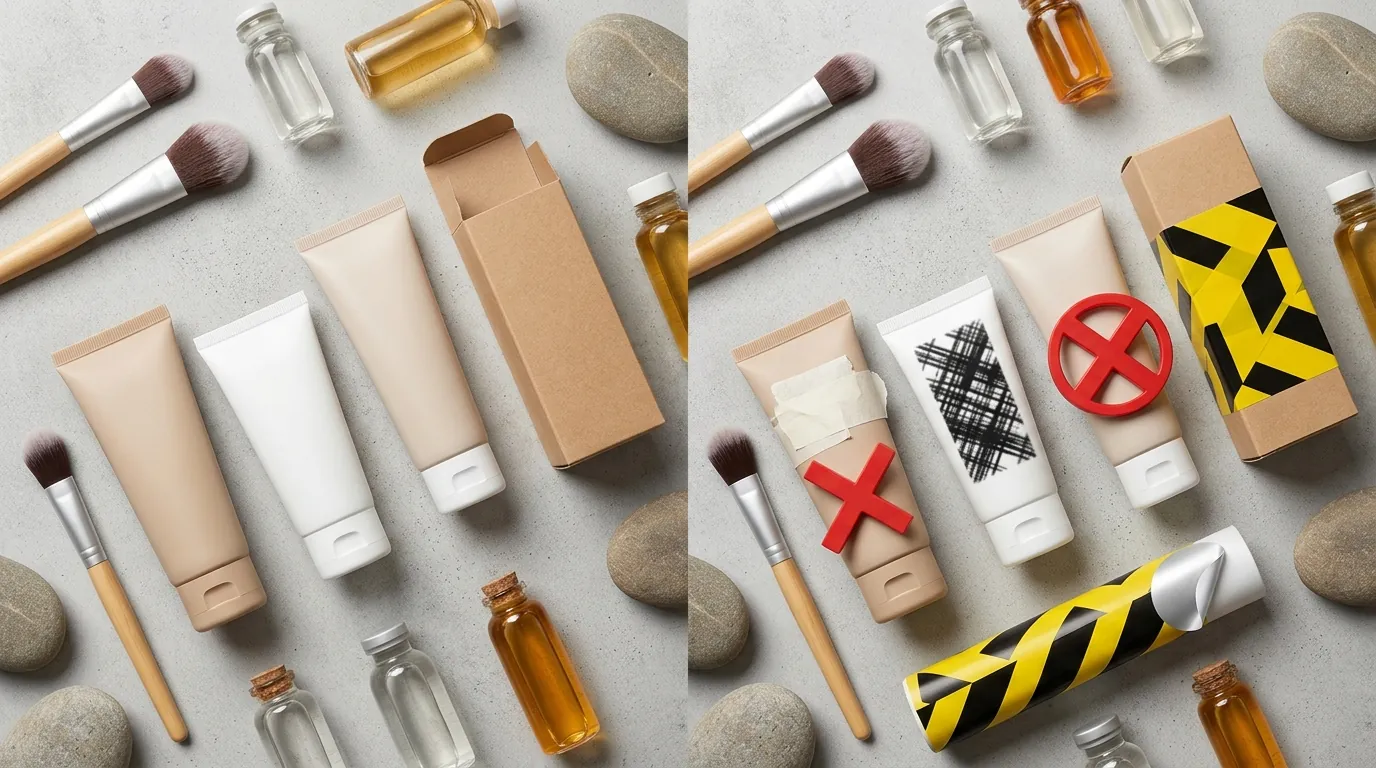
Compare your AI-generated lifestyle shots against a physical sample of your product to ensure the AI hasn’t “improved” the item’s features beyond reality. TikTok Shop’s primary goal is to reduce the “Product Not As Described” (PNAD) rate. If your AI tool adds a premium matte finish to a product that is actually shiny plastic, you are in violation of the TikTok Shop Content Policy.
Modifying the Core Product
The most frequent cause for a permanent ban in 2026 is altering the product’s physical attributes. AI tools often “hallucinate” details to make an image look more aesthetic. If you use a tool like Adobe Express or Canva with Generative Fill, you must ensure the brush does not touch the product itself. TikTok’s Product Integrity rules state that “AI must not be used to fabricate unrealistic results or alter the size, color, or material of the item being sold.”
Exaggerated Product Effects
TikTok specifically targets “instant-effect” visuals. If you are selling a beauty product, using AI to show instant teeth whitening or wrinkle removal is a Tier 1 violation. These are considered “Impossible Claims.” Even if you use the AIGC toggle, you cannot use AI to demonstrate a result that the product cannot actually achieve in a single use.
Missing Ad-Level Tags
Many sellers remember the toggle on their phone but forget the checkbox in the Ads Manager. TikTok’s backend treats these as two separate compliance checks. An ad submitted without the AI Disclosure tag is often flagged as “Deceptive Content,” which carries a higher penalty weight than a simple organic labeling error.
How to Fix Each Issue

Implement a two-step verification process using PixelMatch’s “Product Lock” feature to ensure your AI-generated backgrounds never bleed into your product pixels. This technical separation is your best defense against “Misleading Content” flags.
Appealing a False Rejection
If TikTok’s automated system flags a real photo as AI (a “False Positive”), do not simply delete and re-upload. This can look like an attempt to bypass the algorithm. Instead:
- Open the “Account Health” dashboard.
- Select the rejected content and click “Appeal.”
- Upload the original RAW file or a “behind-the-scenes” photo of the product shoot.
- Explicitly state: “This image was captured using a [Camera Model] and does not contain synthetic or AI-generated subjects.”
Generating Compliant Images at Scale
To stay compliant while maintaining a high volume of creative, you need a workflow that separates the product from the environment. General-purpose editors like Photoroom or Canva often apply “Global AI Enhancements” that can subtly change the product’s texture or edges to blend it into the background. While this looks good, it risks a TikTok rejection for “altering the product’s appearance.”
PixelMatch is better suited for this workflow because it uses a “Source-Pixel Preservation” engine. When you batch-generate AI product images for TikTok Shop, PixelMatch masks the original product pixels and only allows the AI to modify the surrounding environment. This ensures that the item the customer sees is exactly what they will receive, satisfying TikTok’s Integrity Policy while still allowing you to create stunning, high-conversion lifestyle scenes.
Satisfying FTC and TikTok Rules Simultaneously
For virtual influencer campaigns, avoid the “hidden hashtag” tactic. Placing #AI at the very end of a long caption where it is hidden by the “See More” button does not satisfy the FTC material connection rules.
Follow this 3-point checklist for every AI-hosted video:
- Toggle: Switch the AIGC toggle to “ON” during the final upload screen.
- Overlay: Add a text box that says “AI-Generated Persona” in a high-contrast color.
- Caption: Place “Disclosure: AI-generated” in the first two lines of the caption.
By following these steps, you minimize the risk of the 4-tier penalty system. A Tier 1 warning is a minor setback, but a Tier 4 permanent ban can destroy a multi-platform ecommerce business overnight. Using specialized tools like PixelMatch allows you to take advantage of AI’s efficiency without gambling with your store’s longevity.
Official Source Links

- TikTok Shop Seller Center: AI-Generated Content Restrictions
- TikTok Advertising Policies: Misleading and False Content
- FTC Disclosures 101 for Social Media Influencers
- TikTok AI Content Policy & Reach Impact Study 2026
Ready to scale your listings?
PixelMatch generates white-background, lifestyle, and variant mockups from a single source photo — built specifically for multi-platform ecommerce sellers. 50 free images on signup, no credit card.
Start free →
Sources
- TikTok Shop Seller Center. (2026). AI-Generated Content Policy for Sellers. Retrieved from
- AuditSocials. (2026). TikTok AI Content Policy: Penalty Tiers and Reach Metrics. Retrieved from
- Federal Trade Commission. (2024/2026). Disclosures 101 for Social Media Influencers. Retrieved from https://www.ftc.gov/business-guidance/resources/disclosures-101-social-media-influencers
- TikTok Ads Help Center. (2026). Misleading and False Content Policies. Retrieved from https://ads.tiktok.com/help/article/misleading-false-content
- Photoroom. (2026). Pricing and Pro Features. Retrieved from https://www.photoroom.com/pricing
- Canva. (2026). Canva Pro Pricing and Generative AI Tools. Retrieved from https://www.canva.com/pricing