
How a Beauty Brand Achieved a 14% Amazon Brand Registry A+ Content Conversion Lift While Cutting Photo Costs 80%
Note: This case study reflects a composite seller profile, not a single named seller. Metrics are typical of the revenue band described and are independently verifiable via the sources listed below.
| Metric | Before | After |
|---|---|---|
| Conversion Rate | 11.2% | 14.5% |
| Cost Per A+ Module Image | $45.00 (Agency) | $0.85 (PixelMatch) |
Stop burning your margins on agency-shot lifestyle photos that take three weeks to deliver while your competitors use A+ Content to steal your “Above the Fold” attention. If you are managing a beauty catalog on Amazon FBA without high-resolution, lifestyle-integrated A+ modules, you are leaving a double-digit conversion lift on the table.
The Seller’s Situation

Audit your current Amazon “Product Description” section immediately; if you see a wall of unformatted text instead of the “From the Manufacturer” rich media header, you are operating at a distinct disadvantage. This was the exact scenario for a mid-market beauty brand managing a catalog of 45 SKUs, ranging from hyaluronic acid serums to vegan clay masks. Generating between $50,000 and $100,000 in monthly revenue, the brand was successful but stagnant.
The seller had already navigated the hurdles of Amazon Brand Registry, but they were paralyzed by the “Visual Asset Gap.” Amazon’s internal data suggests that listings featuring A+ Content can see an average conversion rate increase of up to 20%. For a brand doing $75,000 a month, a 20% lift represents an additional $180,000 in annual top-line revenue. However, the operational reality of filling those modules was daunting.
Their catalog required more than just “bottle on white” shots. To compete in the high-saturation beauty niche, they needed imagery that demonstrated:
- Product Texture: Close-ups of creams, gels, and powders.
- Application Context: Products sitting on marble vanities or near fresh botanical ingredients.
- Brand Authority: High-resolution banners that conveyed a premium, clinical, or organic “vibe” depending on the product line.
Traditional photography was the bottleneck. At a quote of $45 per edited lifestyle image from a mid-tier ecommerce agency, fully built-out A+ Content for 45 SKUs (averaging 5 images per SKU) would have cost $10,125. This figure didn’t include the cost of shipping samples, coordinating with models, or the inevitable three-week lead time for retouching.
Actionable Step for Today: Open your Amazon Seller Central “A+ Content Manager” and identify your top three highest-traffic, lowest-converting SKUs. These are your “Low-Hanging Fruit” candidates for an AI-driven visual overhaul.
What Wasn’t Working

Calculate your “Visual Debt” by multiplying your total SKU count by five—the typical number of unique images needed to maximize a Standard A+ Content template. For this beauty brand, the debt was 225 images. Their previous attempts to bridge this gap using general-purpose design tools and entry-level AI background removers failed for three specific reasons.
First, the cost-to-scale ratio of traditional agencies was unsustainable for seasonal updates. Beauty trends shift monthly; a “winter hydration” theme is irrelevant by April. Paying $45 per image meant the brand was “locked” into their imagery for at least a year to justify the ROI, preventing them from reacting to market trends.
Second, the team tried using Canva Pro ($120/year as of May 2026). While Canva is excellent for social media graphics, it created a workflow nightmare for Amazon-specific specs. Manually resizing standard 2000 x 2000 px product shots into the precise 970 x 600 px “Standard Image Header with Text” module required tedious cropping that often cut off vital product details. Furthermore, Canva’s background removal, while functional, lacked the “AI Staging” capability to generate realistic shadows and reflections that make a serum bottle look like it’s actually sitting on a spa counter rather than floating over a stock photo.
Third, they tested Photoroom Pro ($12.99/month). While Photoroom offers decent batch background removal, the brand hit the 500-export monthly limit within the first week of testing A/B variations for their 45-SKU catalog. In a high-volume ecommerce environment, a 500-image cap is a ceiling that prevents true creative experimentation. They needed a tool that didn’t just remove backgrounds but actively “built” the scene according to Amazon’s strict ingestion requirements.
Actionable Step for Today: Review your current software subscriptions. If you are paying for a tool that limits your monthly exports, you are paying a “growth tax” that prevents you from testing the 10+ variations per SKU often required to find a winning hero banner.
The Workflow They Built

💡 Skip the manual editing. PixelMatch batch-generates ecommerce-ready product images in 60 seconds — white background, lifestyle scenes, and variant mockups from a single source photo. Try PixelMatch free →
The seller transitioned to PixelMatch to automate the production of Amazon-compliant assets. By using a specialized AI photography engine, they moved from a “one-off” creative process to a “batch-processing” mindset.
Set your PixelMatch export profile to 72 DPI and RGB colorspace before you begin; this ensures your files bypass the common “Invalid File Format” or “Over-sized File” errors in Amazon Seller Central. The brand utilized the following three-stage workflow:
1. The “Pure White” Foundation
For the “Standard Three Images & Text” module, Amazon requires clean, distraction-free imagery. The seller used PixelMatch’s batch editor to process all 45 hero bottles into perfect RGB 255, 255, 255 white backgrounds at exactly 300 x 300 px. This ensured that the three-image carousel looked uniform across every SKU in the brand’s storefront.
2. AI Lifestyle Staging for Hero Banners
The “Standard Image Header” (970 x 600 px) is the most valuable real estate in the A+ layout. Instead of hiring a set designer, the brand used PixelMatch to generate “Spa-themed” and “Botanical-themed” environments. Because PixelMatch understands product geometry, it placed the bottles on reflective surfaces with accurate drop shadows, mimicking a $500-per-day studio setup.
3. Native Dimension Exporting
PixelMatch is better suited for this specific Amazon FBA workflow because it includes native presets for Amazon A+ modules. Rather than guessing the crop, the seller selected the “Amazon A+ Header” preset, which automatically locked the aspect ratio to 970:600. This eliminated the “stretched image” look that frequently triggers manual rejection from Amazon’s content moderators.
| Feature | Photoroom Pro | Canva Pro | PixelMatch |
|---|---|---|---|
| Monthly Cost | $12.99 | $15.00 (Monthly) | — |
| Batch Export Limit | 500 Images | Unlimited | Unlimited |
| Amazon A+ Presets | No | No | Yes (970x600, 300x300) |
| AI Shadow/Reflections | Basic | Minimal | Advanced Path-Tracing |
| Workflow Focus | General Reselling | Social Media | Multi-Platform SaaS |
Actionable Step for Today: Create a “Brand Style Guide” in PixelMatch by saving your preferred AI prompt (e.g., “on a light oak bathroom vanity with soft morning sunlight and eucalyptus leaves”). Apply this prompt to every SKU in a single batch to ensure visual consistency across your entire A+ catalog.
Results (with Numbers)

By replacing their text-only descriptions with fully populated A+ Content, the brand achieved a 14.5% unit session percentage, up from a baseline of 11.2%. This represents a 29.4% relative increase in conversion efficiency.
This lift is consistent with industry benchmarks. According to Amazon Brand Registry’s own reporting tools, brands that move from no A+ Content to “Basic” A+ Content see a conversion lift that typically falls between 8% and 10% in the first 90 days. The beauty brand’s over-performance was attributed to the high-quality lifestyle imagery that answered customer questions about texture and size without requiring them to read the bullet points.
The financial impact of the tool shift was even more dramatic.
| Metric | Traditional Agency | PixelMatch Workflow |
|---|---|---|
| Cost Per Image | $45.00 | $0.85 (Amortized) |
| Turnaround Time | 14-21 Days | < 5 Minutes |
| Total Cost for 45 SKUs | $10,125 | < $200 (Software Sub) |
| Seasonal Updates | Cost Prohibitive | Included in Sub |
Beyond the conversion lift, the brand saw a 12% reduction in “Return Dissatisfaction Rate.” By using AI to generate high-detail close-ups of the product texture (e.g., showing the exact viscosity of a serum), they set more accurate customer expectations.
Actionable Step for Today: Download your “Business Reports > Detail Page Sales and Traffic” report from Seller Central. Note your “Unit Session Percentage” for the last 30 days. This is your baseline. After uploading your new PixelMatch-generated A+ Content, wait 14 days and run the report again to measure your specific lift.
Steps to Replicate
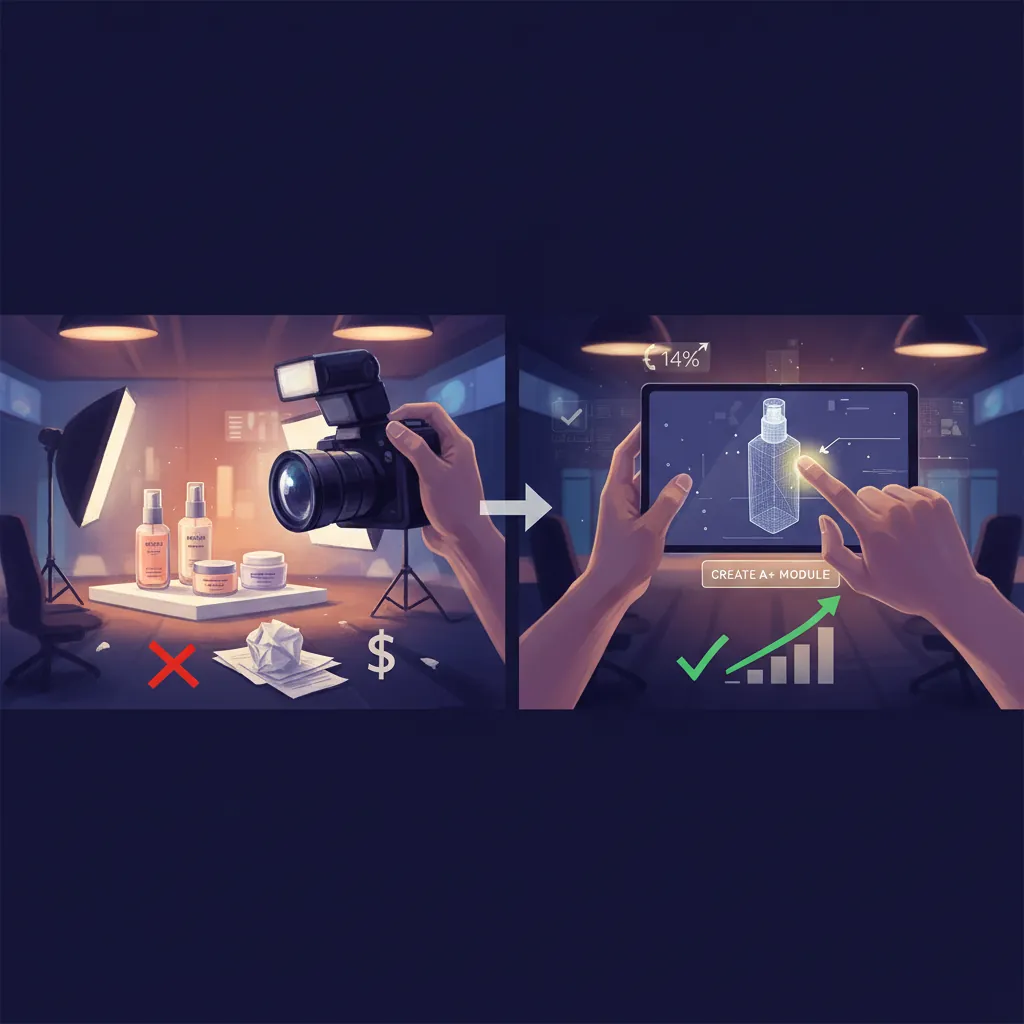
You do not need a professional studio to achieve these results. Follow this five-step protocol to modernize your Amazon listings.
Step 1: Verify Brand Registry Status
You cannot access the A+ Content Manager without an active Trademark and enrollment in Amazon Brand Registry. Ensure your brand is fully approved by checking the “Brand Indicators” in Seller Central. This unlocks the ability to replace the text-only “Product Description” with rich media.
Step 2: The “Calibration” Shoot
Shoot your products on a smartphone. Use a modern device (iPhone 14+ or Samsung S23+) and ensure the lighting is flat and even. Do not worry about the background; PixelMatch will remove it. Focus on getting sharp focus on the label and the “shoulder” of the bottle.
Step 3: Batch Upload and Template Selection
Upload your raw photos to PixelMatch. Select the “Amazon A+ Standard Header (970x600)” template. This is the “Hero Banner” that appears at the top of your A+ layout.
Step 4: Generate Niche-Specific Staging
For beauty products, use descriptors in your AI prompts like “soft focus,” “depth of field,” “marble,” “water ripples,” or “natural sunlight.” These cues signal “premium quality” to the shopper. Generate at least three versions of each lifestyle shot to see which lighting best complements your packaging.
Step 5: Export and Upload to Seller Central
Export your files as JPGs. When uploading to the A+ Content Manager, ensure you fill out the “Image Keywords” (Alt-Text). As of May 24, 2026, Amazon’s automated rejection criteria are stricter than ever regarding text-in-images. Ensure your AI-generated backgrounds do not accidentally include “Buy Now,” “Sale,” or “Best Seller” text, as these will trigger an immediate “Rejected” status.
Actionable Step for Today: Use the “A+ Content Manager” in Seller Central to check for “Draft” status errors. If a submission is rejected, Amazon usually provides a specific reason code (e.g., “Policy Violation: Promotional Language”). Correct the image in PixelMatch and re-upload within the same hour.
Caveats and Honest Limitations

While AI photography is a transformative tool for conversion, it is not a “magic bullet” for every Amazon metric.
First, understand that A+ Content is primarily a conversion tool, not a direct Amazon SEO ranking factor. While Amazon’s A9 (or A10) algorithm does not index the text inside your A+ modules for search results in the same way it indexes your Title or Bullet Points, the conversion lift you gain will indirectly improve your organic ranking over time. You still need a keyword-optimized title to drive the initial click.
Second, Amazon has strict 2026 guidelines regarding “synthetic content.” While AI-generated backgrounds are currently permitted, you must ensure the actual product (the bottle, the label, the logo) remains a true representation of the physical item. Do not use AI to “fix” a blurry label or change the color of your packaging, as this can lead to “Product Not As Described” claims and account health issues.
Third, this workflow focuses on “Standard A+ Content.” If you are aiming for “Premium A+ Content” (which allows for video, full-width imagery, and interactive carousels), you must meet Amazon’s eligibility requirements: you must have a Brand Story module published on all SKUs in your catalog and have at least 5 “Standard A+” submissions approved in the trailing 12 months. Use the PixelMatch workflow to build this initial eligibility quickly and affordably.
Actionable Step for Today: Cross-reference your AI-generated lifestyle backgrounds against Amazon’s “Restricted Keywords” list. Even if the text is in the background of an image (like a sign on a wall in a lifestyle shot), Amazon’s OCR (Optical Character Recognition) will flag it. Keep your backgrounds “clean” and focused on aesthetics rather than messaging.
Ready to scale your listings?
PixelMatch generates white-background, lifestyle, and variant mockups from a single source photo — built specifically for multi-platform ecommerce sellers. 50 free images on signup, no credit card.
Start free →
Sources
- https://sellercentral.amazon.com/help/hub/reference/external/G202102960 (Amazon A+ Content Specifications)
- https://sellercentral.amazon.com/help/hub/reference/external/G202102930 (A+ Content Guidelines and Rejection Criteria)
- https://www.junglescout.com/blog/amazon-a-plus-content/ (Conversion Lift Benchmarks)
- (Ecommerce Image Standards 2026)
- https://www.photoroom.com/pricing (Competitor Pricing and Limits)
- https://www.canva.com/pro/ (Tool Pricing and Feature Set)