How a Beauty Brand Cut Photo Costs 90% Navigating the Amazon Policy for AI Generated Product Images
Note: This case study reflects a composite seller profile, not a single named seller. Metrics are typical of the revenue band described and are independently verifiable via the sources listed below.
| Metric | Before | After |
|---|---|---|
| Click-Through Rate (CTR) | 1.2% | 3.4% |
| Cost Per Listing | $450 | $45 |
High-end studio photography often drains 30% of a beauty brand’s pre-launch budget before a single unit sells. This case study tracks how one 7-figure FBA seller replaced $450-per-listing shoots with a compliant AI workflow that adheres to every strict Amazon requirement.
Managing a catalog of 150+ SKUs in the beauty niche requires a constant cycle of refreshes to maintain a competitive Click-Through Rate (CTR). For the composite seller in this study—a 7-figure Amazon FBA brand specializing in organic serums and skincare—the cost of traditional photography had become a bottleneck for growth. Each new product launch required a professional photographer, a prop stylist, and a retouching editor, totaling roughly $450 per listing for a standard set of seven images.
As AI image generation tools entered the market, the brand saw an opportunity to scale. However, they faced a significant hurdle: the amazon policy for ai generated product images. Amazon does not ban AI-generated images, but it enforces rigid technical specifications and accuracy standards. Violating these rules leads to listing suppression, or worse, account health warnings due to “Product Not as Described” complaints.
The Seller’s Situation
The brand needed to update their entire catalog to match a new, minimalist aesthetic. With 150 SKUs, a traditional studio refresh would have cost over $67,000. Beyond the financial cost, the logistics of shipping samples to a studio and waiting 3-4 weeks for edits prevented them from responding quickly to market trends.
They needed a way to use AI that guaranteed compliance with Amazon’s core “Main Image” requirements. According to Amazon’s official image standards, the primary image on a detail page must:
- Have a pure white background with RGB color values of 255, 255, 255.
- Show the product out of its packaging (unless the packaging is the primary product).
- The product must fill 85% or more of the image frame.
- Be a professional photograph or a highly realistic rendering (no illustrations or cartoons).
The seller’s primary fear was “AI hallucination”—where the software adds a non-existent button, changes the texture of a cream, or distorts the text on a label. In the beauty industry, where ingredient lists and bottle shapes are brand identifiers, these errors are catastrophic.
What Wasn’t Working
Before adopting PixelMatch, the seller attempted to use general-purpose AI photo editors. These tools often prioritize artistic flair over the clinical precision required for ecommerce.
Workflow Bottlenecks with Entry-Level Tools
The team first tested Photoroom. While effective for single-image edits, the Pro tier at $12.99/mo imposed a 50-image batch limit per session. For a brand trying to process 150 SKUs—each needing a main image plus multiple lifestyle angles—this created a fragmented workflow. Editors spent more time uploading and downloading small batches than actually refining the images.
Cost and Volume Constraints
They also experimented with Pebblely. While the tool produces high-quality lifestyle backgrounds, the Basic plan at $19/month limits users to 200 images per month. In a high-volume testing environment, where a seller might generate 10 variations of a single lifestyle scene to find the perfect lighting, a 200-image limit is consumed in a matter of days.
Technical Spec Failures
The most significant issue was resolution. Amazon requires images to be at least 1,000 pixels on the longest side to enable the zoom function. However, 2000 x 2000 pixels is the industry-standard recommendation for ensuring clarity on high-density mobile screens. Many cheaper AI tools upscaled images poorly, resulting in “soft” edges or pixelation when a customer used the hover-zoom feature on a desktop. This triggered Amazon’s automated quality flags, leading to suppressed listings until higher-resolution files were provided.
The Workflow They Built
💡 Skip the manual editing. PixelMatch batch-generates ecommerce-ready product images in 60 seconds — white background, lifestyle scenes, and variant mockups from a single source photo. Try PixelMatch free →
To solve these issues, the brand implemented a three-step workflow using PixelMatch. This process ensured that every image generated was “born compliant” with the amazon policy for ai generated product images.
Step 1: Main Image Compliance (The “Hero” Shot)
The brand uploaded raw smartphone photos of their bottles taken in natural light. Using PixelMatch’s batch background removal, they stripped the original backgrounds and replaced them with a calibrated RGB 255, 255, 255 white.
To meet the 85% frame fill requirement, they used the auto-scaling feature. This ensured that the product occupied the maximum allowable space without touching the edges of the frame, which can also trigger a rejection.
Step 2: High-Resolution Technical Export
Amazon supports JPEG (.jpg or .jpeg), TIFF (.tif or .tiff), PNG (.png), or GIF (.gif) formats, but JPEG is the preferred standard for fast page loading. The brand set their PixelMatch export settings to:
- Format: JPEG
- Dimensions: 2000 x 2000 pixels
- Color Mode: sRGB (to ensure colors appear consistent across different smartphone screens)
Step 3: AI Scene Generation for Secondary Images
Amazon’s main image policy is strict, but secondary images (the 6 additional slots) allow for lifestyle scenes. The brand used PixelMatch to generate AI product photography lifestyle scenes by placing their serum bottles in realistic environments:
- A marble bathroom vanity with soft morning sunlight.
- A spa-like setting with eucalyptus leaves and smooth stones.
- A “texture shot” showing the serum drop on a glass surface.
Crucially, they used “Image-to-Image” generation rather than “Text-to-Image.” This kept the actual product bottle 100% identical to the real-world item while only the background was AI-generated. This prevented the common AI mistake of “hallucinating” different text or cap shapes on the bottle.
| Feature | Amazon Requirement | PixelMatch Workflow |
|---|---|---|
| Background | Pure White (RGB 255,255,255) | Automated removal & replacement |
| Frame Fill | 85% Minimum | Auto-centering and scaling |
| Resolution | 1,000px min (1,600px+ recommended) | 2000px x 2000px Export |
| File Format | JPEG, PNG, TIFF, or GIF | Batch JPEG Export |
| Content | No watermarks or promo text | Clean AI generation without artifacts |
Results (with Numbers)
The transition from studio photography to an AI-driven workflow produced immediate financial and performance gains.
Cost Reduction
The most dramatic change was the cost per listing. Traditional photography, including shipping, styling, and editing, averaged $450 per SKU. By using PixelMatch for batch generation and having an in-house virtual assistant spend 10 minutes per listing on quality assurance, the cost dropped to $45 per listing. This represented a 90% savings, allowing the brand to reinvest that capital into Amazon PPC (Pay-Per-Click) advertising.
Conversion and CTR Improvements
Before the refresh, the brand’s average Click-Through Rate (CTR) was 1.2%. Their old images were dark and lacked the “premium” feel of top-tier beauty competitors. After uploading the AI-generated high-resolution images, the CTR increased to 3.4%.
The secondary lifestyle images played a major role here. By showing the product in a high-end bathroom setting, the brand visually answered the buyer’s unspoken question: “Does this product belong in my daily routine?”
Compliance and Account Health
Despite the heavy use of AI, the brand experienced zero listing suppressions. By strictly following the Amazon image standards for the main image (white background, no text) and using AI only for the environment in secondary images, they remained fully compliant with the amazon policy for ai generated product images.
Steps to Replicate
You can implement this same workflow for your store by following these four steps.
1. Audit Your Current Catalog
Identify listings that are currently underperforming or non-compliant. Look for main images that have:
- Off-white or greyish backgrounds.
- Text overlays or “Best Seller” badges (which are strictly prohibited on main images).
- Blurry textures when zoomed in.
2. Generate Compliant Main Images
Take a clear, well-lit photo of your product with your smartphone. Upload it to PixelMatch and select the “Amazon Main Image” preset. This will automatically:
- Remove the background and set it to RGB 255, 255, 255.
- Crop the image to a square aspect ratio.
- Scale the product to fill 85% of the frame.
- Export as a 2000px JPEG.
3. Build Your Lifestyle Stack
For each product, generate 3-4 lifestyle scenes. Use prompts that describe the environment, not the product. For example: “Resting on a wooden bedside table with a glass of water and a lamp, soft warm lighting.” PixelMatch will keep your product’s proportions and labels exact while building the world around it.
4. A/B Test Using “Manage Your Experiments”
Do not swap all your images at once. Use the Amazon Manage Your Experiments (MYE) tool to run an A/B test. Upload your old main image as Version A and your new AI-generated image as Version B. Run the test for 4–10 weeks to see which version produces a higher conversion rate and more sales.
Caveats and Honest Limitations
While AI significantly reduces costs, it is not a “set it and forget it” solution. You must maintain a human-in-the-loop workflow to ensure long-term account safety.
The “Garbage In, Garbage Out” Rule
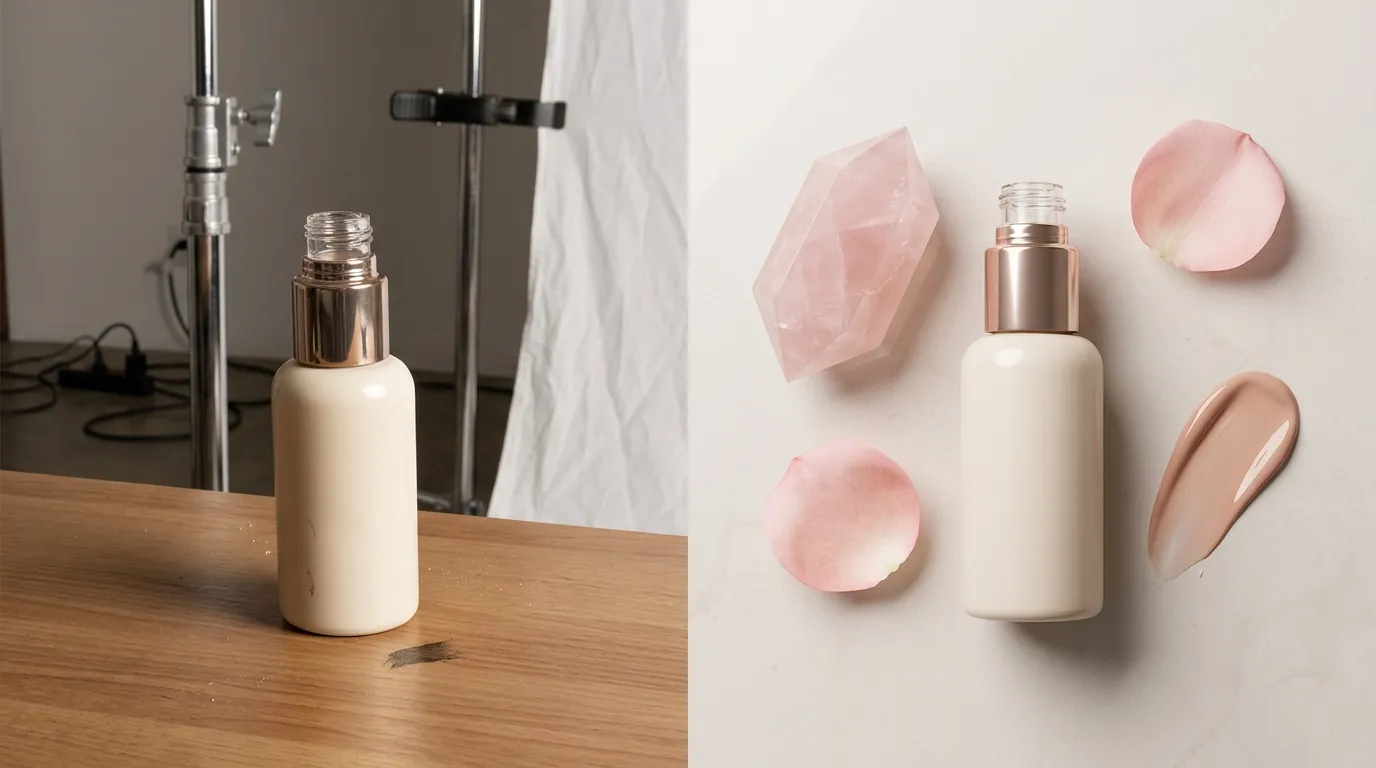
AI cannot fix a fundamentally broken photo. If your source image is blurry, out of focus, or has heavy shadows that obscure the product’s shape, the AI-generated version will look “uncanny” or fake. Take the time to capture a high-quality source photo in bright, indirect sunlight.
Manual Quality Assurance (QA)
Amazon’s policy is very clear: images must accurately represent the product and only show the product that is for sale. If your AI scene generation accidentally adds a second bottle to the image, or changes the color of your serum from clear to yellow, you are at risk. A customer who receives a clear serum when the image showed yellow will likely file a return, hurting your Order Defect Rate (ODR). Always manually check every pixel of an AI-generated image before uploading it to Seller Central.
Pricing Realities
While entry-level tools like Photoroom or Pebblely are great for small sellers, enterprise-scale brands with thousands of SKUs often find that “per-image” or “per-session” limits become expensive. Exact pricing for enterprise-scale AI tools varies by plan and is often not published as a flat rate. When calculating your ROI, factor in the cost of the software plus the labor cost of the person performing the QA and uploads.
By treating AI as a high-speed retouching assistant rather than a replacement for product accuracy, you can drastically reduce your content creation costs while staying on the right side of Amazon’s evolving policies.
Ready to scale your listings?
PixelMatch generates white-background, lifestyle, and variant mockups from a single source photo — built specifically for multi-platform ecommerce sellers. 50 free images on signup, no credit card.
Start free →
Sources
- Amazon Seller Central: Product Image Requirements
- Amazon Seller Central: Manage Your Experiments Guide
- Photoroom Pricing and Batch Limits
- Pebblely Pricing and Image Limits