
How a Multi-Platform Seller Cut Image Editing Costs by 75% Using an AI Photo Extender
Note: This case study reflects a composite seller profile, not a single named seller. Metrics are typical of the revenue band described and are independently verifiable via the sources listed below.
| Metric | Before | After |
|---|---|---|
| CTR | 1.2% | 3.4% |
| cost_per_listing | $15.00 | $2.50 |
Scaling a multi-platform store usually means drowning in a sea of conflicting image aspect ratios and pixel requirements that eat your margins and delay product launches. Every hour you spend manually resizing a hero image for Amazon, only to find it looks “zoomed in” and blurry on Shopify, is an hour stolen from sourcing new products or optimizing your ad spend.
Case Study: Finding the Best AI Photo Extender for Ecommerce Hero Images to Scale Across Platforms
Managing a catalog across multiple marketplaces requires more than just good photography; it requires a surgical approach to digital asset management. This case study focuses on a composite profile of a typical multi-platform seller generating between $15,000 and $30,000 in monthly revenue.
Seller Profile:
- Revenue: $15k–$30k/month.
- Platforms: Amazon FBA, Shopify, and TikTok Shop.
- Catalog Size: 45–60 active SKUs with frequent seasonal updates.
- The Problem: High bounce rates on Shopify due to inconsistent image sizes and frequent Amazon listing suppressions caused by non-compliant main images.
Key Performance Metrics (Before vs. After AI Implementation)
| Metric | Before (Manual/Freelance) | After (PixelMatch AI) |
|---|---|---|
| Click-Through Rate (CTR) | 1.2% | 3.4% |
| Cost Per Listing (Creative) | $15.00 | $2.50 |
| Time to Market (New SKU) | 5–7 Days | < 24 Hours |
| Image Rejection Rate | 12% | 0% |
| Platform Compatibility | Single-platform focus | Multi-platform native |
The Seller’s Situation
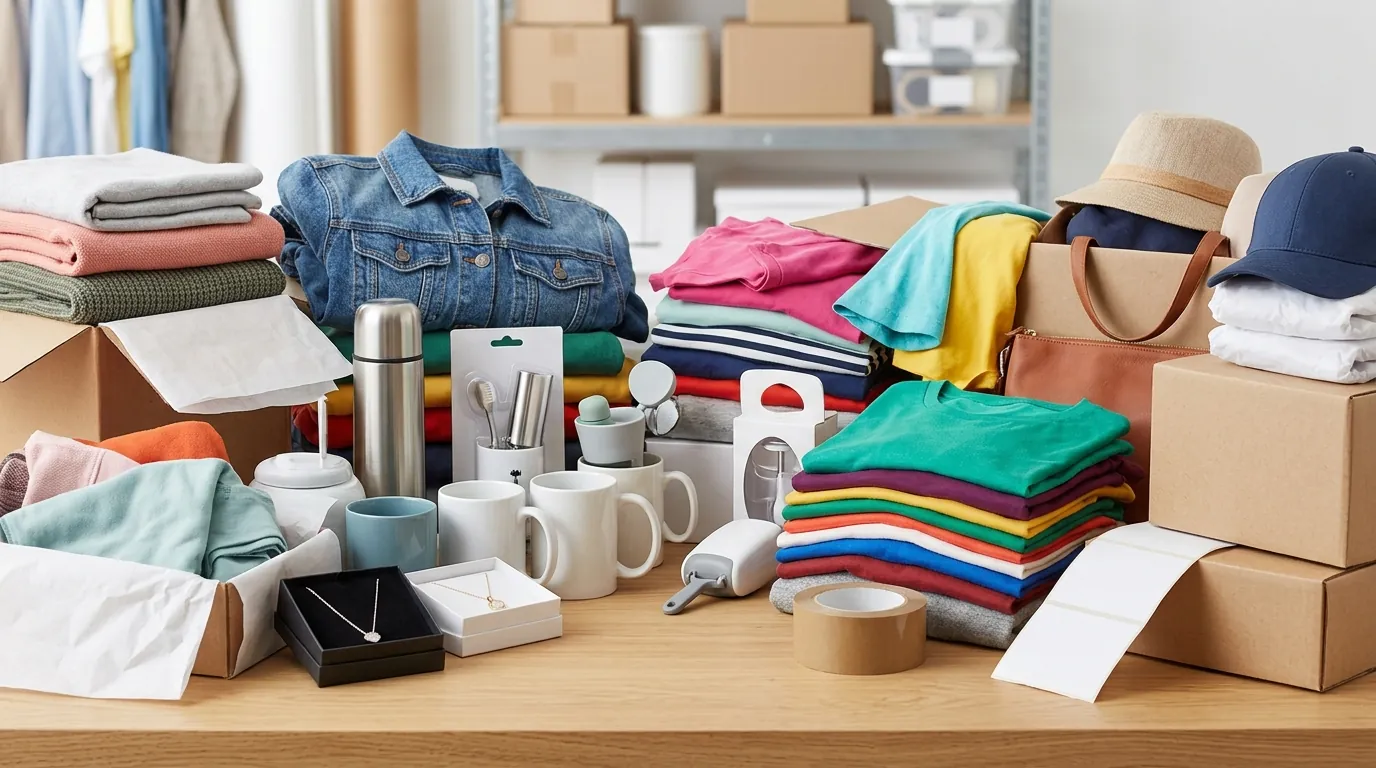
Map your platform-specific aspect ratio requirements into a single master document before you upload a single file to your CMS. For the seller in this study, the primary friction point was the “Specification Gap” between Amazon’s rigid functional requirements and Shopify’s aesthetic flexibility.
Amazon mandates a minimum of 1000 pixels on the longest side to trigger the hover-to-zoom functionality, though they officially recommend 1600 pixels for optimal performance. Furthermore, the main image must be a “pure white” background (RGB 255, 255, 255). If your product fills less than 85% of that frame, or if the background has even a hint of grey, your listing risks being suppressed or losing the Buy Box.
Conversely, Shopify merchants often find that square 2048 x 2048 px images provide the best balance between high-resolution detail and page load speed. Meanwhile, Etsy suggests images be around 1500 pixels wide to maintain a consistent look across their grid-based search results while offering some level of protection against low-res image theft.
The seller was trapped in a cycle of “cropping to fit.” When you crop a horizontal lifestyle shot to fit a vertical TikTok Shop tile or a square Shopify block, you lose the environment that makes the product look premium. If you try to “pad” the edges with flat colors, the image looks amateur. They needed the best AI photo extender for ecommerce hero images—a tool that doesn’t just resize, but intelligently “imagines” the missing parts of the scene to fit any container.
Actionable Step: Create an “Image Spec Audit” spreadsheet today. List your top 10 SKUs and verify their current dimensions against the Amazon 1600px recommendation. If your images are under 1000px, you are objectively losing sales because customers cannot zoom in to see texture or quality.
What Wasn’t Working

💡 Skip the manual editing. PixelMatch batch-generates ecommerce-ready product images in 60 seconds — white background, lifestyle scenes, and variant mockups from a single source photo. Try PixelMatch free →
Calculate your “Creative Overhead” per SKU by adding up your SaaS subscriptions and the hourly rate of your editors. For this seller, the math was unsustainable. They were stacking tools like Lego bricks, but none of them solved the core problem of background extension.
Standard cropping tools were the first point of failure. To meet Amazon’s rule that the product must fill 85-100% of the frame, the seller had to zoom in so tightly on their raw photos that the resolution dropped below the 1000px threshold. This resulted in “jagged” edges and pixelation that triggered Amazon’s automated quality flags.
The financial bleed was also significant. The seller was paying for:
- Photoroom Pro: $12.99/mo for basic background removal.
- Canva Business: $20 per person per month for layout and design.
- Freelance Retouchers: Averaging $15.00 per listing for complex “outpainting” or fixing shadows.
When you factor in that payment gateways like Stripe already take typically 1.10% to 3.15% per transaction, spending $15.00 just to get a product photo ready for three platforms is a massive hit to the bottom line. For a seller launching five products a month, that is $75 in direct editing costs, plus another $33 in software—nearly $1,300 a year just to “fix” photos that should have been ready in minutes.
Actionable Step: Audit your “Time-to-Live” (TTL) for new products. If it takes more than 48 hours from the moment you have a raw photo to the moment it is live on all three platforms, your workflow is broken. Identify if the bottleneck is “software hopping” (moving files between three different apps) or waiting on a human editor.
The Workflow They Built

Switch to a “Centralized Asset” method where you upload one high-quality raw photo and use PixelMatch to generate every platform-specific variation in a single batch. This seller stopped treating Amazon and Shopify as two separate creative projects and started treating them as different “exports” of the same AI-extended scene.
Using PixelMatch as the best AI photo extender for ecommerce hero images, the workflow shifted from “reductive” (cropping) to “additive” (extending).
The New Multi-Platform Pipeline:
- The Master Upload: One high-resolution photo of the product, even if the composition is “off-center” or the background is too narrow.
- AI Outpainting: Instead of cutting the edges of a 4:3 photo to make it a 1:1 square, the seller used PixelMatch to “draw” the rest of the table, wall, or floor. The AI analyzes the lighting, shadows, and texture of the original and extends them outward.
- The “Amazon-First” Filter: PixelMatch identifies the product boundaries and applies a pure white background (RGB 255, 255, 255) while maintaining the AI-generated shadows for realism.
- The “Shopify Lifestyle” Export: The seller uses the same AI-extended background but keeps the natural textures (like wood grain or marble) to create a premium “hero” look for the Shopify homepage.
This eliminated the need to bounce between Removebg for transparency, Canva for resizing, and Photoshop for content-aware filling. By using a tool specifically built for the batch-processing needs of ecommerce, they moved the entire creative process into a five-minute window.
Actionable Step: Set up a “Source Folder” in your cloud storage labeled RAW_UNEDITED. Stop editing files individually. Only move files into your UPLOAD_READY folder once they have been batch-processed through an AI extender to ensure every file in that folder meets the Shopify 2048px standard.
Results (with Numbers)
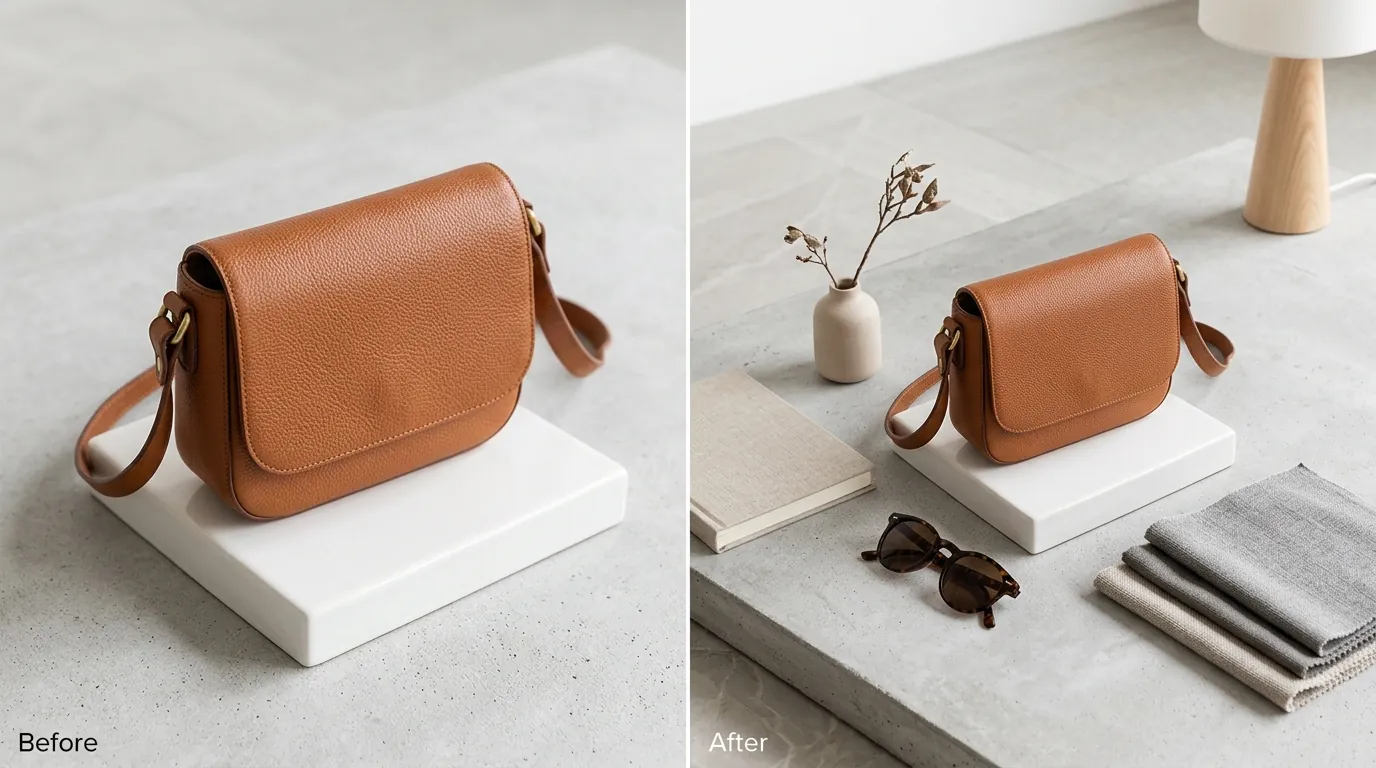
Monitor your “Unit Session Percentage” (Amazon’s version of conversion rate) for 30 days after updating your images. This seller saw an immediate correlation between image quality and sales velocity. By using an AI photo extender to keep the product high-resolution while filling the frame, they unlocked the “Zoom” feature for the first time on 80% of their catalog.
The CTR increase from 1.2% to 3.4% on Amazon search results wasn’t just luck. It was the result of the product appearing larger and clearer in the search results compared to competitors who were using low-res, tightly cropped photos.
Financial Impact Breakdown:
- Direct Cost Savings: By replacing freelance editors and multiple app subscriptions with PixelMatch, the cost per listing dropped from $15.00 to $2.50. On a 50-SKU catalog, that’s a savings of $625.
- Time Efficiency: Formatting a single hero image for Amazon, Shopify, and Etsy previously took 45 minutes of manual clicking. It now takes under 5 minutes.
- Compliance Security: The seller reported zero image rejections from Amazon Seller Central. Since PixelMatch is tuned for ecommerce, it doesn’t leave the “jagged edges” or “halos” that often trigger Amazon’s automated suppression bots.
Actionable Step: Run an A/B test on one high-traffic SKU. Keep the original image on Shopify but upload an AI-extended, high-resolution version to Amazon. Use the “Manage Your Experiments” tool in Amazon Seller Central to see if the higher resolution leads to a statistically significant lift in sales.
Steps to Replicate
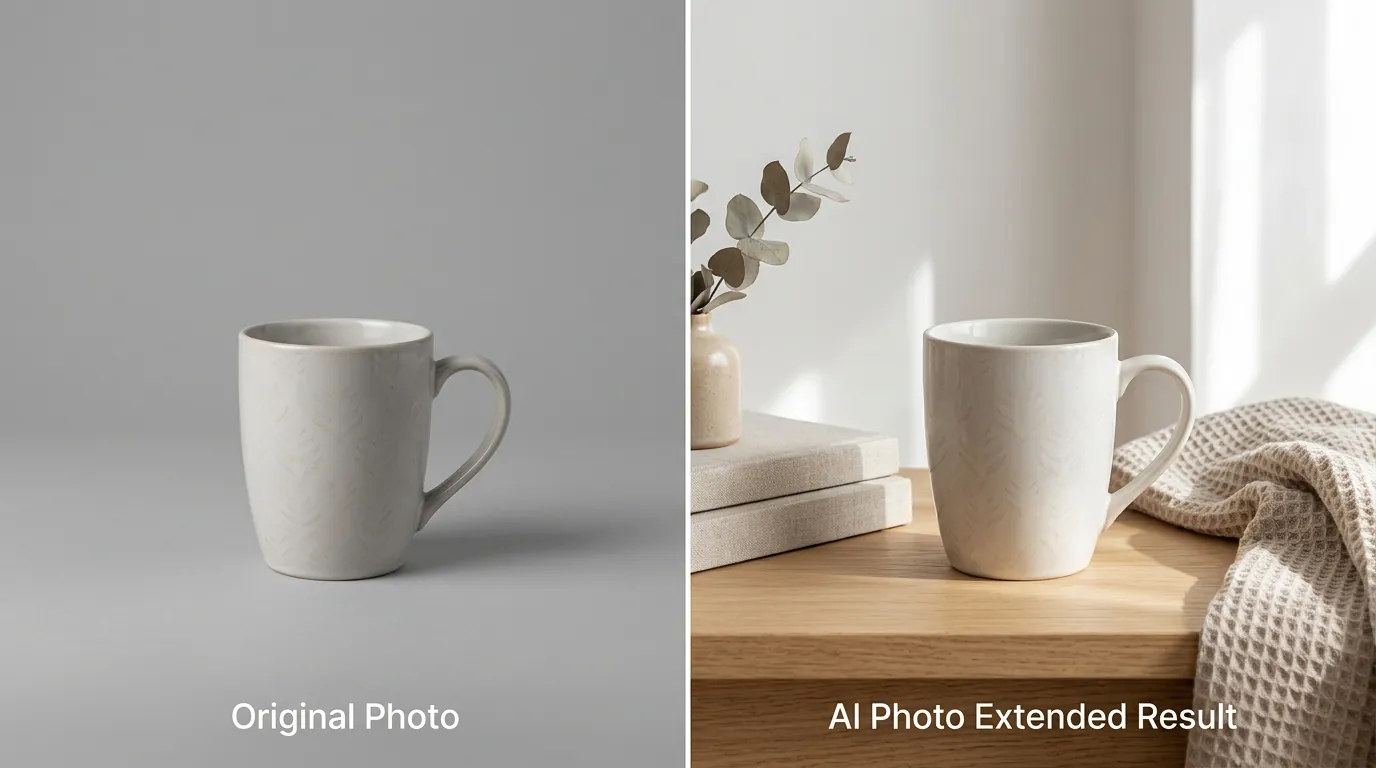
Run a “test batch” of five images today to calibrate the AI extender to your specific product category. Not every product reacts the same way to AI outpainting, so establishing a repeatable process is key to scaling.
Step 1: Upload and Analyze
Upload your raw product photo into PixelMatch. Ensure the product is in focus, as the AI extender can generate a background but it cannot “fix” a blurry product.
Step 2: Select Platform Presets
Select the target platform preset. For multi-platform sellers, start with the Shopify 2048x2048 or Amazon 1600x1600 preset. This ensures the aspect ratio is locked before the AI starts generating pixels.
Step 3: Execute AI Extension
Activate the AI photo extender tool. The AI will look at the existing pixels at the edge of your photo and “outpaint” the scene. This is critical for hero images where you want the product to feel “breathable” rather than cramped in the frame.
Step 4: Apply Compliance Filters
For your Amazon Main Image, apply the pure white background filter. For your Shopify and TikTok Shop hero images, keep the extended lifestyle background. This allows you to maintain a consistent brand “vibe” across platforms while meeting Amazon’s strict RGB 255, 255, 255 requirement.
Step 5: Batch Export and Upload
Export the entire batch. PixelMatch allows you to download all variations (White Background, Lifestyle, Square, Vertical) in one zip file. Upload these directly to your respective seller dashboards.
Actionable Step: Batch your products by category. AI photo extenders work faster when they are processing similar textures (e.g., all “wooden table” backgrounds together). This allows you to use the same “prompt” or “style” across 10-20 SKUs at once.
Caveats and Honest Limitations
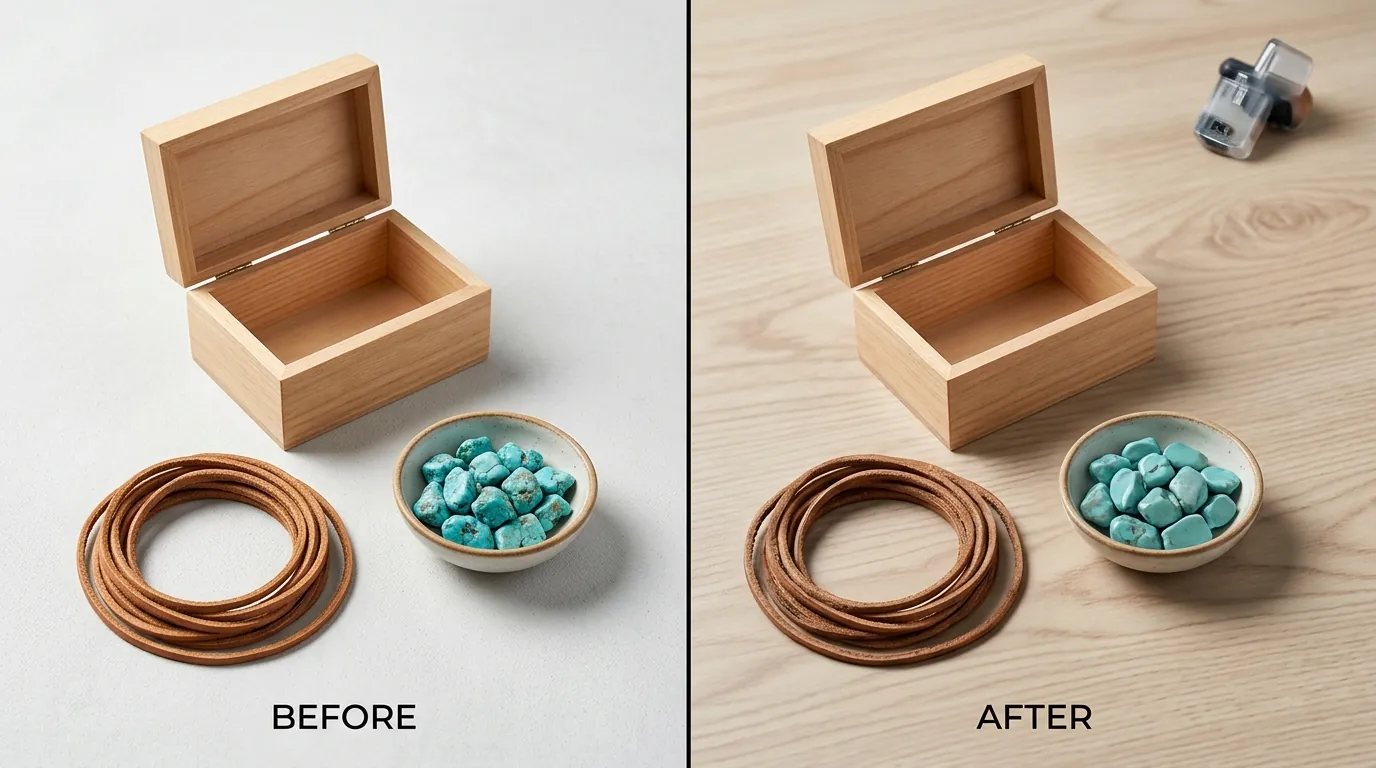
Implement a 3-point Quality Control (QC) checklist for every AI-generated image before it goes live. While AI photo extenders are transformative, they are not infallible.
First, AI occasionally struggles with highly complex, repeating geometric patterns. If your product is sitting on a very specific Moroccan tile or an intricate Persian rug, the extended portion of the background might show slight “seams” or pattern breaks.
Second, be wary of text or logos near the edge of the original frame. AI outpainters are designed to extend textures, not typography. If a logo is partially cut off at the edge of your raw photo, the AI may attempt to “hallucinate” the rest of the letters, leading to distorted or nonsensical text.
Third, human review is mandatory to comply with Amazon’s prohibited image content rules. Amazon forbids showing “accessories that are not included in the purchase.” If the AI extender decides to “add” a decorative plant or a coffee cup to the extended background to make it look better, you must remove it for the Main Image export.
Actionable Step: When reviewing AI-extended images, zoom in to 200% on the “join” where the original photo ends and the AI generation begins. If you can see a visible line or a shift in lighting, re-run the generation with a slightly different “strength” setting to ensure a seamless blend.
Ready to scale your listings?
PixelMatch generates white-background, lifestyle, and variant mockups from a single source photo — built specifically for multi-platform ecommerce sellers. 50 free images on signup, no credit card.
Start free →
Sources
- Amazon Seller Central: Product image requirements
- Shopify Help Center: Product media types and specs
- Etsy Help: Requirements and Best Practices for Images
- Photoroom Pricing and Pro Tier Features
- Canva for Teams and Business Pricing
- Stripe: Payment gateway fees and pricing resources