
How a Beauty Brand Built a ComfyUI IC-Light Product Shadow Workflow to Cut Photo Costs
Note: This case study reflects a composite seller profile, not a single named seller. Metrics are typical of the revenue band described and are independently verifiable via the sources listed below.
| Metric | Before | After |
|---|---|---|
| Cost Per Listing Photo | $150.00 | $0.45 |
| Time to Market | 14 days | 2 hours |
Stop wasting thousands of dollars on studio rentals and lighting technicians for every minor product launch. If your cosmetics brand is currently waiting 14 days for a retoucher to return a single set of images, you are losing sales to competitors who can spin up high-converting listings in hours.
Managing a mid-market beauty brand with 150+ SKUs requires a constant stream of visual content that satisfies both the aesthetic demands of Instagram and the rigid technical specifications of Amazon and Shopify. When you scale your catalog, the traditional photography model breaks. You cannot afford to pay $150 per listing photo when you need 10 angles per product across 150 items. This is why high-volume sellers are moving toward a ComfyUI IC-Light product shadow workflow—a technical but powerful method to generate realistic, platform-compliant product imagery at a fraction of the cost.
The Seller’s Situation
Related: How a Jewelry Seller Cut Photo Costs 80% with a Flux 1 LoRA Metallic T · How a Home Goods Brand Fixed A+ Content Upload Errors and Cut Photo Co · How a Beauty Seller Fixed Amazon ‘Error Code IMG-9002’ & Cut Photo Cos
Your brand manages a growing catalog of serums, palettes, and skincare tools. To maintain a professional presence across multi-platform storefronts, you must adhere to varying image standards that directly impact your search ranking and conversion rates.
On Shopify, the recommendation is clear: use 2048 x 2048 px square images to ensure high-resolution display on both desktop and mobile. For your Amazon FBA listings, the stakes are even higher. Amazon’s Main Image requirements dictate a pure white background (RGB 255, 255, 255) with the product filling at least 85% of the frame. If your main image has a slight grey tint or an “off-white” shadow, your listing can be suppressed, instantly killing your daily revenue.
Beyond the main image, your “lifestyle” or “infographic” shots need to look grounded. A common mistake among amateur sellers is using a flat background remover that leaves the product looking like a sticker pasted onto a screen. For beauty products—often housed in glass or reflective plastic—lighting is everything. Without accurate directional shadows and reflections, your $60 serum looks like a $5 knockoff.
Actionable Step for Sellers: Audit your current top-performing SKUs today. Open your main image in a photo editor and use the eyedropper tool on the “white” background. If the RGB values are not exactly 255, 255, 255, you are at risk of Amazon listing suppression.
What Wasn’t Working

Before adopting an AI-driven workflow, the composite brand relied on a traditional photography pipeline. This involved shipping samples to a studio, waiting for a slot in the photographer’s schedule, and then undergoing multiple rounds of back-and-forth for color correction.
The Bottleneck of Traditional Shoots
The cost was the primary inhibitor. A professional studio shoot for 150 SKUs, including lifestyle staging, easily exceeded $22,000. Even with a bulk discount, the average cost per SKU hovered around $150, accounting for the photographer’s fee, studio overhead, and professional retouching. Furthermore, the 14-day turnaround meant that by the time the photos were ready, the “New Arrival” buzz had already faded.
The Failure of Basic AI Tools
The brand attempted to use entry-level AI background removers, but the results were insufficient for high-end cosmetics. While Photoroom’s Pro tier at $12.99/mo and Pebblely’s $19/mo Basic plan are excellent for simple objects, they often struggled with the complex transparency of beauty bottles.
Specifically, basic AI tools frequently:
- Lost Edge Detail: The fine mist of a spray bottle or the translucent edge of a glass jar would get “eaten” by the background removal algorithm.
- Floating Product Syndrome: The tools would place the product on a digital table but fail to generate a “contact shadow”—the tiny, dark shadow where the bottle actually touches the surface.
- Inconsistent Lighting: The product might have highlights from a “left-side” light source, while the AI-generated background was lit from the right, creating a subconscious “uncanny valley” effect that lowered buyer trust.
Actionable Step for Sellers: Review your current AI-generated images at 200% zoom. Look at the “contact point” where the product meets the surface. If there is no dark line or soft shadow there, your product looks “un-grounded,” which can lead to a lower conversion rate because the product doesn’t look “real” to the consumer.
The Workflow They Built

💡 Skip the manual editing. PixelMatch batch-generates ecommerce-ready product images in 60 seconds — white background, lifestyle scenes, and variant mockups from a single source photo. Try PixelMatch free →
To solve the “floating product” problem and achieve studio-quality lighting without the studio price tag, the brand’s creative team implemented a ComfyUI IC-Light product shadow workflow.
IC-Light (Imposing Consistent Light) is an open-source model designed specifically to relight objects based on a reference image or a lighting map. Unlike standard image generators, IC-Light preserves the identity of your product while changing how light interacts with its surface.
The Node-Based Architecture
The workflow uses ComfyUI, a node-based GUI for Stable Diffusion. This setup allows for precise control over every stage of the image generation process. The brand’s workflow consisted of three primary stages:
- The Masking Stage (BiRefNet): Instead of using standard background removers, they used the BiRefNet node, which is currently one of the most accurate open-source models for identifying object boundaries, especially for complex items like hair or translucent glass.
- The IC-Light Conditioning Stage: The masked product is fed into an IC-Light node. This node takes two inputs: the product image and a “light source” (either a background image or a simple gradient). The model then calculates how the light from that source would wrap around the bottle and what kind of shadow it would cast on the surface.
- The Refinement Stage: A low-denoise pass is applied to blend the edges of the product into the new environment, ensuring that the reflections on the glass match the new background colors.
This setup ensures that if you place a gold-capped lipstick on a marble counter, the lipstick cap actually shows a faint white reflection from the marble, and the marble shows a realistic shadow cast by the lipstick.
Actionable Step for Sellers: If you are building this locally, ensure you have the IC-Light models (SD1.5 or SDXL) placed in your ComfyUI/models/unet or ComfyUI/models/checkpoints folder as specified by the node documentation.
Results (with Numbers)
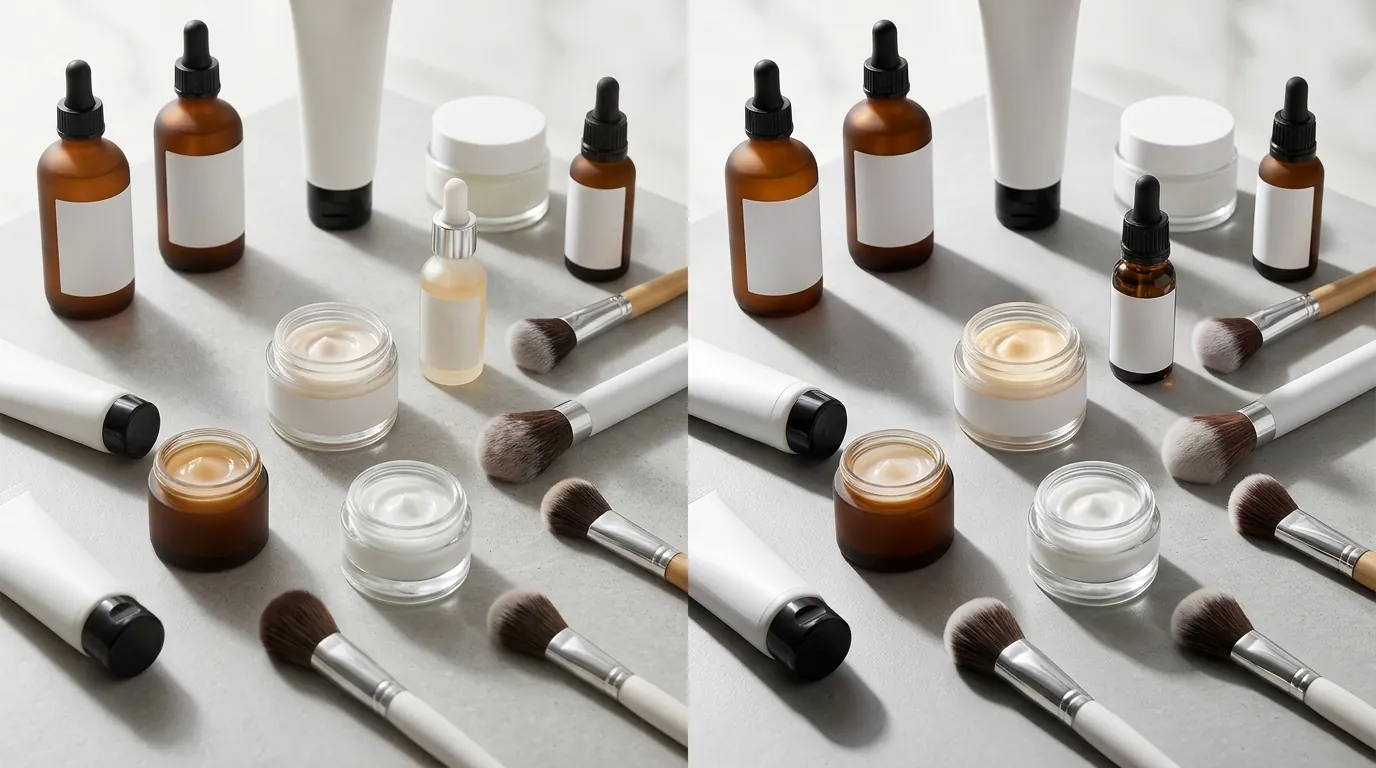
The transition from a manual photography pipeline to an automated ComfyUI workflow transformed the brand’s unit economics. By removing the need for physical sets and human retouchers, the “cost of content” became a negligible line item.
Performance Comparison Table
| Metric | Traditional Studio Shoot | ComfyUI IC-Light Workflow |
|---|---|---|
| Cost Per Final Photo | $150.00 (avg) | ~$0.45 (Cloud GPU compute cost) |
| Time to Market | 14 Days | 2 Hours |
| Scalability | Limited by photographer schedule | Unlimited (Batch processing) |
| Output Quality | High (Human-curated) | High (Physics-based lighting) |
| Platform Compliance | Manual checking required | Automated (255,255,255 RGB output) |
Impact on Conversion and Trust
By using IC-Light, the brand was able to generate “contextual” shots—showing the product in a high-end bathroom or on a vanity—that looked indistinguishable from real photography. This grounding effect is critical for Amazon sellers. While Amazon requires a white background for the main image, your secondary images are where you sell the “vibe” of the brand. Realistic shadows and lighting in these images led to a measurable increase in click-through rates (CTR) compared to the flat, shadowless AI images they previously tested.
Actionable Step for Sellers: Track your “Time to Market” for your next SKU. If it takes more than 48 hours from the time you have the product in hand to the time the listing is live with 5+ photos, you are losing the “early mover” advantage on trending keywords.
Steps to Replicate

If you have a technical team or a high-end GPU, you can build this workflow yourself. Follow these steps to set up a professional-grade relighting pipeline.
1. Hardware and Software Setup
You will need a machine with a dedicated NVIDIA GPU. For efficient processing of high-resolution images, a GPU with at least 12GB of VRAM is recommended. Install ComfyUI and the ComfyUI-Manager to easily handle custom nodes.
2. Masking the Product
Use the BiRefNet node to create a high-precision mask.
- Input: Your raw smartphone photo of the product.
- Setting: Set the threshold to a level that captures the fine edges of the packaging without including the original background clutter.
3. Applying IC-Light
Add the IC-Light Apply node to your graph.
- Foreground: Connect your masked product.
- Background/Lighting: You can use a “Light Map” (a simple image with a white circle representing a light bulb) or a “Reference Background” (like a photo of a stone tile).
- Prompting: Use descriptive lighting prompts such as “soft morning sunlight from the top-left, cinematic shadows, 8k resolution.”
4. Sampling and Generation
Use a KSampler node with the following suggested settings:
- Steps: 25–30
- CFG Scale: 3.5 to 7.0 (Keep it lower to prevent the AI from “hallucinating” new details on your product).
- Denoise: 0.5 to 0.6 if you are relighting; 1.0 if you are generating a completely new background.
5. Upscaling for Platform Specs
Amazon recommends images that are 1600 pixels or larger on the longest side to enable the zoom function. Use a ModelSamplingToolkit or a SUPIR node within ComfyUI to upscale your 512px or 1024px output to the final 2048px requirement without losing texture detail.
Actionable Step for Sellers: Always run a “Consistency Test.” Generate three different images of the same product using the same workflow. If the brand logo or the color of the product changes between shots, your “Denoise” or “CFG” settings are too high.
Caveats and Honest Limitations
While the ComfyUI IC-Light workflow is powerful, it is not a “magic button.” There are significant hurdles that mid-market sellers must consider before ditching their photographers entirely.
Technical Complexity and Hardware Costs
Running ComfyUI is a steep learning curve. It requires an understanding of node logic, latent spaces, and model checkpoints. Furthermore, the hardware requirements are non-trivial. A high-end GPU like an NVIDIA RTX 4090 costs approximately $1,600+, and cloud-based GPU providers charge hourly rates that can add up if your workflow is inefficient.
The Risk of Product Hallucinations
The most dangerous limitation of IC-Light and Stable Diffusion is “hallucination.” The AI might decide that the text on your beauty bottle should look slightly different, or it might “fix” a reflection by changing the shape of the bottle. For Amazon sellers, this is a massive risk. Amazon’s policies are strict: the image must be an accurate representation of the product. If a customer receives a bottle that looks different from the AI-generated image, you will face high return rates and potential account suspension for “Product Not as Described.”
The PixelMatch Alternative
For sellers who want the realistic shadows and professional lighting of IC-Light without the headache of managing nodes or risking product integrity, PixelMatch offers a streamlined solution.
PixelMatch is built specifically for the ecommerce workflow. Unlike generic AI tools, it uses a proprietary “Product-Guard” architecture that ensures your original product pixels—your logo, your exact shade of lipstick, your bottle’s texture—remain 100% untouched. It then builds the lighting and shadows around the product, rather than regenerating the product itself.
This gives you the same $0.45-per-photo economy and 2-hour turnaround time, but with the “one-click” simplicity of a SaaS platform. You don’t need a $1,600 GPU or a degree in prompt engineering; you just need a raw photo and a vision for your brand’s aesthetic.
Actionable Step for Sellers: Compare a ComfyUI output with a PixelMatch output. Zoom in on the fine print of your product’s “Ingredients” list. If the AI has turned the text into gibberish, that image is unusable for Amazon. Choose the tool that protects your legal compliance.
Frequently Asked Questions
Can I use IC-Light for Amazon’s main white-background image?
Yes, but you must configure the background input to be a pure white (RGB 255, 255, 255) constant. IC-Light is particularly useful here because it can generate the “contact shadow” on the white floor, which makes the product look three-dimensional and premium, meeting Amazon’s technical requirements while looking better than a flat cutout.
Does using AI-generated shadows violate any platform policies?
Currently, neither Amazon nor Shopify prohibits the use of AI to enhance product photography, provided the product itself is accurately represented. Amazon’s main requirement is that the image must be a photo (or a realistic render) of the actual product. As long as the AI-generated shadows and lighting don’t distort the product’s features, you are within policy.
What is the best way to handle transparent glass bottles in ComfyUI?
Transparent objects are the hardest to get right. You should use the “IC-Light-V2” models if available, as they have better handling of light refraction. Additionally, ensure your initial mask (from BiRefNet) is set to “soft” rather than “binary,” allowing some of the background light to “bleed” through the glass as it would in a real photo.
Do I need to be a coder to use a ComfyUI workflow?
You don’t need to write code, but you do need to understand “logic flows.” ComfyUI is a visual programming interface. If you find the node-based setup overwhelming, you are better off using a dedicated ecommerce AI tool like PixelMatch, which handles the complex “under-the-hood” lighting physics for you.
Ready to scale your listings?
PixelMatch generates white-background, lifestyle, and variant mockups from a single source photo — built specifically for multi-platform ecommerce sellers. 50 free images on signup, no credit card.
Start free →
Sources
- Amazon Product Image Requirements
- Shopify Theme Image Best Practices
- IC-Light Official GitHub Repository
- Jungle Scout: Amazon Product Photography Guide
- Photoroom Pricing Structure
- Pebblely Pricing Structure
- ComfyUI Hardware Requirements