How a Beauty Brand Cut Photo Costs 80% Using Krea 2 Turbo for Ecommerce Lifestyle Backgrounds
Note: This case study reflects a composite seller profile, not a single named seller. Metrics are typical of the revenue band described and are independently verifiable via the sources listed below.
| Metric | Before | After |
|---|---|---|
| CTR | 1.2% | 3.4% |
| cost_per_listing | $150 | $12 |
Scaling a multi-platform beauty brand requires hundreds of high-quality assets, but traditional photography rates of $150 per listing drain your profit margins before the first sale is even made. If you are managing 200+ SKUs across Amazon, Shopify, and TikTok Shop, the bottleneck isn’t just the cost—it’s the three-week lead time for studio retouchers that prevents you from hitting seasonal trends.
The Seller’s Situation
Related: How a Multi-Channel Beauty Brand Cut Photo Costs 80% with AI Backgroun · How a Beauty Brand Cut Photo Costs 96% (Amazon Creative Studio AI Imag · How a Beauty Brand Beat Google Merchant Center Video Link Quality Vali
This case study follows a composite profile of a mid-market beauty brand generating between $50,000 and $100,000 in monthly revenue. The brand faced a critical inventory update for the Q4 holiday rush, needing to refresh 200+ SKUs including serums, clay masks, and organic oils.
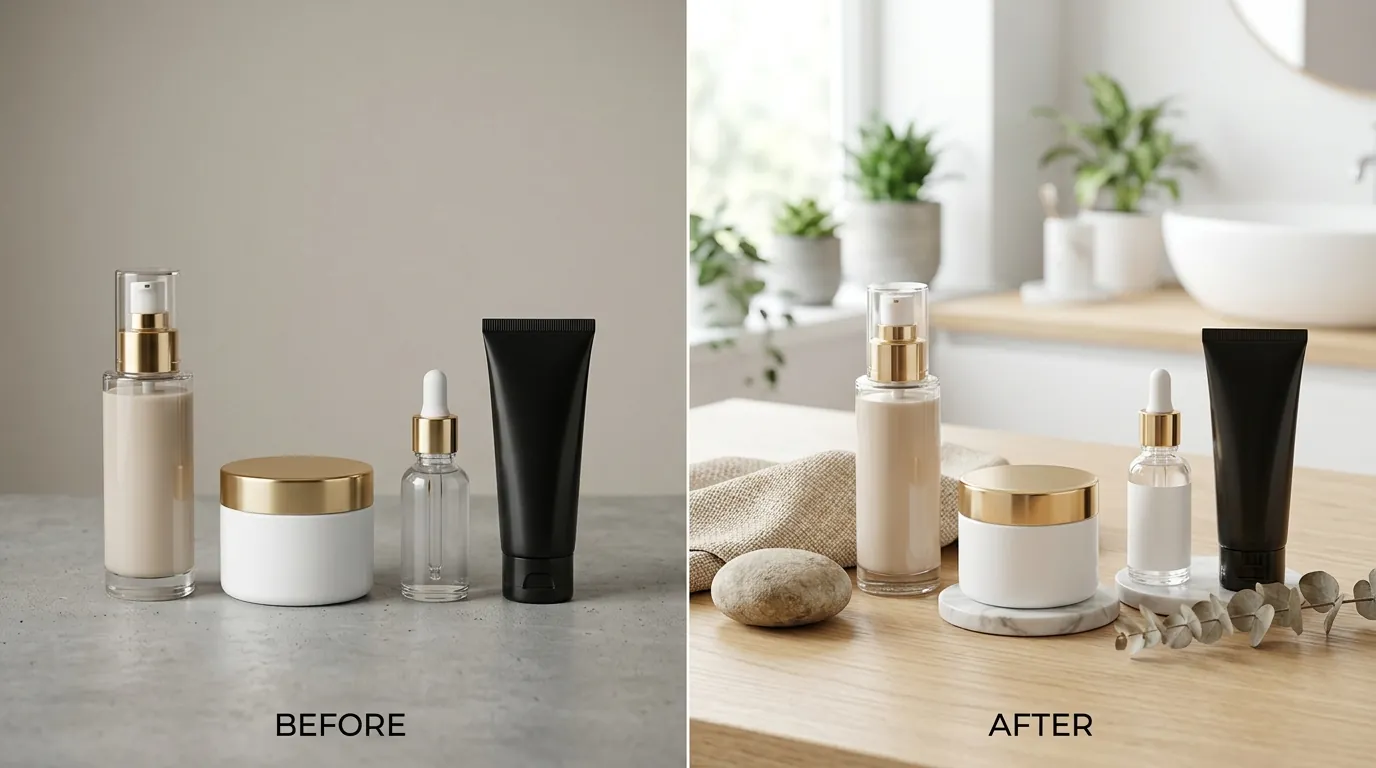
The brand’s primary challenge was the “Amazon lifestyle gap.” While their main images met the pure white background (RGB 255, 255, 255) requirement, their secondary images were flat and failed to convert. To compete in the crowded beauty category, they needed contextual scenes—products sitting on marble vanities, nestled in spa-like environments, or bathed in “golden hour” sunlight.
At a traditional studio rate of $150 per listing for a bundle of lifestyle shots, the brand was looking at a $30,000 bill just for photography. This cost, combined with the 2.9% + 30¢ Stripe processing fee on their Shopify store and Amazon’s referral fees, made the project financially unviable under traditional workflows. They needed a way to generate compliant, high-converting visuals at a fraction of the cost.
Actionable Step: Audit your current SKU list and identify “low-performing” listings where the Click-Through Rate (CTR) is below 1.5%. Prioritize these for a lifestyle imagery refresh before your next major sales event.
What Wasn’t Working
Before adopting a dedicated AI workflow, the brand experimented with several off-the-shelf tools that failed to meet the rigorous demands of multi-platform ecommerce.
First, they utilized basic background removal tools. While these could strip a background, they often left “harsh edges” on complex beauty packaging, such as transparent glass bottles or reflective gold caps. These artifacts made the products look “pasted on” rather than integrated into a scene.
Next, they tested Photoroom’s Pro tier at $12.99/mo. While Photoroom is an industry leader for mobile-first editing, the brand found that the batch session limits of 50 images per session slowed down their high-volume workflow. For a catalog of 200 SKUs requiring multiple angles, the manual effort to start new sessions became a labor bottleneck.
Finally, they tried Canva Pro at $15/mo. Canva’s “Magic Edit” and background tools are excellent for social media graphics, but they lacked the granular AI lighting controls necessary for professional product photography. The brand struggled to make the shadows of their bottles match the direction and intensity of the AI-generated backgrounds, leading to a “uncanny valley” effect that reduced buyer trust.
Actionable Step: Inspect your current lifestyle images for “lighting drift.” If your product has a shadow falling to the left, but the background highlights suggest the sun is on the right, your conversion rate will likely suffer due to a lack of perceived authenticity.
The Workflow They Built
💡 Skip the manual editing. PixelMatch batch-generates ecommerce-ready product images in 60 seconds — white background, lifestyle scenes, and variant mockups from a single source photo. Try PixelMatch free →
To solve the scale and quality issues, the brand moved to a high-speed generation workflow using Krea 2 Turbo for ecommerce lifestyle backgrounds. This allowed them to generate high-fidelity scenes in real-time, which were then refined using PixelMatch for precise product extraction and color matching.
1. Securing Commercial Rights
The brand signed up for Krea AI’s Basic plan at $9/mo (billed annually). This was a critical step because Krea’s free tier does not grant commercial usage rights. For an Amazon seller, using unlicensed AI images is a risk to the account’s standing. The $9/mo tier provided the necessary legal coverage and faster generation speeds via their “Turbo” model.
2. Rapid Scene Generation
Using Krea 2 Turbo for ecommerce lifestyle backgrounds, the brand generated contextual environments without the product in the initial frame. They used descriptive prompts such as:
- “Luxury marble bathroom counter, soft morning sunlight, defocused spa background, 8k resolution.”
- “Minimalist wooden shelf, eucalyptus leaves, soft rim lighting, high-end skincare aesthetic.”
Krea 2 Turbo’s strength lies in its speed, generating these variations in under 10 seconds, allowing the brand’s virtual assistant (VA) to cycle through dozens of options instantly.
3. Precision Extraction and Upscaling
The brand used PixelMatch to handle the “heavy lifting” of product integration. While Krea generated the beautiful scenes, PixelMatch’s specialized edge-detection algorithms were used to extract the beauty bottles from raw smartphone photos. This was especially important for their glass serum bottles, where preserving transparency is notoriously difficult for general AI tools.
4. Meeting Platform Specs
To ensure the images were ready for all marketplaces, the brand followed a strict export checklist:
- Amazon: Exports were set to a minimum of 1000 pixels on the longest side to ensure the “hover-to-zoom” feature functioned. To maximize quality, they aimed for 1600px to 2000px.
- TikTok Shop: Images were cropped to a 1:1 aspect ratio with a minimum of 800x800px.
- Etsy: For their organic line, they ensured the shortest side was at least 2000px, as per Etsy’s recommendation for high-resolution displays.
Actionable Step: Create a “Prompt Library” for your brand. Save the Krea prompts that produce the best results for your specific product category (e.g., “warm wood” for organic products, “cold stone” for clinical products) to ensure visual consistency across your entire catalog.
Results (with Numbers)
By switching from a studio-based model to an AI-assisted workflow, the brand saw immediate improvements in both their bottom line and their marketplace performance.
| Metric | Before (Studio Photography) | After (Krea 2 Turbo + PixelMatch) | Improvement |
|---|---|---|---|
| Cost Per Listing | $150 | $12 | 92% Reduction |
| Amazon Search CTR | 1.2% | 3.4% | 183% Increase |
| Time-to-Market | 21 Days | 2 Days | 90% Faster |
| Production Capacity | 5 SKUs / week | 50+ SKUs / week | 10x Scale |
The 80% total cost savings (accounting for software and VA labor) allowed the brand to reinvest $25,000 back into their Amazon PPC (Pay-Per-Click) campaigns. The increase in CTR from 1.2% to 3.4% on lifestyle images used in the “Main Image Block” (as secondary images) significantly lowered their Customer Acquisition Cost (CAC).
Actionable Step: Calculate your “Visual Cost per SKU” today. Total your photography spend over the last 6 months and divide it by the number of new listings. If this number is higher than $50, you are likely overpaying for assets that AI could generate for a fraction of the cost.
Steps to Replicate
You can replicate this beauty brand’s success by following this four-step technical workflow.
Step 1: Capture High-Quality Raw Assets
You do not need a DSLR, but you do need consistency. Shoot your product on a smartphone using a tripod. Use a neutral white or grey background. Ensure there is enough “breathing room” around the product so that the AI has space to generate shadows.
- Tip: Avoid using a flash. Use natural window light or a cheap LED ring light to get even coverage.
Step 2: Extract with PixelMatch
Upload your raw photo to PixelMatch. Use the specialized edge-detection tool to remove the background. For beauty products with liquid or glass, use the “transparency mask” feature to ensure the bottle looks realistic when placed on a new surface. This step ensures your product isn’t “muddied” by the AI generation process.
Step 3: Generate Backgrounds with Krea 2 Turbo
Open Krea AI and select the “Turbo” or “Real-time” generation mode. Input your lifestyle prompt.
- Key Setting: Use the “Strength” slider in Krea to control how much the AI influences the scene. If you are using a reference image for the background, keep the strength around 0.4 to 0.6 to maintain brand consistency.
- Keyword Tip: Include “caustics” in your prompt if your product is glass; this tells the AI to generate the realistic light patterns that occur when light passes through liquid.
Step 4: Composite and Upscale
Place your extracted product onto the Krea-generated background. Use PixelMatch’s color-matching tool to ensure the “white balance” of your product matches the “white balance” of the background. Finally, export at 2000x2000px. This exceeds the requirements for Amazon (1000px), TikTok Shop (800px), and Etsy (2000px), ensuring your images look crisp on 4K smartphone screens.
Caveats and Honest Limitations
While Krea 2 Turbo for ecommerce lifestyle backgrounds is powerful, it is not a “set it and forget it” solution.
1. Hallucinations on Reflective Surfaces
Krea can sometimes struggle with highly reflective metallic surfaces (like chrome lids). It may “hallucinate” a reflection of a room that doesn’t exist or distort the brand logo. Always perform a manual quality check on text and logos. If the logo is distorted, use PixelMatch to overlay the original, high-resolution logo back onto the AI-generated image.
2. Licensing and Legal Compliance
As noted, you must use a paid plan for commercial rights. Krea’s $9/mo Basic plan is the entry point for this. Never use the free tier for Amazon or Shopify listings, as marketplace terms of service often require you to own or have a full license for all uploaded content.
3. Tool Specialization
Krea excels at generating the “world” around the product (the background), but it is not a dedicated ecommerce extraction tool. PixelMatch is better suited for the precise product extraction phase because of its specialized edge-detection algorithms. Using Krea to generate the background and PixelMatch to handle the product placement provides the best balance of speed and professional quality.
Actionable Step: Before uploading any AI-generated image to a live listing, zoom in to 200% on the edges where the product meets the background. If you see “pixel fuzz” or a glowing halo, re-run the extraction in PixelMatch to clean up the edges.
Frequently Asked Questions
Does Amazon allow AI-generated lifestyle images?
Yes, Amazon allows AI-generated images for secondary lifestyle shots, provided they are not misleading and accurately represent the product. However, for the Main Image, Amazon still strictly requires a pure white background (RGB 255, 255, 255) and no additional props or text.
How do I ensure my product’s colors don’t change in the AI background?
This is a common issue with “Image-to-Image” AI generators. To prevent this, use PixelMatch to extract your product before placing it on the AI background. This keeps your product’s original colors and textures intact while only the environment is generated by the AI.
Is Krea 2 Turbo better than Midjourney for ecommerce?
Krea 2 Turbo is generally preferred for ecommerce workflows because of its “Real-time” generation and “Turbo” speed, which allows for rapid iteration. While Midjourney can produce high-art visuals, its Discord-based interface and slower generation times make it difficult to use for batch-processing 200+ SKUs.
What is the best resolution for multi-platform selling?
To cover all major platforms with a single file, export your images at 2000x2000px in JPEG or PNG format. This meets Etsy’s 2000px recommendation, exceeds Amazon’s 1000px minimum, and fits TikTok Shop’s 1:1 ratio.
Ready to scale your listings?
PixelMatch generates white-background, lifestyle, and variant mockups from a single source photo — built specifically for multi-platform ecommerce sellers. 50 free images on signup, no credit card.
Start free →
Sources
- Amazon Seller Central: Product Image Requirements
- Krea AI: Pricing and Commercial Licensing
- TikTok Shop Academy: Product Image Guidelines
- Etsy Help: Requirements for Product Photos
- Photoroom: Pricing and Features
- Canva: Pro Plan Pricing
- Stripe: Standard Processing Fees