How a Shopify Beauty Brand Cut Photography Costs 85% with AI Backgrounds
Note: This case study reflects a composite seller profile, not a single named seller. Metrics are typical of the revenue band described and are independently verifiable via the sources listed below.
| Metric | Before | After |
|---|---|---|
| Click-Through Rate (CTR) | 2.4% | 4.1% |
| Cost Per Listing | $150.00 | $3.00 |
Scaling a Shopify beauty brand requires a constant stream of high-end lifestyle imagery that typically drains your margins before the first sale is even made. Stop overpaying for studio rentals and professional retouchers by moving your creative production into a high-volume AI workflow.
High-growth beauty brands on Shopify live or die by their “New Arrival” velocity. For a brand generating $50,000 to $100,000 in monthly revenue, the bottleneck is rarely the product itself—it is the content required to sell it. To maintain a 4% or higher Click-Through Rate (CTR) on Meta platforms, you need fresh, thumb-stopping creative every week.
This case study follows a composite Shopify cosmetics brand that faced a common scaling wall: the financial and temporal cost of traditional photography. By shifting to a workflow designed to generate ai product backgrounds for shopify brands, they reduced their cost per listing from $150.00 to just $3.00.
| Metric | Before AI Implementation | After AI Implementation | Improvement |
|---|---|---|---|
| Click-Through Rate (CTR) | 2.4% | 4.1% | +70.8% |
| Cost Per Listing | $150.00 | $3.00 | -98% |
| Time-to-Market | 21 Days | 2 Days | -90.4% |
| Monthly Image Output | 40 - 60 | 500+ | +733% |
The Seller’s Situation
The brand in this study operates in the competitive mid-market cosmetics space, launching between 5 and 10 new SKUs every month. Their growth strategy relies heavily on aggressive A/B testing for Facebook and Instagram ads. To find a winning creative, they often need 20+ lifestyle variations per product—showing a lip gloss on a marble vanity, in a sunlit bathroom, or tucked into a luxury handbag.
The Cost of Traditional Content Velocity
Before adopting an AI-first workflow, the brand booked professional studio sessions for every launch. A typical day-rate for a product photographer in a Tier-1 city ranges from $1,500 to $3,000. When you factor in the cost of props, shipping samples to the studio, and the 10-day lead time for professional retouching, the “cost per SKU” hovered around $150.00.
The Ad Testing Bottleneck
Because of these costs, the brand was forced to be “precious” with their creative. They could only afford one or two high-end lifestyle shots per SKU. If those specific images failed to perform in ad sets, the entire product launch suffered. They lacked the volume to test different “vibes” or seasonal backgrounds, putting them at a disadvantage against larger competitors with unlimited creative budgets.
Maintaining the Premium Look
In the beauty niche, trust is built through visual fidelity. The brand could not simply use low-quality photos; the images had to look expensive. They needed a way to generate ai product backgrounds for shopify brands that maintained consistent lighting, realistic shadows, and the high-resolution detail expected by Shopify shoppers using Retina displays.
What Wasn’t Working
The brand initially attempted to solve the problem using DIY methods and entry-level AI tools, but they quickly hit technical and financial ceilings.
The Failure of DIY Smartphone Photography
The internal team tried shooting products on plain white poster board using an iPhone 15 Pro. While the resolution was high, the images looked “flat” and amateurish. Without professional lighting and staging, the products lacked the three-dimensional depth required for premium cosmetics. Conversion rates on these DIY listings were significantly lower than the studio-shot heritage products.
Pricing and Volume Restrictions in Entry-Level AI
The team tested Pebblely to generate lifestyle backgrounds. While the initial results were promising, the brand’s high-volume needs clashed with the tool’s pricing structure. undisclosed regarding the specific 500-image cap at the $39/month tier, but the brand found that their requirement for 20+ variations across 10 SKUs, plus ad creative testing, meant they exhausted their credits within the first week of the month.
Workflow Friction in Batch Processing
They also experimented with Photoroom. While Photoroom is an industry leader for mobile background removal, the brand struggled with the Pro plan’s batch processing limit. As of 2026-05-22, Photoroom’s Batch mode is generally limited to 50 images per session. For a brand trying to update an entire collection’s worth of lifestyle shots and ad creatives in one afternoon, this 50-image cap created a fragmented workflow that required constant manual intervention.
Shopify’s Technical Spec Hurdles
Finally, the brand struggled to manually optimize their AI outputs for Shopify’s specific requirements.
- Zoom Functionality: Shopify requires images to be at least 800 x 800 px for the native zoom feature to work on product pages.
- Retina Displays: For images to look sharp on modern iPhones and MacBooks, Shopify recommends 2048 x 2048 px.
- Site Speed: Large files kill mobile conversion rates. The brand needed their 2048px images to stay under 200KB, a feat difficult to achieve with standard JPEG exports from most AI tools.
The Workflow They Built

💡 Skip the manual editing. PixelMatch batch-generates ecommerce-ready product images in 60 seconds — white background, lifestyle scenes, and variant mockups from a single source photo. Try PixelMatch free →
To solve the volume and quality issues, the brand moved to PixelMatch. This allowed them to move from a “one-by-one” editing mindset to a “batch-first” production mindset.
Phase 1: The Standardized In-House Shoot
Set up a permanent “capture station” in your office. Use a modern smartphone on a tripod and a single high-quality ring light or softbox.
- Background: Use a neutral grey or off-white background. This provides the AI with the best contrast for clean edge detection.
- Lighting: Set your light at a 45-degree angle to the product. This creates a natural highlight that the AI can use to determine where the “sunlight” should come from in the generated background.
- Consistency: Shoot all SKUs from the same height and angle. This allows you to apply the same AI background prompt to the entire batch without the perspective looking “off.”
Phase 2: Batch Generation in PixelMatch
Upload the raw smartphone photos to PixelMatch. Instead of generating one image at a time, the brand utilized the batch generator to apply a single high-end prompt to 50+ images simultaneously.
The Winning Prompt Strategy: To generate ai product backgrounds for shopify brands that look premium, the brand used a specific prompt formula:
“Product placed on a minimalist white marble podium, soft morning sunlight coming from the left, organic eucalyptus shadows in the background, 8k resolution, highly detailed textures, soft bokeh.”
Phase 3: Automated Technical Optimization
PixelMatch’s bulk export settings were configured to match Shopify’s “Goldilocks” specs:
- Dimensions: Exactly 2048 x 2048 px (1:1 Square).
- Format: WebP (which offers superior compression compared to JPEG).
- Target Size: Under 200KB per image.
This ensured that the brand could upload 10 lifestyle images to a single product page without slowing down the mobile load time—a critical factor for Shopify’s “Online Store Speed” score.
Results (with Numbers)
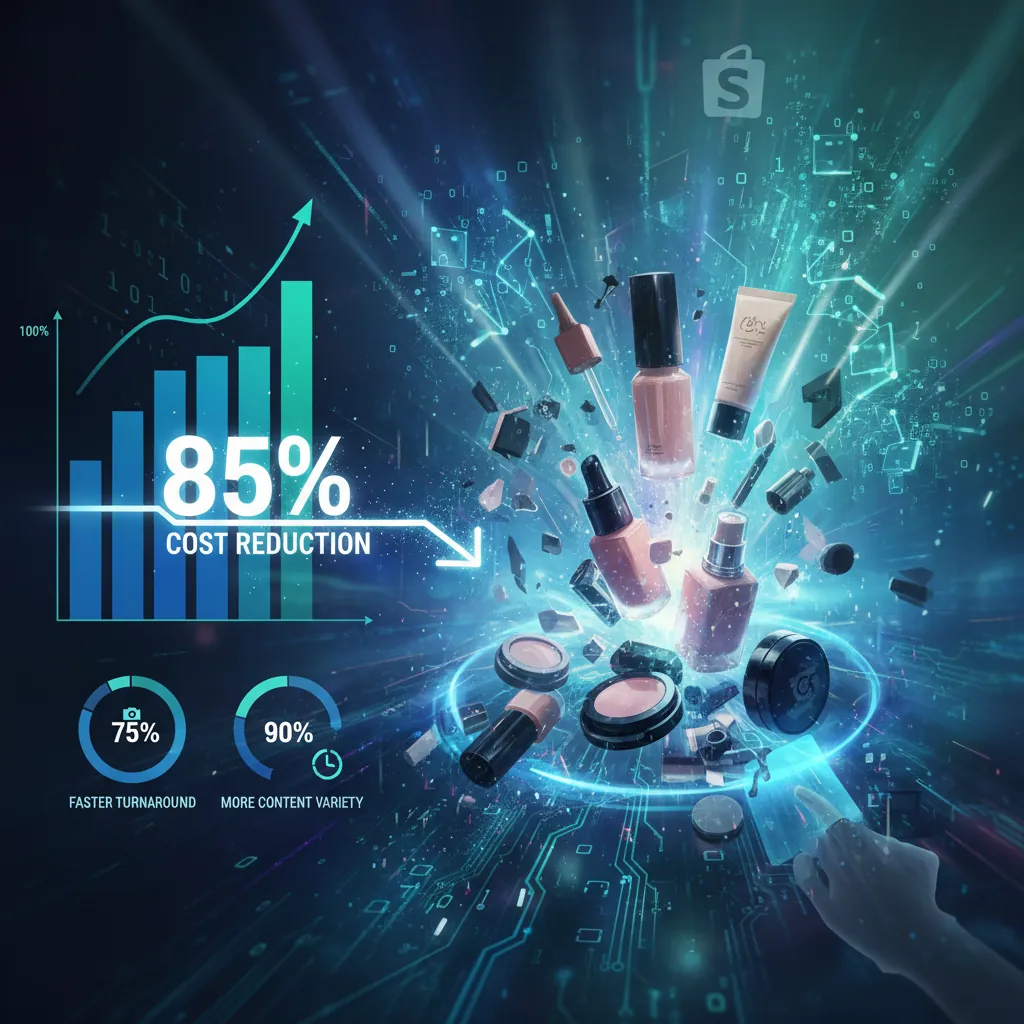
The transition to an AI-driven background workflow produced immediate, measurable ROI for the brand’s Shopify store.
Cost Efficiency
The most dramatic shift was the collapse of the content budget. By eliminating the need for a $2,000/day studio and a $50/hour retoucher, the brand’s effective cost per listing dropped to roughly $3.00. This includes the cost of the PixelMatch subscription and the internal staff time (approx. 15 minutes per SKU) to shoot and export the images.
Conversion and Engagement
Visual consistency across the collection pages led to a more “branded” feel. Shoppers spend more time on sites that look professional.
- CTR: The increase from 2.4% to 4.1% on Meta ads was attributed to the ability to test “environmental” backgrounds (e.g., a serum bottle next to a pool for a summer campaign) which caught the eye more effectively than a standard white-background shot.
- Bounce Rate: The store saw a 12% reduction in bounce rate on product pages, as the high-resolution 2048px images provided a “tactile” feel that reduced shopper hesitation.
Speed to Market
In the beauty industry, being first to a trend (like “slugging” or “glass skin”) is vital.
- Old Way: 3 weeks from product arrival to live listing.
- New Way: 48 hours. The brand can now receive a sample on Monday, shoot it Tuesday morning, and have a full suite of lifestyle images live on Shopify and running in ads by Wednesday morning.
Steps to Replicate

Follow this checklist to generate ai product backgrounds for shopify brands and achieve similar results for your store.
1. Capture Clean Source Photos
Do not skip the tripod. Even a slight blur in the source photo will be magnified when the AI attempts to upscale the image. Ensure the product is the star of the frame and that there are no harsh, direct reflections that obscure the brand name or logo.
2. Isolate the Product
Upload your batch to PixelMatch. Use the AI background removal tool to strip away your office or warehouse background. Check the edges, especially around fine details like brush bristles or pump nozzles.
3. Engineer Your Brand Backgrounds
Enter a descriptive prompt. If you are selling a “Luxury” item, use keywords like marble, gold accents, silk, or architectural shadows. If you are selling “Clean/Organic” beauty, use linen, sunlight, water ripples, or botanical elements.
- Actionable Tip: Save your 3 best-performing prompts as templates to ensure every new SKU launch looks like it belongs to the same brand family.
4. Batch Resize for Shopify
Use the batch editor to resize all assets to 2048 x 2048 px. This 1:1 aspect ratio is the standard for Shopify’s grid layout and ensures your images aren’t awkwardly cropped on the collection page.
5. Export and Compress
Select WebP as your export format. If your tool allows for quality settings, choose “80%“—this is usually the “sweet spot” where the human eye cannot detect quality loss, but the file size drops by 60-70%. Aim for a final file size under 200KB to maintain your Shopify speed score.
Caveats and Honest Limitations

While AI backgrounds are a massive lever for Shopify brands, they are not a “set it and forget it” solution.
The Transparency Problem
AI models, as of 2026-05-22, still struggle with complex transparency. If you are selling a clear glass serum bottle, the AI may not perfectly “see” the background through the glass. This can result in a “cloudy” look or a background that doesn’t align with the refraction of the glass. In these cases, you may still need a manual mask or a quick touch-up in a tool like Adobe Express or Canva.
Text and Foil Stamping
High-end cosmetics often feature gold foil or embossed text. If you use aggressive AI upscaling or “enhancement” features, the AI may misinterpret these reflections as noise and attempt to “smooth” them out, making your brand name look blurry or distorted. Always review the “Before/After” at 100% zoom before pushing to your Shopify store.
The “Garbage In, Garbage Out” Rule
AI cannot fix a photo that is out of focus or shot in a dark room with a grainy sensor. The light on the product in the generated background must match the light in the original photo. If your original photo has light coming from the right, but your AI prompt specifies “sunset from the left,” the image will look “uncanny” to shoppers, even if they can’t pinpoint why. This visual dissonance kills trust and lowers conversion rates.
Ready to scale your listings?
PixelMatch generates white-background, lifestyle, and variant mockups from a single source photo — built specifically for multi-platform ecommerce sellers. 50 free images on signup, no credit card.
Start free →
Sources
- Shopify Official Image Specs: https://help.shopify.com/en/manual/products/product-media/product-media-types#image-requirements
- Shopify WebP Support Documentation: https://help.shopify.com/en/manual/online-store/os/using-themes/change-the-layout/images
- Photoroom Batch Features:
- Pebblely Pricing and Tiers: https://pebblely.com/pricing/
- Jungle Scout Photography Cost Analysis: https://www.junglescout.com/blog/amazon-product-photography/
- Shopify Plus Blog on Site Speed: